HFM Demo Account 2026: Setup & Limits
The HFM demo account is a free practice environment that mirrors live trading conditions on MetaTrader 4, MetaTrader 5, and the HFM mobile app.
Reviewed by Hà Ngọc Lộc· Senior SEO Editor
Reviewed using our forex & CFD broker review methodology
The HFM demo account is a free practice environment that mirrors live trading conditions on MetaTrader 4, MetaTrader 5, and the HFM mobile app. It uses virtual funds, so there is no financial risk. There is no time limit on usage, and it gives beginners access to the same instruments, charting tools, and order types available on a live account.
The demo is best suited to new traders who want to learn the platform before committing real money. One important caveat: demo execution does not fully replicate live slippage, fill behaviour, or the emotional pressure of risking real capital. Understanding this gap is part of using the demo well.
Open a free HFM demo account
Quick Verdict: Is the HFM Demo Worth Your Time?
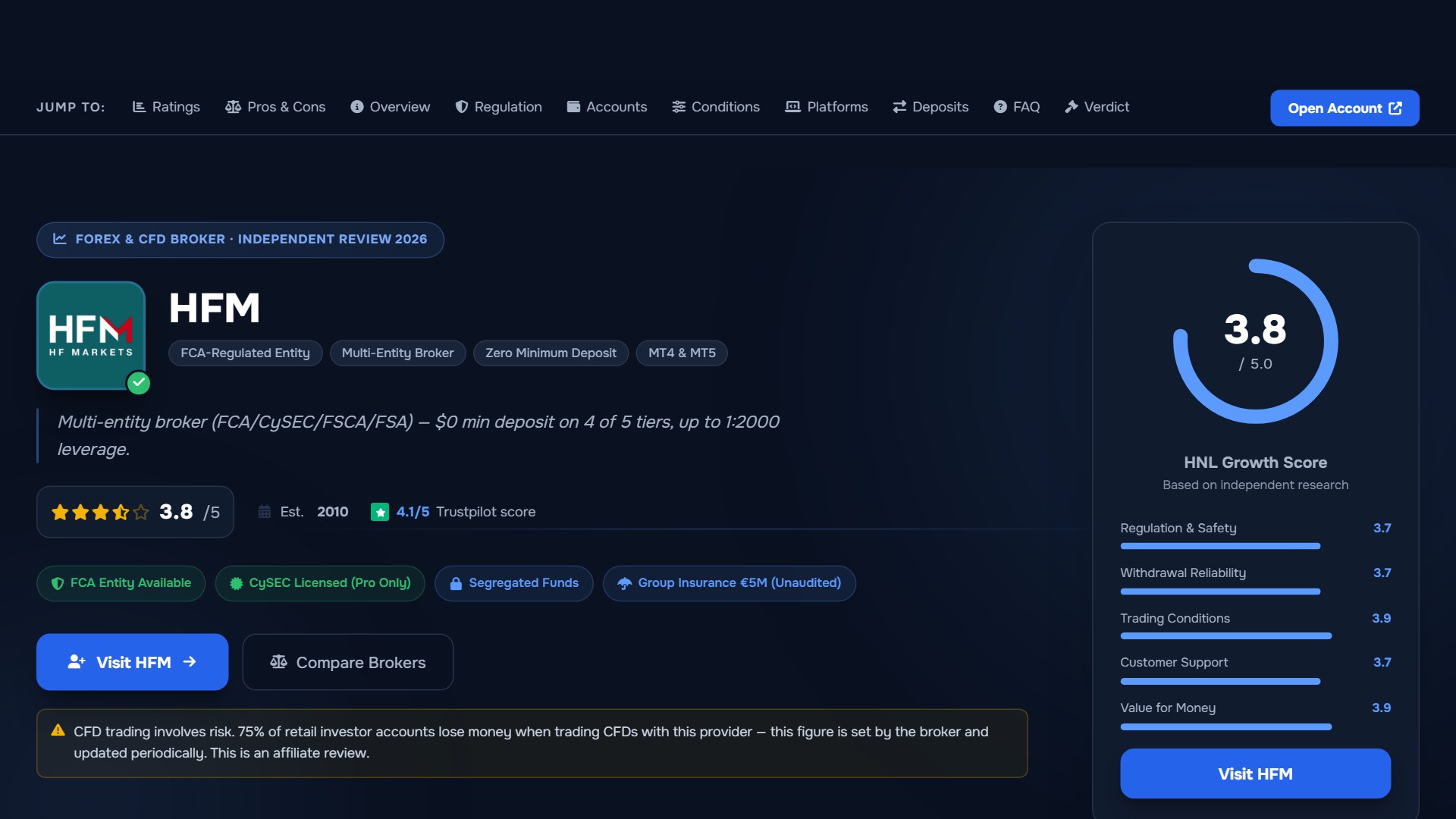
The HFM demo account delivers what most beginners need: a zero-cost, unlimited-duration sandbox on industry-standard platforms. You get real-time market data, full instrument access, and the same interface you would use with real money. HFM has operated since 2010 and holds regulatory licences from the FCA, CySEC, FSCA, FSA, DFSA, and CMA across its group entities, according to its official legal disclosures.
The main limitation is that demo pricing and execution may not perfectly match live conditions during volatile markets. This is true of most broker demos, not just HFM.
If you are new to trading or want to test the HFM platform without financial exposure, the demo is a sensible starting point. It allows you to familiarize yourself with order placement, charting tools, and platform navigation before you decide whether to deposit real funds.
What You Are Getting: Demo Account Specs
The table below summarises the key specifications based on HFM's official demo account pages.
| Feature | Detail | Notes |
|---|---|---|
| Cost | Free | No deposit or payment required |
| Duration | Unlimited | No expiry stated by HFM |
| Virtual balance | Up to $100,000 | Amount may vary by entity |
| Platforms | MT4, MT5, HFM App, WebTrader | Same platforms as live accounts |
| Instruments | Forex, metals, energies, indices, stocks, ETFs, bonds, crypto CFDs | Crypto CFDs restricted under some regulators |
| Leverage | Up to 1:2000 (certain entities) | FCA and CySEC cap retail forex at 1:30 |
| Execution | Market execution | Simulated; may differ from live fills |
| Reset | Available | Mechanics vary by platform and entity |
Leverage is one area where jurisdiction matters significantly. Under the FCA (UK) and CySEC (EU), retail forex leverage is capped at 1:30 by regulation. Higher leverage figures advertised by HFM apply through entities in jurisdictions with different rules. Always check which entity serves your region before assuming a specific leverage level applies to you.
Is HFM Legit? Regulation and Safety at a Glance
HF Markets Group was founded in 2010 and is headquartered in Cyprus. The group operates through multiple regulated entities, each serving different regions. According to HFM's official legal pages, the key regulatory positions are:
- HF Markets (UK) Ltd — authorised and regulated by the Financial Conduct Authority (FCA) under firm reference number 801701. Serves UK residents.
- HF Markets (Europe) Ltd — regulated by the Cyprus Securities and Exchange Commission (CySEC) under licence 183/12. Serves European Economic Area clients.
- HF Markets (SV) Ltd — incorporated in St. Vincent & the Grenadines as an International Business Company, registration number 22747 IBC 2015. Serves international clients outside restricted jurisdictions.
- HF Markets (South Africa) Pty Ltd — regulated by the Financial Sector Conduct Authority (FSCA).
- HF Markets (DIFC) Ltd — regulated by the Dubai Financial Services Authority (DFSA) under licence F004885.
- HF Markets (Seychelles) Ltd — regulated by the Financial Services Authority (FSA) under licence SD015.
Client protections vary by entity. FCA and CySEC entities are required to hold client funds in segregated accounts and provide negative balance protection for retail clients. HFM's CySEC-regulated entity has promoted a civil liability insurance policy of up to $5,000,000 per client on its website, though you should verify current availability and terms directly with the broker.
HFM does not offer services to residents of the USA, Canada, Sudan, Syria, Iran, North Korea, UAE, Türkiye, and certain other jurisdictions, according to its official terms.
How to Open Your HFM Demo Account
On the HFM mobile app (step-by-step)
- Download the HFM App from the Apple App Store or Google Play Store.
- Open the app and select the option to register or create an account.
- Enter your name, email address, and phone number as prompted.
- Select "Demo Account" when asked to choose your account type.
- Choose your preferred platform (MT4, MT5, or the HFM App itself) and your virtual balance.
- Your demo login credentials will be provided within the app.
On the HFM website via browser (step-by-step)
- Visit the HFM demo account page on the official website.
- Click the "Open Demo Account" button.
- Complete the registration form with your name, email, country of residence, and phone number.
- Select your preferred trading platform and account currency.
- Submit the form. You will receive your demo login credentials by email.
At the demo stage, the personal information required is typically limited to basic contact details. Full identity verification (KYC) is generally required only when you open a live account, as this is a regulatory obligation rather than a broker preference.
Start practicing on the HFM demo account
Choosing Your Platform: MT4, MT5, or the HFM App
If you are new to trading, the platform names may not mean much yet. Here is a quick orientation:
- MetaTrader 4 (MT4) is the most widely used forex trading platform in the world. It has been around since 2005 and has a large library of guides, tutorials, and community-built tools.
- MetaTrader 5 (MT5) is the newer version, with more built-in indicators, additional timeframes, and support for trading beyond forex (stocks, futures).
- HFM App is HFM's proprietary mobile application, designed for trading on the go with a modern interface.
| Feature | MetaTrader 4 | MetaTrader 5 | HFM App |
|---|---|---|---|
| Best for | Forex-focused beginners | Multi-asset traders | Mobile-first users |
| Ease of use | Moderate — dated interface but well-documented | Moderate — more features, slightly steeper learning curve | High — designed for simplicity |
| Charting tools | 30+ built-in indicators | 38+ indicators, more timeframes | Basic charting with key indicators |
| EA support | Yes — extensive library | Yes — improved strategy tester | Limited |
| Mobile availability | iOS and Android | iOS and Android | iOS and Android |
| Desktop availability | Windows, macOS (via web) | Windows, macOS, Linux (via web) | Not available on desktop |
If you plan to trade mostly from your phone, the HFM App is the simplest starting point. If you want deeper charting or plan to test automated strategies (Expert Advisors, or "EAs" — programs that place trades automatically based on preset rules), MT4 or MT5 on desktop gives you more control.
Demo vs Live Trading: What Changes When Real Money Is Involved
The demo is a strong learning tool, but it is not a perfect replica of live trading. Understanding the differences before you switch will help you avoid unpleasant surprises.
What stays the same
- The platform interface, charting tools, and order types are identical.
- The instruments available to trade are the same.
- Price movements reflect real-time market data.
Execution, slippage, and fill-rate differences
Slippage is the difference between the price you see when you click "buy" or "sell" and the price at which your order is actually filled. On a demo account, orders are typically filled instantly at the displayed price. On a live account, especially during fast-moving markets or major news events, the fill price can differ from what you expected. This is because real orders must be matched with actual liquidity providers, and prices can move between the moment you click and the moment the order reaches the market.
Demo accounts simulate execution but do not replicate the variable fill rates or partial fills that can occur under real liquidity conditions.
The psychological gap: virtual money vs real risk
This is the factor most underestimated by beginners. When trading with virtual funds, there is no emotional consequence to a loss. This can lead to oversized positions, impulsive decisions, and a false sense of confidence. The same trader, using the same strategy, may behave very differently when real money is on the line.
What the demo does not simulate
- Variable spread widening during high-impact news events
- Partial order fills or requotes under thin liquidity
- The emotional weight of a real drawdown
- The discipline required to follow a risk management plan consistently
| Factor | Demo Account | Live Account |
|---|---|---|
| Funds at risk | None — virtual balance | Real capital |
| Execution | Simulated, usually instant | Market execution with potential slippage |
| Spreads | Reflective of market but may not widen realistically | Variable, widen during volatile periods |
| Emotional pressure | Minimal | Significant, especially during losses |
| Duration | Unlimited | Unlimited while account is active |
| Fees | None | Spreads, commissions, potential swaps |
Practical tip: Set your demo balance as close as possible to the amount you plan to deposit when you go live. If you intend to start with $200, practising with $100,000 in virtual funds teaches you habits that will not translate to a smaller real account.
Make Your Demo Time Count: A 5-Day Practice Plan
Many beginners open a demo, place a few random trades, lose interest, and never return. A structured approach produces better results.
| Day | Focus | Tasks | Goal |
|---|---|---|---|
| 1 | Navigate the interface | Open a chart, switch timeframes, add an indicator (e.g. moving average). Place your first market order. | Feel comfortable finding key functions. |
| 2 | Learn order types | Place a market order, a pending limit order, and a stop-loss. Understand what each one does and when to use it. | Know the difference between market, limit, and stop orders. |
| 3 | Test one simple strategy | Pick one approach (e.g. buy when price crosses above a 50-period moving average). Take 5 trades following only that rule. | Experience following a plan rather than guessing. |
| 4 | Review and journal | Open your trade history. Record each trade's entry, exit, result, and what you were thinking. Identify one mistake to avoid. | Build the habit of reviewing performance. |
| 5 | Observe volatility | Check an economic calendar for a scheduled news release. Watch how price and spreads behave before and after the event. | Understand how news events affect markets. |
This plan is not exhaustive, but it gives you direction. A pip (percentage in point) is the smallest standard price movement in a forex pair, typically the fourth decimal place. A spread is the difference between the buy and sell price, measured in pips — this is effectively the cost of entering a trade.
Testing automated strategies and Expert Advisors
If you are interested in automated trading, the demo on MT4 or MT5 allows you to install and backtest Expert Advisors. This is useful for evaluating a strategy's logic before risking real funds, though past performance on demo does not guarantee future live results.
Customising and Resetting Your Demo
HFM allows you to open more than one demo account, which is useful if you want to test different strategies or platforms simultaneously. According to HFM's official materials, the demo environment is designed to reflect live conditions as closely as possible.
If your virtual balance runs low, you can typically reset it by opening a new demo account through your client area. The exact mechanics for resetting or adjusting the balance may vary depending on whether you are using the web portal, the HFM App, or a MetaTrader platform. If self-service options are not immediately visible, HFM's customer support can assist via live chat or email.
The demo does not have a stated expiration date. HFM's position is that the demo account is designed for ongoing practice, though it is worth logging in periodically to confirm your account remains active.
Ready to Go Live? How to Switch from Demo to a Real Account
There is no fixed timeline for moving from demo to live. Some traders feel ready after a few weeks; others take months. What matters is whether you have built the skills and discipline to manage real risk.
Readiness self-assessment checklist
Before opening a live account, ask yourself honestly:
- I have placed at least 30 trades on my demo account
- I understand how margin and leverage work, and what a margin call means
- I have a written trading plan that defines my entry rules, exit rules, and risk per trade
- I have been consistently following my plan for at least two weeks on demo
- I understand that I can lose the money I deposit
- I know how to set a stop-loss and why it matters
- I have set my demo balance close to my intended real deposit size
If you cannot check most of these boxes, there is no urgency. Keep practising.
A margin call occurs when your account equity falls below the broker's required margin level, meaning you may need to deposit more funds or close positions. Leverage allows you to control a position larger than your deposit — for example, 1:30 leverage means $100 controls $3,000 worth of currency. This magnifies both gains and losses.
Steps to open a live HFM account
- Log in to your existing HFM client area (the same one you used for your demo).
- Select "Open Live Account" and choose your preferred account type and platform.
- Complete the full registration form, including identity verification (you will need a government-issued ID and proof of address).
- Deposit funds using one of the available payment methods.
- Your live trading credentials will be issued once verification is complete.
Which live account type to start with
For beginners transitioning from demo, HFM's Zero account offers spreads from zero pips on forex pairs, with low commissions starting from $3 per lot, according to the official account comparison table. The account has no minimum opening deposit, making it accessible for traders with smaller starting capital. HFM also offers a Premium Pro account designed for higher-volume traders, with a minimum deposit of $5,000 for Professional Clients and variable spreads from 1 pip. Account selection should reflect your experience level, deposit size, and trading style.
Open a live HFM account when you are ready
Official sources: HFM official site (hfm.com).
HFM Demo Account: Your Questions Answered
Is the HFM demo account really free?
Yes. There is no cost to open or use the demo account. No deposit, subscription, or hidden fee is required.
How long can I use the HFM demo?
HFM does not state an expiration date for its demo accounts. You can use it for as long as you need.
Can I use the demo on my phone?
Yes. The HFM App, MT4, and MT5 are all available on iOS and Android with demo account support.
Does the demo reflect real market prices?
The demo uses real-time market data. However, execution conditions such as slippage and spread widening during volatile periods may not be fully replicated.
What instruments can I trade on the demo?
The demo provides access to the same instruments as live accounts, including forex pairs, metals, energies, indices, stocks, ETFs, and bonds. Crypto CFD availability depends on your regulatory jurisdiction.
Can I test Expert Advisors on the demo?
Yes. MT4 and MT5 demo accounts support Expert Advisors and automated strategy testing.
Do I need to verify my identity to open a demo?
Demo registration typically requires basic contact details. Full identity verification is required for live accounts.
How do I switch from demo to a live account?
Log in to your HFM client area, select "Open Live Account," complete verification, and deposit funds. See the "Ready to Go Live" section above for a full readiness checklist.
Is my personal data safe when registering for the demo?
HFM operates under data protection regulations applicable to its entities, including GDPR for European clients. Only provide information through the official HFM website or app.
Related Guides
Sources & verification
- Last checked
- Written by
- HNL Growth Team
- Reviewed by
- Hà Ngọc Lộc
- Length
- 11 min read · 2,632 words
Rules, prices and payout terms on this page were checked against the official websites, help-centre articles and published terms of the firms mentioned, on the date above. Prop firms and brokers change conditions often — confirm the current version on the official site before you buy or deposit. Read our broker review methodology and affiliate disclosure.
Official sources & documentation verified
- HFM official site(hfm.com)
Explore Related Hubs & Free Trading Tools
Ready to Check HFM’s Current Offers?
HFM runs regional promotions, trading contests, and reward programs, but eligibility, caps, account types, and terms depend on your country and the HFM entity that onboards you. Check the current offer first, then review the full terms before opening or funding an account.
Risk disclaimer: HFM is a live, regulated multi-entity broker — trading forex and CFDs uses real capital under normal market risk. Promotions are not guaranteed, may not be available in every country or account type, and can change without notice; confirm the current official terms for the entity that will onboard you. CFDs and leveraged forex products are complex instruments and carry a high risk of losing money rapidly. Affiliate disclosure: HNL Growth earns a commission when you open an HFM account through links on this page.