FunderPro TradeLocker Review and Setup Guide
FunderPro provides TradeLocker as a web browser client and via native mobile apps for iOS and Android. Always verify at the official FunderPro site before.
Reviewed by Hà Ngọc Lộc· Senior SEO Editor
Quick Verdict: TradeLocker is FunderPro’s web-first platform built on native TradingView charting and dynamic risk-percentage order sizing. It delivers an efficient execution workflow for discretionary chart analysts and mobile users. However, because TradeLocker does not support automated Expert Advisors (MQL) or C# cBots, algorithmic traders must choose MT5 or cTrader instead. Base your selection on strategy compatibility rather than promotional claims.
Current FunderPro Offer & Checkout Verification
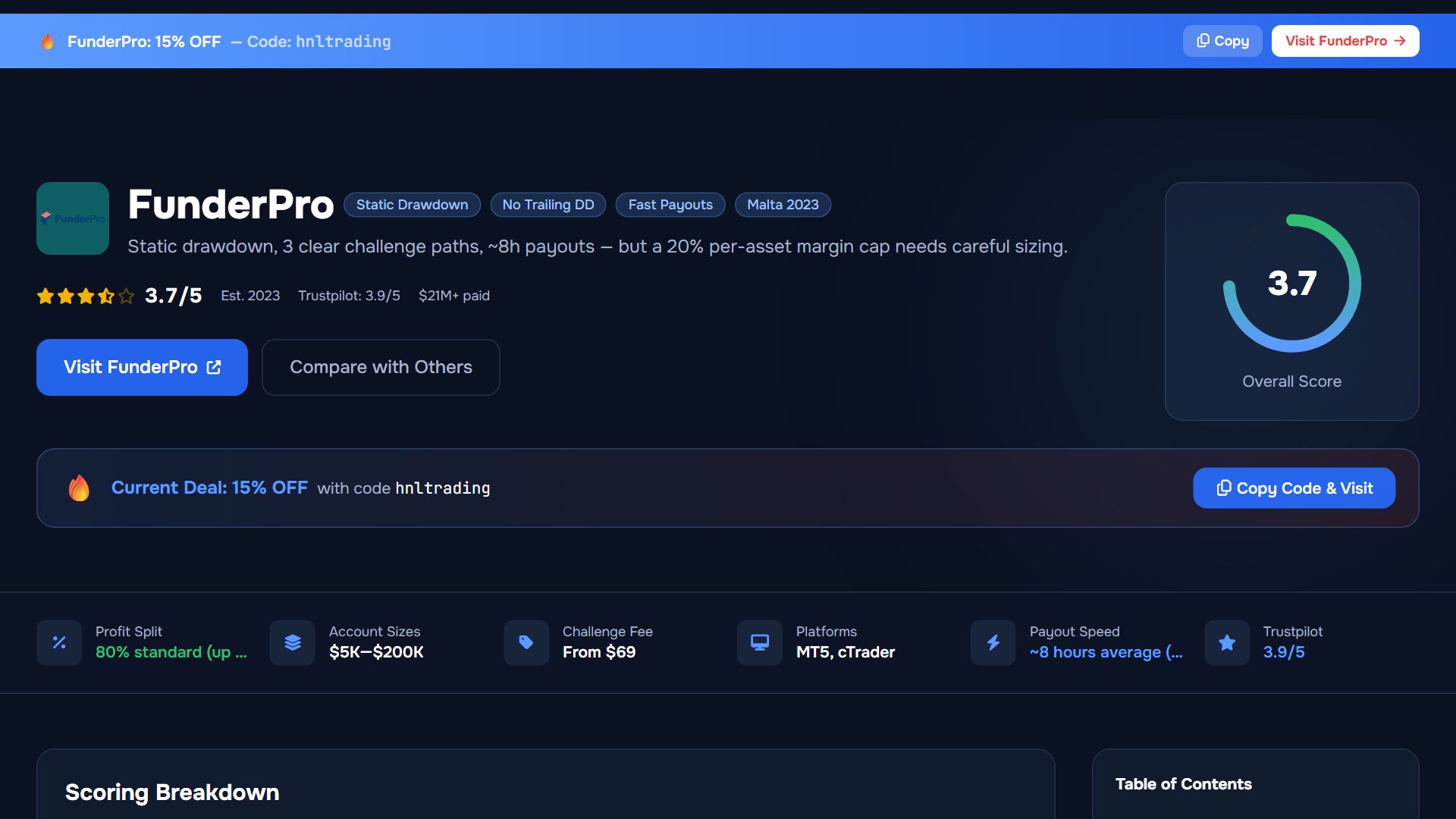
Traders purchasing an evaluation can use partner-verified coupon code HNLTRADING at checkout for a 15% discount across eligible challenge tiers. Verify fee credits, account size options, and active checkout promotions before finalizing payment.
| Offer Parameter | Verified Details | Operational Verification |
|---|---|---|
| Promo Code | HNLTRADING | Apply in the discount code box prior to completing payment. |
| Discount Amount | 15% off standard evaluation fees | Reduces initial fee across supported account sizes. |
| Verification Status | Partner verified (2026-07-24) | Re-verify live checkout totals; official limited-time promotions may vary. |
| Platform Availability | Supported for TradeLocker accounts | Select TradeLocker as your platform during account setup. |
What Is TradeLocker on FunderPro?
TradeLocker is a next-generation platform built directly on TradingView’s charting engine. Unlike legacy setups requiring webhooks or third-party charting tools, TradeLocker links live market charts directly to position execution modules. FunderPro provides TradeLocker as a web browser client and via native mobile apps for iOS and Android.
FunderPro official documentation confirms that all account activity takes place in a simulated trading environment using fictitious capital (Official Source (support.funderpro.com)). Simulated trades executed via TradeLocker reflect real-time market pricing and liquidity metrics without market depth capital exposure.
Key Platform Specifications
- Charting Infrastructure: Full TradingView suite with indicators, drawing tools, visual timeframe switching, and template saving.
- Integrated Risk Calculator: Order placement by risk percentage (%), exact cash value ($), or standard lots.
- Execution Architecture: Browser-accessible cloud interface eliminating desktop software installation.
- Mobile Synchronization: Native mobile applications for iOS and Android mirroring desktop layouts and position management.
Step-by-Step TradeLocker Setup & Account Onboarding
Setting up TradeLocker on FunderPro requires zero local server installations. Follow this setup sequence to initialize your account:
1. Select Program and Platform
Choose your account size and program structure (Classic, One-Phase, Pro, or Instant). During checkout, select TradeLocker as your platform and enter coupon HNLTRADING to claim your 15% discount.
2. Obtain Credentials
After checkout processing, FunderPro generates your account details. Your portal dashboard will show your TradeLocker login credentials:
- Server Instance: FunderPro Live/Simulated Server
- User Login ID: Registered account email
- Password: Auto-generated account password
3. Authenticate Access
Open the web browser terminal or launch the TradeLocker app on mobile. Select the FunderPro server, enter your credentials, and log in to verify your initial balance.
4. Set Up Chart Layouts and Watchlists
Customize your workspace by adding relevant instruments (Forex, Indices, Commodities, Crypto) to your watchlist. Configure drawing tools and timeframes, then save your setup as a default layout.
5. Execute a Calculated Test Trade
Open the order execution window on a demo position. Input your Stop Loss pips and set risk tolerance as an account percentage (e.g., 0.5% or 1.0%). Confirm that TradeLocker automatically sets lot sizing before submitting the order.
Native Risk Management & Automated Lot Sizing
TradeLocker’s core feature is its integrated risk calculator. In standard environments like MetaTrader, traders calculate position sizes using external tools or custom scripts before placing trades. Under fast market conditions, manual calculations increase risk of error.
TradeLocker simplifies order placement by letting traders specify risk directly as a percentage of total account equity or as an explicit cash amount. The platform checks equity in real time, measures distance to Stop Loss, and calculates required lot sizing automatically.
Worked Risk Calculation Example
Consider a trader managing a $100,000 simulated account who limits risk to exactly 1% ($1,000) on a EUR/USD long order:
| Parameter | Value / Calculation |
|---|---|
| Account Equity | $100,000 |
| Target Risk Percentage | 1.0% |
| Dollar Risk Target | $100,000 × 1.0% = $1,000 |
| Entry Price | 1.08500 |
| Stop Loss Price | 1.08250 (25 pips distance) |
| Pip Value per Lot (EUR/USD) | $10.00 per standard lot |
| Calculated Position Size | $1,000 / (25 pips × $10/pip) = 4.00 Standard Lots |
By entering a 1% risk limit and positioning the visual Stop Loss anchor at 1.08250 on the chart, TradeLocker automatically sets volume to 4.00 lots.
Program Rules and Execution Limits on TradeLocker
Platform execution operates strictly within the rules of your chosen FunderPro program tier. Account structures, leverage, and drawdown parameters vary across options:
| Rule / Requirement | Classic Challenge | One-Phase Challenge | Pro Challenge | Instant Program |
|---|---|---|---|---|
| Max Forex Leverage | 1:100 ( Official Source ) | 1:100 ( Official Source ) | 1:100 ( Official Source ) | Varies by asset class tier |
| Swing Add-On Effect | Reduces FX leverage to 1:30 | Reduces FX leverage to 1:30 | Reduces FX leverage to 1:30 | Not applicable |
| Funded Margin Cap | 20% starting balance cap | 20% starting balance cap | 20% starting balance cap | Equity-monitored rules apply |
| Reward Cadence | Program dependent ( Official Source ) | Program dependent | Program dependent | Requires KYC prior to reward ( Official Source ) |
To learn how TradeLocker compares across the broader account catalog, consult our general FunderPro review.
Managing the 20% Funded Account Margin Cap
Traders who complete evaluations and access a FunderPro Funded Account must follow the 20% starting-balance margin cap per asset class (Official Source (support.funderpro.com)). Exceeding this limit will cause an account breach.
Margin Calculation Scenario
On a $100,000 Classic Funded Account , maximum usable margin across any single asset class is $20,000 (20% of $100,000 initial balance).
- Target Pair: EUR/USD at 1.0800
- Standard FX Leverage: 1:100
- Notional Value per Lot: 100,000 units = $108,000
- Required Margin per Lot: $108,000 / 100 = $1,080
- Max Allowed Standard Lots: $20,000 / $1,080 = 18.51 Standard Lots
If a trader opens 20 standard lots of EUR/USD, required margin reaches $21,600. This exceeds the $20,000 cap, creating an operational breach. TradeLocker displays active margin usage in its account metric panel to help monitor exposure.
TradeLocker vs. MT5 vs. cTrader Comparison
Choosing between platform options depends on execution strategy, charting needs, and automated trading setup. The table below outlines structural differences between TradeLocker and alternative platforms available at FunderPro:
| Feature / Dimension | TradeLocker | MetaTrader 5 (MT5) | cTrader |
|---|---|---|---|
| Target Trader Profile | Discretionary chart traders & mobile users | EA developers & automated traders | C# bot developers & scalp traders |
| Charting Engine | Native TradingView integration | Proprietary MT5 charting engine | Native cTrader charting engine |
| Risk Calculator | Built-in (Risk % or Cash Risk) | Requires custom EA script | Built-in order panel options |
| Automated Trading | Not supported (No EAs / Bots) | Full support (MQL5 Expert Advisors) | Full support (cBot C# algorithms) |
| Mobile Experience | Modern responsive interface | Standard mobile layout | Responsive mobile application |
| Platform Guide | Current Page | Read FunderPro MT5 Guide | Read FunderPro cTrader Guide |
Who Should Use TradeLocker (and Who Should Avoid It)
Recommended For:
- Price-Action & Chart Traders: Traders using TradingView indicators, drawing tools, and visual order dragging.
- Percentage Risk Discipline: Traders who calculate position sizes automatically based on risk percentage rather than static lot tables.
- Multi-Device Access: Users who switch between desktop browser sessions and native mobile apps.
Not Recommended For:
- MetaTrader EA Developers: Traders executing strategies via MQL4 or MQL5 Expert Advisors (.ex4 / .ex5 files) require MT5.
- C# Algorithmic Developers: Traders operating cTrader C# cBots should select cTrader.
- High-Frequency API Traders: Systems relying on institutional FIX API connections or custom external bridge software.
Operational Failure Modes & Risk Avoidance
To prevent avoidable account breaches on TradeLocker, stay mindful of these potential operational issues:
- Swing Add-On Leverage Shift: Selecting the Swing Add-On to permit weekend holding lowers maximum Forex leverage from 1:100 to 1:30. Adjust order sizing to account for higher margin requirements.
- Margin Cap vs. Drawdown Distinction: Do not confuse drawdown limits with the 20% starting-balance margin cap on funded accounts. Keep open position margin clear of the maximum threshold.
- Browser Throttling Risks: Web terminals can experience tab throttling or connection drops during long sessions. Verify active Stop Loss levels before closing or backgrounding your browser.
Official Sources Checked
- FunderPro Help Center Overview:
https://support.funderpro.com/en/ - FunderPro Challenge Leverage Rules:
https://support.funderpro.com/en/articles/422676-leverage-on-funderpro-challenges - FunderPro Funded Account Margin Policy:
https://support.funderpro.com/en/articles/421458-is-there-a-margin-rule-on-funded-accounts - FunderPro Reward Eligibility Standards:
https://support.funderpro.com/en/articles/419844-how-does-reward-frequency-and-eligibility-work-for-funderpro-challenges - FunderPro Instant KYC Verification Rules:
https://support.funderpro.com/en/articles/527824-instant-kyc-account-activation - Trustpilot Profile Status:
https://www.trustpilot.com/review/funderpro.com
FunderPro TradeLocker Review and Setup Guide: Your Questions Answered
What are the core rules and costs covered in FunderPro TradeLocker Review and Setup Guide?
For traders researching funderpro tradelocker, FunderPro operates with From $149 ($25K) to $649 ($200K) and 10% Phase 1 / 8% Phase 2. Risk limits enforce 5% daily / 10% overall, while eligible accounts operate on MT4, MT5, TradeLocker, cTrader. Always cross-check the live specification sheet (last checked 2026-07-26) before placing orders.
How does FunderPro calculate drawdown and daily risk limits for FunderPro TradeLocker Review and Setup Guide?
When applying the rules in FunderPro TradeLocker Review and Setup Guide, FunderPro monitors 5% daily / 10% overall across open floating equity and closed balance. A single oversized position during high-impact macroeconomic releases can breach the daily limit if stop-loss slippage occurs on MT4, MT5, TradeLocker, cTrader.
Which platforms and oversight rules apply to FunderPro TradeLocker Review and Setup Guide?
Under the current framework for funderpro tradelocker, execution runs on MT4, MT5, TradeLocker, cTrader through FunderPro Limited (Malta, simulated prop evaluation). Traders should verify whether their specific country of residence connects to a Tier-1 licensed entity, an offshore brokerage branch, or a simulated evaluation server.
Related Guides
Sources & verification
- Last checked
- Written by
- HNL Growth Team
- Reviewed by
- Hà Ngọc Lộc
- Length
- 7 min read · 1,569 words
Rules, prices and payout terms on this page were checked against the official websites, help-centre articles and published terms of the firms mentioned, on the date above. Prop firms and brokers change conditions often — confirm the current version on the official site before you buy or deposit. Read our editorial methodology and affiliate disclosure.
Official sources & documentation verified
- Official Source(support.funderpro.com)
- Official Source(support.funderpro.com)
- https://support.funderpro.com/en/articles/422676-leverage-on-funderpro-challenges(support.funderpro.com)
- https://support.funderpro.com/en/articles/419844-how-does-reward-frequency-and-eligibility(support.funderpro.com)
- https://support.funderpro.com/en/articles/527824-instant-kyc-account-activation(support.funderpro.com)
- https://www.trustpilot.com/review/funderpro.com(trustpilot.com)
Explore Related Hubs & Free Trading Tools
Ready to Start Your FunderPro Challenge?
FunderPro offers three clearly differentiated evaluation paths — One-Phase, Classic, and Pro — with a static (non-trailing) drawdown and reward processing averaging ~8 hours. Use code hnltrading at checkout for 15% off.
Risk disclaimer: Challenge fees are non-refundable if you breach the rules. Prop trading involves significant financial risk. Past performance in a simulated environment does not guarantee results on a funded account. Only purchase if you understand the rules fully and can afford to lose the fee. Affiliate disclosure: HNL Growth earns a commission when you purchase a FunderPro challenge through links on this page.