How to Open a PU Prime Account: Step-by-Step 2026
How to open a PU Prime account step by step: which entity covers your region, account types, costs and the KYC documents needed.
Reviewed by Hà Ngọc Lộc· Senior SEO Editor
Reviewed using our forex & CFD broker review methodology
If you're searching "PU Prime login," you're most likely trying to do one of two things: sign up for a new account or get back into an existing one. This guide covers both, but its main focus is walking a new client through account opening from registration to your first funded trade. Already have an account and just need to log in or reset a password? Head straight to the official Client Portal login page (myaccount.puprime.online) or see the short pointer near the end of this guide.
For everyone else, here's what follows: a quick verdict on whether PU Prime fits your trading style, how its regulation actually works by region, what trading really costs, which account type to pick, and then a full step-by-step walkthrough of opening and funding an account.
Quick verdict: should you open a PU Prime account?
PU Prime suits traders who want a choice between a simple spread-only account and lower-spread, commission-based accounts, across a wide range of markets, and who are comfortable trading under offshore and regional regulatory entities rather than a top-tier onshore regulator. It's a reasonable fit if cost flexibility and account-type variety matter more to you than holding an account with a regulator like the UK's FCA. It's a weaker fit if onshore, top-tier regulatory protection is a hard requirement for you, or if you're based in a jurisdiction PU Prime doesn't serve. Read the next two sections before you commit any documents or funds.
Regulation and entity snapshot by region
PU Prime operates through more than one regulated entity, and which one onboards you depends on your country of residence. This matters because these regulators are not equivalent in scope or protection level, so don't treat them as interchangeable just because they all appear on the same page.
| Regulator | Jurisdiction focus | Type of oversight |
|---|---|---|
| Financial Services Authority (FSA), Seychelles | International/offshore clients | Company registration and conduct rules for an offshore entity |
| Financial Services Commission (FSC), Mauritius | International/offshore clients | Company registration and conduct rules for an offshore entity |
| Financial Sector Conduct Authority (FSCA), South Africa | South Africa | Regional financial services regulator with local conduct requirements |
| Capital Markets Authority (CMA), UAE | United Arab Emirates | Regional capital markets regulator for UAE clients |
Source: puprime.com/regulation.
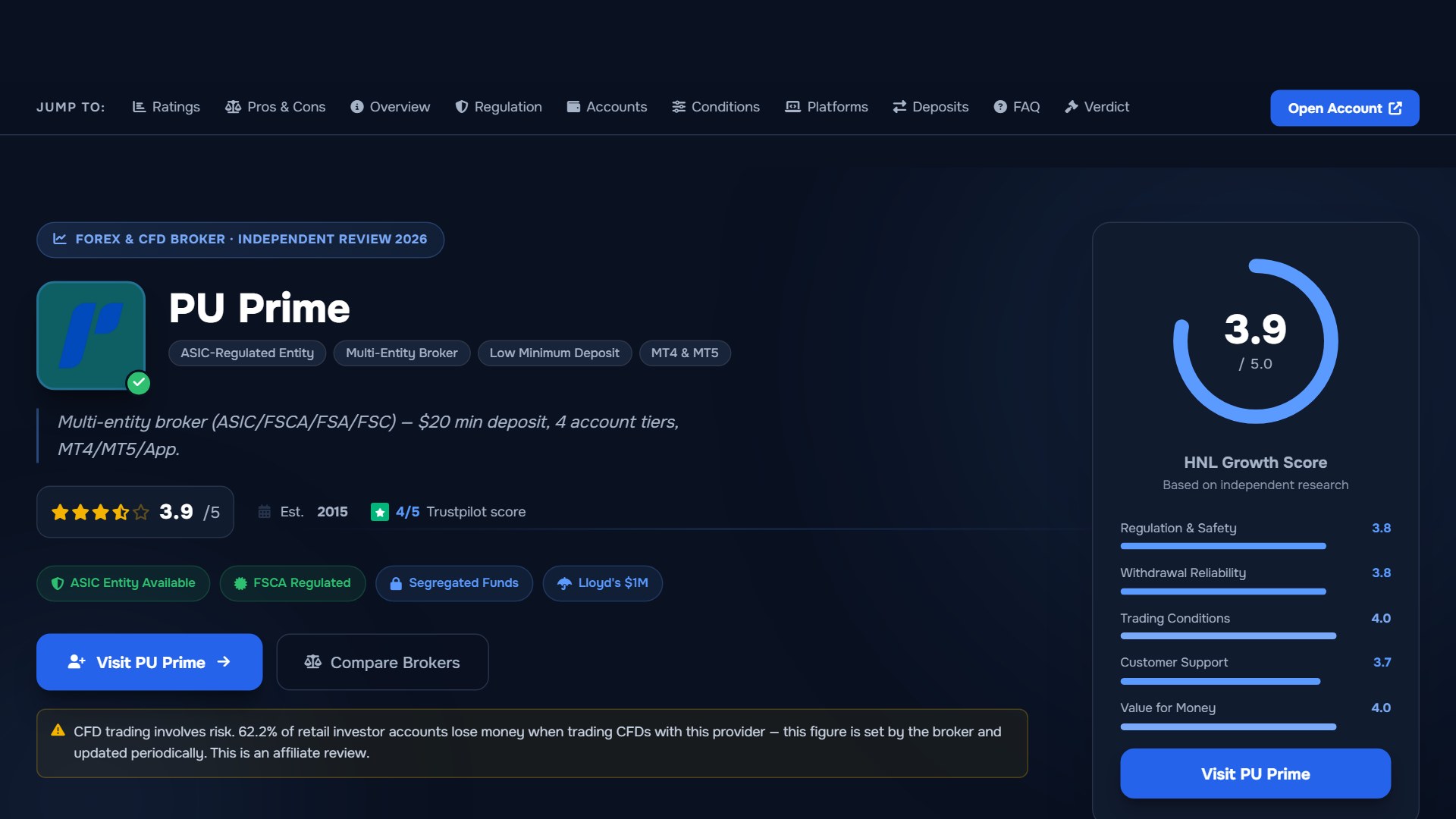
None of these are the same as a top-tier onshore regulator such as the UK's FCA or Australia's ASIC, which PU Prime does not hold. If regulatory tier is a deciding factor for you, confirm the specific entity and licence that would apply to your account on PU Prime's own regulation page before registering, since the entity assignment is based on your residency, not a global default. The site also notes that access is restricted in some jurisdictions and is not intended for residents where local law doesn't permit it, so check that your country is served before you start the form.
Trading costs: how spreads, commission and swaps work
PU Prime's own cost page states clearly that listed spread, commission and swap figures are "for reference only" and that the live values inside MT4, MT5 or the PU Prime app are the accurate ones at the time you trade (puprime.com/spread-and-costs). That means any specific pip or dollar figure quoted elsewhere can already be out of date, so this section gives you the framework to work out real cost yourself rather than a number that may not match what you see at execution.
Your total cost per trade is built from three parts:
- Spread – the difference between the buy and sell price of the instrument, built into the price on spread-only accounts and typically tighter on commission-based accounts.
- Commission – a per-lot fee charged in addition to a tighter spread, applied on commission-based account types rather than spread-only ones.
- Swap – an overnight financing charge or credit applied to positions held past the daily rollover, which varies by instrument and direction (long or short).
To estimate a trade's cost before you place it: check the live spread and commission for your instrument and account type inside the platform, multiply the spread by your lot size and the instrument's pip value to get the spread cost, add any per-lot commission, then add expected swap only if you plan to hold overnight. Because these figures move with market conditions and are account-type specific, run this calculation on the live platform figures rather than relying on a fixed number from any article, including this one.
Account types compared
PU Prime lists multiple account tiers built around different cost models rather than different feature sets. Use this to match the account to how you actually trade, not just to a headline spread.
| Account type | Cost model | Best fit for | Islamic/swap-free option |
|---|---|---|---|
| Standard | Spread-only, no separate commission | Traders who want one simple, all-in cost to track | Check availability at registration |
| Prime | Lower spreads plus a per-lot commission | Traders who trade frequently and want tighter pricing | Check availability at registration |
| ECN | Raw/interbank-style spreads plus commission | Active or higher-volume traders prioritising execution pricing | Check availability at registration |
| Cent | Micro-lot sized trading, spread-based | Beginners or those testing strategies with smaller position sizes | Check availability at registration |
Minimum deposit amounts and exact spread/commission figures differ by account type and change over time, so confirm the current minimum and live pricing on PU Prime's account and cost pages during sign-up rather than assuming a fixed figure. As a simple decision rule: if you trade occasionally and want one straightforward number to track, Standard is easiest to reason about; if you trade often and pricing precision matters more to you than simplicity, Prime or ECN are built for that; if you're starting out and want to trade small size while you learn, Cent lets you do that without the exposure of a full-size lot.
Once you've picked a tier that matches how you trade, you can start the registration itself.
Open a PU Prime account and select your account type during sign-up.
How to open a PU Prime account, step by step
Step 1: Start registration. From the account opening page, you'll begin by entering basic details: name, email address, phone number, country of residence and a password. Your country of residence is what determines which regulated entity onboards you, so enter it accurately.
Step 2: Verify your email and confirm your details. You'll typically receive a confirmation step to verify the email address you registered with before continuing further into the portal.
Step 3: Complete your trading profile. Expect a short set of questions about your trading experience and financial background. This is standard for regulated brokers and feeds into their compliance checks rather than being optional paperwork.
Step 4: Choose your account type and base currency. Select from Standard, Prime, ECN or Cent based on the comparison above, and pick the account currency you want to trade in.
Step 5: Submit identity verification (KYC). Upload the documents covered in the checklist below. This step is required before you can fund and trade on the account.
Step 6: Fund your account. Once your account is verified, deposit using one of the available funding methods (see below) to reach the minimum required for your chosen account type.
Step 7: Log in to your trading platform. Download MT4, MT5 or the PU Prime app, or use the web-based platform, and log in using the trading account credentials issued after your deposit clears.
KYC document checklist: what to prepare before you start
Having your documents ready before you start the form reduces back-and-forth. Regulated brokers generally require two categories of documents:
| Document type | Accepted examples | Notes |
|---|---|---|
| Proof of identity | Passport, national ID card, driver's licence | Should be valid (not expired) and clearly legible |
| Proof of address | Utility bill, bank statement, or similar official document | Should show your name and current residential address |
PU Prime's help centre does not publish a fixed verification turnaround time in the material available at the time of writing, so treat any specific hour or day estimate you see elsewhere as unverified. If your verification is taking longer than expected, check the status inside your Client Portal or contact support directly rather than assuming a standard SLA applies.
With your documents ready and the account type decided, you're set to complete verification and move to funding.
Compare PU Prime account types and continue your registration once your documents are ready.
Funding: methods and what to expect
PU Prime states it supports a range of deposit channels and accepted currencies, but the exact list of methods, any fees, and processing windows are shown to you inside the Client Portal wallet once you're logged in, and these can vary by country and payment provider. Rather than listing fixed processing times that aren't officially published, treat this as the practical approach: check your available deposit and withdrawal options directly in the portal for your region before you fund, and note any conditions shown there, such as first-withdrawal verification steps, before initiating a transfer. If a stated timeline in the portal doesn't match what you experience, PU Prime's support channels are the correct place to raise it rather than relying on third-party estimates.
Who this suits, and who it doesn't
A reasonable fit if you: want a choice between simple spread-only pricing and lower-spread commission accounts, trade a range of markets beyond forex, and are comfortable with an offshore-inclusive regulatory structure rather than requiring a top-tier onshore regulator.
Not the right fit if you: need FCA- or ASIC-level onshore regulatory protection as a non-negotiable requirement, are based in a jurisdiction PU Prime restricts, or are uncomfortable opening an account where document verification and account reviews are standard compliance practice (as they are with any regulated broker, not something specific to PU Prime).
Some users online report support delays or account holds during verification. These are unverified, individual reports rather than confirmed policy, and PU Prime's official channels are the right place to resolve any account-specific issue, not a general assumption either way.
Already have an account? Login and password help
If you're trying to get back into an existing account rather than opening a new one, go to the Client Portal login page (myaccount.puprime.online) and select "Forgot Password" below the login form if you can't remember your credentials. Enter the email address registered on your account and submit; a reset link is sent to that email automatically (PU Prime Help Centre (helpcenter.puprime.com)). If you don't receive the email, check your spam folder before contacting support.
How to Open a PU Prime Account: Your Questions Answered
Is "PU Prime login" the same as "PU Prime sign up"?
No. Login is for existing clients accessing an account they've already opened, via the Client Portal (myaccount.puprime.online). Sign-up is the registration process for a new account, covered in the step-by-step section above.
Where do I actually log in to trade?
ccount credentials issued after registration are used to log in to MT4, MT5, the PU Prime app, or the web platform, separately from the Client Portal where you manage funding and documents.
How long does account opening take?
PU Prime doesn't publish a fixed turnaround time for verification in its public help centre material, so timing can vary. Having your ID and proof of address ready before you start, as covered in the checklist above, is the main thing within your control.
Do I need to complete KYC before I can deposit?
Identity verification is a standard requirement before funding and trading on a regulated broker's live account, so expect to complete it before you can deposit and trade.
Can I open more than one account type?
ccount type is selected during registration; if you want to trade under a different cost model later, check your Client Portal or contact support for the current process, since this isn't detailed in the public material reviewed for this guide.
Is PU Prime available in my country?
vailability depends on your jurisdiction, and PU Prime has publicly noted restrictions in specific markets (for example, the Philippines). Confirm your country is served before registering.
Related Guides
Sources & verification
- Last checked
- Written by
- HNL Growth Team
- Reviewed by
- Hà Ngọc Lộc
- Length
- 9 min read · 2,040 words
Rules, prices and payout terms on this page were checked against the official websites, help-centre articles and published terms of the firms mentioned, on the date above. Prop firms and brokers change conditions often — confirm the current version on the official site before you buy or deposit. Read our broker review methodology and affiliate disclosure.
Official sources & documentation verified
- official Client Portal login page(myaccount.puprime.online)
- PU Prime Help Centre(helpcenter.puprime.com)
Explore Related Hubs & Free Trading Tools
Ready to Compare PU Prime Account Types?
PU Prime is a multi-entity broker — ASIC (Australia) and FSCA (South Africa) regulated entities offer stronger oversight, while most international clients are onboarded to the FSA Seychelles or FSC Mauritius entities. Four account tiers (Cent, Standard, Prime, ECN) range from a $20 minimum deposit to full ECN pricing.
Risk disclaimer: PU Prime is a live, regulated multi-entity broker — trading forex and CFDs is done with real capital under normal market risk (this is not a simulated prop-firm evaluation). PU Prime operates under multiple separate licenses (ASIC, FSCA, FSA Seychelles, FSC Mauritius); which entity holds your account depends on your country of residence and determines your leverage cap and protections — confirm this before funding. CFDs and leveraged forex products are complex instruments and carry a high risk of losing money rapidly due to leverage; 62.2% of retail investor accounts lose money when trading CFDs with this provider. Consider whether you understand how CFDs/forex work and whether you can afford the high risk of losing your money. Affiliate disclosure: HNL Growth earns a commission when you open a PU Prime account through links on this page.