PU Prime Demo Account 2026: Setup, Limits & Going Live
PU Prime's demo account: what it simulates and what it can't, setup on mobile, real costs worked through and moving to live.
Reviewed by Hà Ngọc Lộc· Senior SEO Editor
Reviewed using our forex & CFD broker review methodology
A PU Prime demo account is a free practice account funded with virtual money. It runs on the same MetaTrader 4, MetaTrader 5 and PU Prime app you'd use live, so you can learn order placement, chart tools and basic risk management before any real cash is on the line. It won't reproduce every detail of live trading (spreads, execution speed and your own psychology all shift once real money is involved), and moving to a live account later requires identity verification and a real deposit. This guide covers what the demo actually shows you, what it can't, and how to move forward only when you're ready.
Quick Verdict: Should You Start With the PU Prime Demo?
If you're new to trading or new to PU Prime specifically, starting with the demo is the sensible move. It costs nothing, there's no personal financial risk in the demo itself, and it lets you get comfortable with order tickets, margin, and the mobile app before you touch a live account. The main thing to keep in mind: a demo account is a learning tool with a natural endpoint, not an open-ended trial. Once you understand how orders work and why live costs differ from what you see in demo, you've gotten what the demo can offer and it's time to make a deliberate decision about going live, not just default into it.
What the Demo Account Simulates - and What It Can't
The demo mirrors the live trading interface: you place buy/sell orders, set stop-loss and take-profit levels, and watch positions move with the market, using virtual funds instead of your own money. Because it runs on the same MT4/MT5 infrastructure and PU Prime app, the screens, order types and navigation should feel identical to live.
What it can't fully replicate:
- Costs. Demo pricing is a reference environment. Live spreads, commissions and swaps move with real market liquidity, and the official spreads and costs page notes that displayed values are "for reference only" and should be checked directly in MT4/MT5 or the app for accuracy.
- Execution. Order fills in a practice environment don't carry the same slippage or requote risk you can encounter live during fast-moving news or thin liquidity.
- Psychology. This is the one traders underestimate most. Losing virtual money and losing your own money produce very different decisions, even when the trade setup is identical.
If a specific detail like demo starting balance, expiry, or reset frequency matters to your plan, confirm it on the current demo sign-up page before you begin, since these operational details aren't fully detailed on the official pages reviewed for this guide and can change without notice.
Once you understand these limits, there's no reason to delay starting. Open a PU Prime demo account and get familiar with the platform before deciding whether live trading is right for you.
Regulation and Entity Coverage by Country
PU Prime operates through separate regulated entities depending on where you're located, and each entity's license covers only its own jurisdiction. According to the official regulation page, PU Prime is authorised and regulated by four authorities:
| Regulator | Jurisdiction covered | What this means for you |
|---|---|---|
| Financial Services Authority of Seychelles (FSA) | Clients onboarded under the Seychelles entity | An offshore licensing regime; investor protections and complaint-handling processes differ from those available under stricter, better-resourced regulators |
| Financial Services Commission of Mauritius (FSC) | Clients onboarded under the Mauritius entity | Another offshore regime, distinct from FSA Seychelles in scope and rules |
| Financial Sector Conduct Authority of South Africa (FSCA) | South African clients | A domestic regulator overseeing conduct within South Africa specifically |
| Capital Markets Authority of the UAE (CMA) | UAE clients | Applies only to the UAE entity, not to clients onboarded elsewhere |
The key point: these are separate licenses tied to separate entities, not one blanket approval that applies everywhere. Which entity you're contracted with depends on your country of residence at signup, and the terms, protections, and dispute-resolution routes differ accordingly. PU Prime also states on its homepage that client funds are segregated and that it holds insurance coverage through Lloyd's up to $1,000,000, though the specific terms and eligibility of that coverage should be confirmed directly with PU Prime rather than assumed, and it applies to funded live accounts rather than the virtual balance in a demo. Note also that PU Prime's own site lists regional restrictions (for example, the Philippines is currently excluded), so availability isn't universal even where the brand is generally known.
If FSA Seychelles oversight specifically concerns you, it helps to understand a general pattern across the industry rather than a claim specific to PU Prime: offshore licensing regimes typically involve lighter ongoing supervision requirements and fewer formal investor-compensation schemes than regulators overseeing major financial centers such as the UK or Australia. That's a structural characteristic of how offshore regulation is generally set up, worth weighing on its own terms, not a verdict on any individual broker or complaint.
Setting Up the Demo on Mobile
The registration flow for a new account, whether demo or live, follows the same basic pattern described on PU Prime's account-opening guide: you provide your name, email, and phone number, set a password, and choose your platform (MT4 or MT5) and base currency. This part typically takes only a couple of minutes.
For a demo specifically, you skip the identity-verification and deposit steps entirely, since no real money or KYC documents are involved. Practically, that means:
- Open the sign-up page or the PU Prime app and select the demo option.
- Fill in your basic details and choose MT5 if you're unsure, since it's the newer of the two platforms.
- Once your demo credentials are issued, log in through MT4/MT5 or the PU Prime app on your phone.
- Explore the order ticket, chart tools, and account summary using your virtual balance before placing any trades.
Because verification isn't required, this is the lowest-friction way to see the mobile interface before deciding whether to commit personal documents and funds to a live account.
Costs in Practice: Spreads, Commission and a Worked Example
PU Prime's cost structure differs by account type, split between spread-only pricing and spread-plus-commission pricing. According to the official costs page and spread and costs page, published figures as of this article's most recent update are:
| Account | Spread (EUR/USD, from) | Commission | Minimum deposit |
|---|---|---|---|
| Cent | Same as Standard | None | $20 |
| Standard | From 1.3 pips | $0 | $50 |
| Prime | From 0.0 pips | $3.50 per lot, per side | $1,000 |
| ECN | From 0.0 pips | Roughly $1-1.50 per lot, per side (official pages don't fully agree, confirm current rate before trading) | $10,000 |
Worked example. Say you trade 1 standard lot of EUR/USD (100,000 units) and the spread is exactly at the quoted minimum.
- On a Standard account, a 1.3-pip spread costs roughly $13 per lot round-turn, with no separate commission.
- On a Prime account, the spread might be closer to 0.0-0.2 pips (a few dollars at most), but you'd add a $3.50 per side commission, so $7 round-turn, on top of that.
- On an ECN account, spreads sit in a similar near-zero range. Commission is quoted at roughly $1 to $1.50 per side across official pages, so a round-turn lot would add about $2 to $3 in commission on top of the near-zero spread, depending on which published rate applies to your account.
The gap narrows as trade size grows and widens on smaller trades, which is why frequent, high-volume traders tend to prefer Prime or ECN, while occasional traders often find Standard simpler to budget for. All figures above are subject to change and should be checked on the official page, or directly in your MT4/MT5 terminal, before you trade, since the source itself notes spreads move with market conditions and this table reflects a point-in-time snapshot rather than a live feed.
Account Types Compared: Where the Demo Fits In
The demo account isn't tied to a specific account type. Once you're ready to go live, PU Prime's four account types act more like a progression path than a single choice:
| Account | Best suited for | Leverage | Islamic (swap-free) option |
|---|---|---|---|
| Cent | Absolute beginners testing a live environment with minimal exposure | Up to 1:1000 | Available* |
| Standard | Most beginners and casual traders wanting simple, spread-only pricing | Up to 1:1000 | Available* |
| Prime | Frequent traders who want tighter spreads and can absorb a per-lot commission | Up to 1:1000 | Available* |
| ECN | High-volume or professional traders focused on minimizing per-trade cost | Up to 1:1000 | Available* |
*PU Prime's account types page lists an Islamic (swap-free) option as a feature category. It doesn't publicly detail eligibility rules or swap-free terms per account, so confirm current terms and whether it applies to your specific account type directly on the account types page or with support before applying.
Maximum leverage may be capped lower depending on which regulated entity you're onboarded under, so confirm the figure that applies to your jurisdiction on the account types page rather than assuming the headline number applies to you. All account types include access to Autochartist and copy trading, per the same source.
Funding a Live Account: Methods, Limits, Timelines
If and when you move to live trading, funding details (sourced from the account-opening guide) are:
| Method | Typical timeline | Notes |
|---|---|---|
| Credit/debit card | Instant | Common default option |
| E-wallets (Skrill, Neteller) | Instant | Widely used for faster access to funds |
| Bank transfer | 1-3 business days | Slower but often used for larger deposits |
Minimum deposit depends on account type: $20 for Cent, $50 for Standard, $1,000 for Prime, $10,000 for ECN. The official guide doesn't publish a specific processing-time guarantee beyond these general ranges, so treat "instant" as typical rather than assured, and confirm any figure that matters to your plan directly with PU Prime before depositing.
Readiness Check: When Demo Trading Stops Being Useful
Rather than picking an arbitrary number of weeks, use a short self-assessment before moving live:
- Can you place, modify, and close an order without hesitating over the platform itself?
- Do you understand why a live spread or commission will eat into a trade that looked profitable in demo?
- Have you thought through position sizing relative to money you can genuinely afford to lose?
- Do you know which entity and regulator would cover your account, and what that does and doesn't protect you against?
- Have you read the account agreement, including how the broker handles account reviews for terms-of-service issues like bonus terms or unusual trading patterns?
- Are you switching to live because you're ready, not because you feel rushed by marketing or sign-up momentum?
If you answered yes to all of these, you're in a reasonable position to consider a live account. If not, staying in demo a while longer costs nothing.
One point worth understanding before you fund a live account: like most brokers, PU Prime's public terms reserve the right to review individual accounts for issues such as bonus conditions or trading patterns that fall outside normal use. The official pages summarized in this guide don't detail the specific evidence standards or appeals process applied in those reviews, so if this matters to you, read the client agreement directly and ask support to clarify before you rely on any assumption about how it works.
Who Should Use This Demo, and Who Should Wait
The demo suits complete beginners who want to learn the platform without putting real money on the line, mobile-first users checking the app experience before committing personal documents, and anyone comparing PU Prime's interface against other brokers without financial exposure. It's worth being clear that trading itself is never risk-free, even once you're comfortable in demo: the goal here is platform familiarity, not a guarantee that demo skills transfer cleanly to live conditions.
It's less useful for people who already trade live elsewhere and just want a cost comparison (the account-types and spread pages above will answer that faster), and it's not a substitute for people who are still unsure whether leveraged CFD trading suits their financial situation at all. A demo account does not resolve that question. Only your own budget and risk tolerance can.
Opening a Live Account, Step by Step
Once you've genuinely worked through the readiness check, PU Prime's account-opening process, per its official guide, runs as follows:
- Register on the sign-up page with your name, email, phone number, and chosen platform (MT4 or MT5).
- Upload documents: a valid government ID (passport, national ID, or driving licence) and a proof of address dated within the last three months, such as a utility bill or bank statement.
- Wait for verification. PU Prime states this usually takes a few hours during business days, though it can extend depending on document quality and volume.
- Fund your account using a card, e-wallet, or bank transfer, then download MT4/MT5 or the PU Prime app and log in with your new credentials.
Support responsiveness during account setup or later reviews isn't something this guide can promise a specific turnaround for, since PU Prime hasn't published a fixed response-time commitment. If quick support matters to your trading style, a practical workaround is to contact official support channels (live chat or email) while you're still on the demo, before any live funds are at stake, so you know what to expect ahead of time rather than finding out under pressure.
When you're ready to move past practice, open a PU Prime live account and follow the verification steps above at your own pace.
Official sources: PU Prime Help Center (helpcenter.puprime.com).
PU Prime Demo Account: Your Questions Answered
Is the PU Prime demo free?
Yes, demo accounts use virtual funds and don't require a deposit or identity verification to start.
Does demo performance predict live results?
No. Live trading involves real spreads, commission, potential slippage, and the psychological pressure of real money, all of which can produce different outcomes than the same trades in demo.
What's the minimum deposit for a live account?
It depends on account type: $20 for Cent, $50 for Standard, $1,000 for Prime, and $10,000 for ECN, per the account types page.
Is PU Prime regulated everywhere?
No. PU Prime operates through separate entities regulated by the FSA (Seychelles), FSC (Mauritius), FSCA (South Africa), and CMA (UAE), each covering only its own jurisdiction. Check the regulation page for which entity would apply to you.
How long does verification take for a live account?
PU Prime states verification usually takes a few hours during business days, though this can vary with document quality and review volume.
Related Guides
Sources & verification
- Last checked
- Written by
- HNL Growth Team
- Reviewed by
- Hà Ngọc Lộc
- Length
- 11 min read · 2,456 words
Rules, prices and payout terms on this page were checked against the official websites, help-centre articles and published terms of the firms mentioned, on the date above. Prop firms and brokers change conditions often — confirm the current version on the official site before you buy or deposit. Read our broker review methodology and affiliate disclosure.
Official sources & documentation verified
- PU Prime Help Center(helpcenter.puprime.com)
Explore Related Hubs & Free Trading Tools
Ready to Compare PU Prime Account Types?
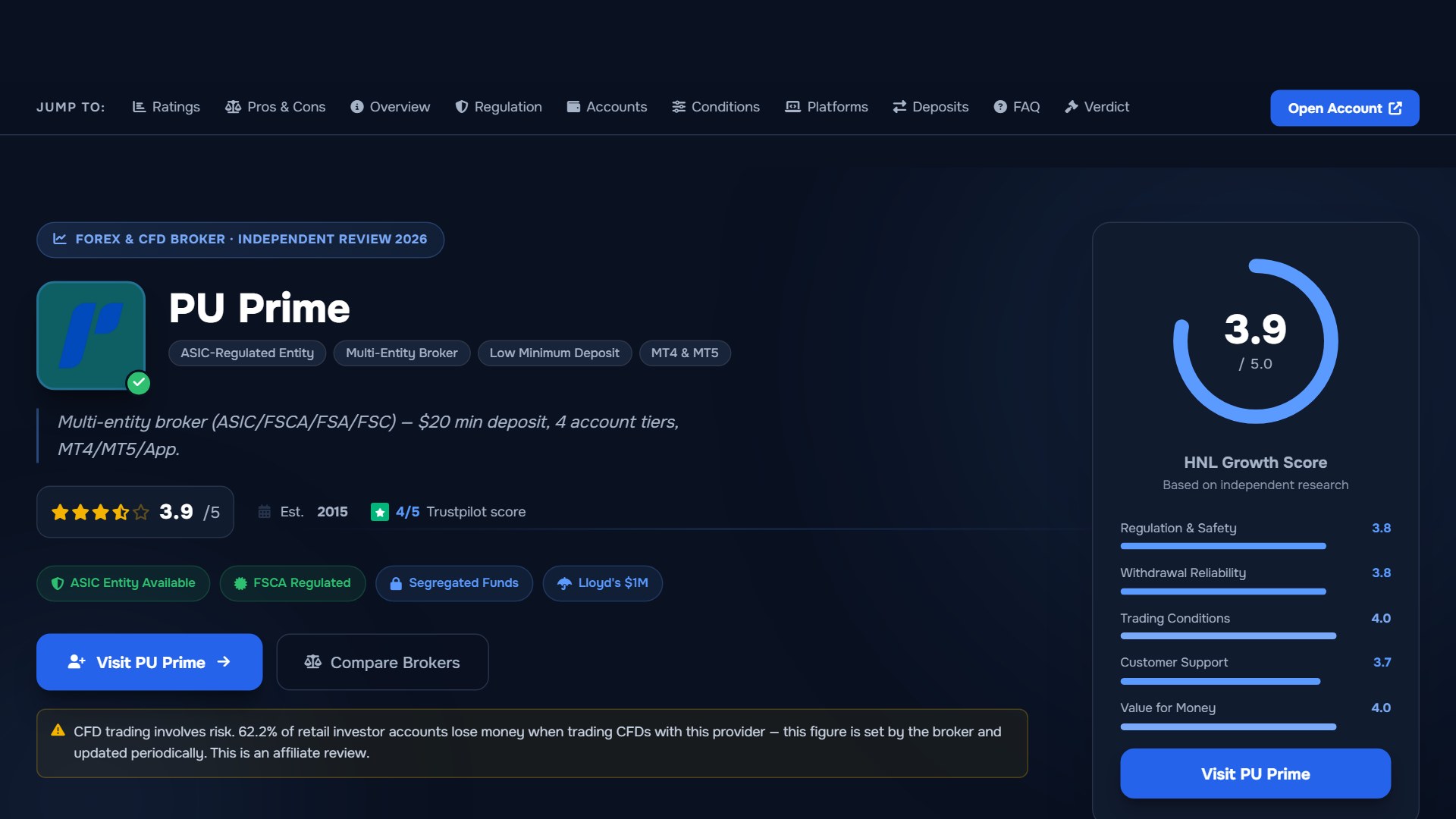
PU Prime is a multi-entity broker — ASIC (Australia) and FSCA (South Africa) regulated entities offer stronger oversight, while most international clients are onboarded to the FSA Seychelles or FSC Mauritius entities. Four account tiers (Cent, Standard, Prime, ECN) range from a $20 minimum deposit to full ECN pricing.
Risk disclaimer: PU Prime is a live, regulated multi-entity broker — trading forex and CFDs is done with real capital under normal market risk (this is not a simulated prop-firm evaluation). PU Prime operates under multiple separate licenses (ASIC, FSCA, FSA Seychelles, FSC Mauritius); which entity holds your account depends on your country of residence and determines your leverage cap and protections — confirm this before funding. CFDs and leveraged forex products are complex instruments and carry a high risk of losing money rapidly due to leverage; 62.2% of retail investor accounts lose money when trading CFDs with this provider. Consider whether you understand how CFDs/forex work and whether you can afford the high risk of losing your money. Affiliate disclosure: HNL Growth earns a commission when you open a PU Prime account through links on this page.