PU Prime MT4 and MT5: Download, Setup and Which to Choose
PU Prime on MT4 and MT5: download and setup, which entity applies, trading costs by account and which platform to choose.
Reviewed by Hà Ngọc Lộc· Senior SEO Editor
Reviewed using our forex & CFD broker review methodology
PU Prime offers both MetaTrader 4 and MetaTrader 5 as desktop downloads, a browser-based web trader, and mobile apps, according to PU Prime's MT4 and MT5 platform pages. You don't have to pick one permanently — many traders run both under the same broker relationship. As a starting rule: MT4 suits traders anchored to an existing expert advisor (EA) or custom indicator library, while MT5 is PU Prime's flagship terminal, with a broader asset range, extra order types, a built-in news calendar, and a stronger multi-asset strategy tester. Below is a practical breakdown of platform fit, account types, published cost figures, and the exact steps to get from signup to a funded account.
Reputation signals such as star ratings or forum comments about PU Prime are not verified in this article and should be treated as unconfirmed third-party opinion, not fact.
The Quick Verdict: MT4 or MT5?
The functional comparison below is drawn only from PU Prime's own platform pages:
| Feature | MetaTrader 4 | MetaTrader 5 |
|---|---|---|
| Indicators | 30 free built-in, plus thousands of custom .ex4/.mq4 indicators |
Wider range of timeframes and graphical/analysis tools; custom indicators supported |
| Automated trading (EAs) | Thousands of EAs available; drag-and-drop install via the Navigator panel | EAs supported; install via MetaEditor or by placing files in the Experts folder |
| Order types | Standard MT4 order set | Additional order types beyond MT4, per PU Prime's MT5 page |
| Asset access | Multi-market CFDs | Broader multi-asset access including forex, shares, commodities, indices, and crypto |
| Extras | — | Integrated news/economic calendar; more powerful strategy tester for multi-asset backtesting |
| Access points | Desktop, PU Prime mobile app, MetaTrader Web | Desktop, PU Prime mobile app, MetaTrader Web |
Sources: PU Prime MT4, PU Prime MT5
Neither platform page specifies whether the mobile app or web trader has full feature parity with the desktop terminal, or whether iOS and Android versions match each other exactly. If a specific feature — such as a particular order type or indicator — is essential to your workflow, confirm it works on your intended device before relying on it for live trading.
Use MT4 if your strategy depends on an EA or indicator library already built for MT4, or you simply prefer the long-established interface.
Use MT5 if you want to trade beyond forex CFDs into shares, indices, or crypto on the same account, want a stronger built-in backtester, or are starting fresh with no existing MT4 tooling. PU Prime's own MT5 page positions it as the flagship, higher-capability terminal.
Use both if you run different strategies across asset classes — for example, an MT4 EA for forex alongside MT5 for equities or index CFDs. Both platforms are downloadable directly from PU Prime's official pages, and MT5 is confirmed free to download and use with no separate platform fee.
Regulation and Which PU Prime Entity Applies to You
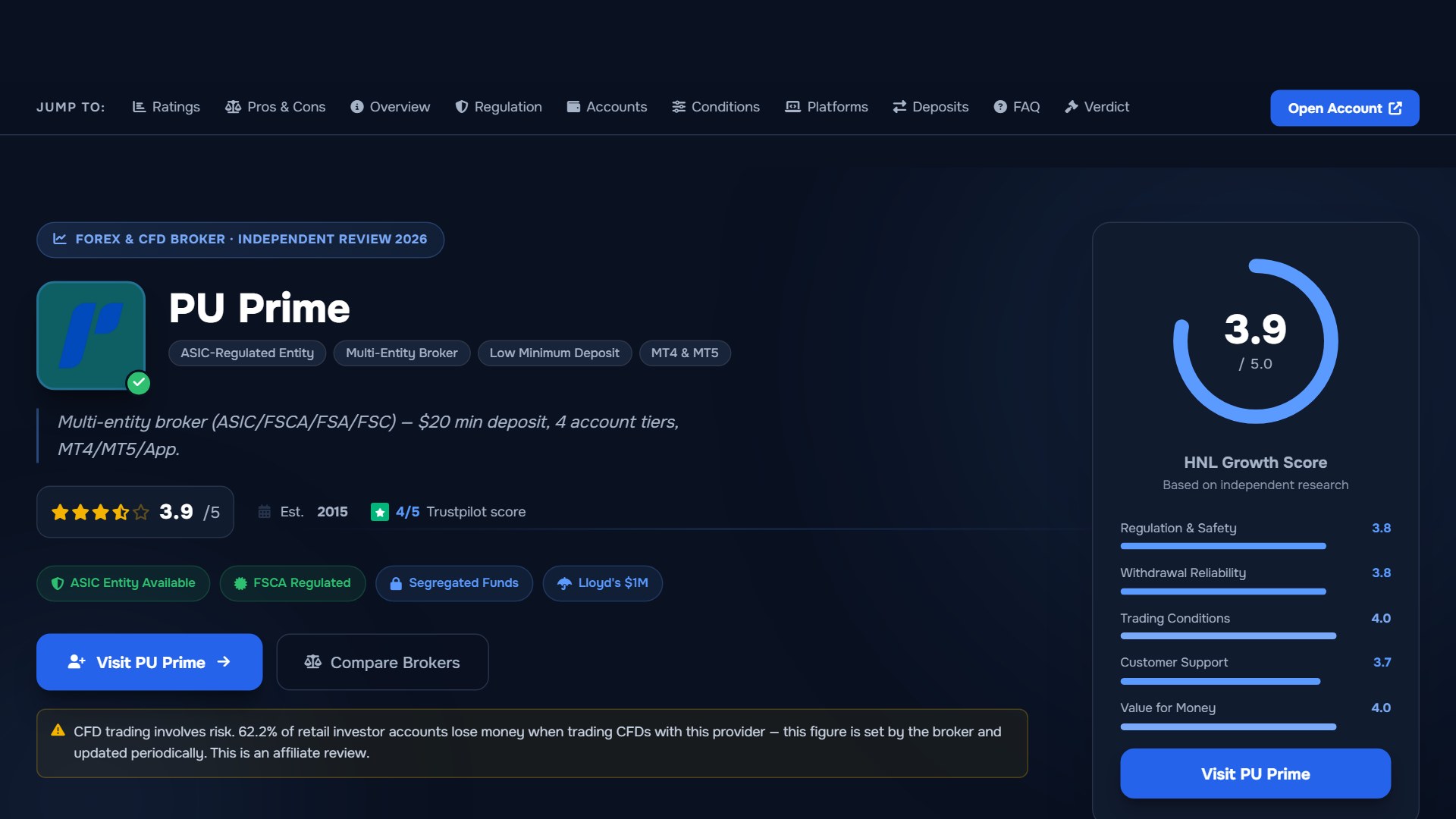
PU Prime's regulation page states that the company is "authorised and regulated" by "several financial authorities" and that this oversight covers client fund protection, transparency, and operational integrity. The page also states that audited compliance processes and independent dispute resolution are in place.
This matters in practice because protections, complaint processes, and compensation frameworks differ by regulator and by jurisdiction. The specific list of licensed entities, license numbers, and a jurisdiction-to-entity mapping sits on the live regulation page itself — not reproduced in full here — so you should go there directly and confirm: which specific PU Prime entity would hold your account based on your country of residence, what license number that entity holds, and what recourse applies under that specific regulator, not under PU Prime as a brand generally.
PU Prime's homepage also states that client funds are kept in segregated accounts, that independent dispute resolution is available, and that accounts are covered by Lloyd's insurance up to $1,000,000. The homepage separately notes that products and services are currently unavailable to residents of the Philippines. Regional access rules can change, so check current availability for your specific country on the regulation page before assuming coverage. The Philippines example is not a complete list of restricted markets.
Trading Costs: Spreads, Commissions, and Swaps
PU Prime publishes spread, commission, and swap figures on its spreads and costs page, broken down by symbol and account type (Standard, Prime, ECN). The page carries its own disclaimer: listed values are for reference only, and you should check MT4, MT5, or the PU Prime app for the most accurate real-time figures, since spreads move continuously with market conditions.
PU Prime's account opening guide states the following starting figures by account type:
- Standard account: no commission; spreads from 1.3 pips on EUR/USD.
- Prime account: raw spreads from 0.0 pips, plus a $3.50 commission per lot, per side.
- ECN account: spreads from 0.0 pips, plus a $1.50 commission per lot, per side.
These are the minimum ("from") figures stated on PU Prime's own pages — they are floor values that occur under favourable market conditions, not typical or average costs. Actual spreads widen with volatility, lower liquidity, and around news events. The specific numbers PU Prime displays in-platform can differ from these headline minimums at any given moment.
Illustrative floor-case example only: on a 1-standard-lot EUR/USD trade, a Standard account at its stated 1.3-pip minimum spread would incur roughly $13 in spread cost round trip, with no separate commission. A Prime account at its 0.0-pip floor would incur around $7 in round-turn commission ($3.50 × 2 sides), with minimal spread cost at that floor. An ECN account at its 0.0-pip floor would incur around $3 in round-turn commission ($1.50 × 2 sides). PU Prime's published pages state reference minimums, not average or typical spreads, so treat this example strictly as floor-case math. Check live pricing on MT4/MT5 or the PU Prime app before sizing any trade.
Account Types Compared
Your account type affects your cost structure more than your platform choice does — MT4 and MT5 share the same account tiers.
| Account | Minimum deposit | Spreads | Commission | Best fit |
|---|---|---|---|---|
| Cent | $20 | Not separately specified on the pages reviewed | Not specified on the pages reviewed | Testing strategies or EAs with minimal capital at risk |
| Standard | $50 | From 1.3 pips (EUR/USD) | None | Most beginners; simple, spread-only pricing |
| Prime | $1,000 | From 0.0 pips | $3.50 per lot, per side | Frequent traders wanting tighter raw spreads |
| ECN | $10,000 | From 0.0 pips | $1.50 per lot, per side | High-volume or professional traders |
Source: PU Prime — How to Open a Trading Account
These deposit minimums come from PU Prime's account opening guide. Confirm current figures on PU Prime's live account page or in-platform before depositing, since minimums and tier structures can be revised.
Funding Your Account: Deposit and Withdrawal Methods
According to PU Prime's account opening guide, deposits can be made via credit or debit card, bank wire, and e-wallets such as Skrill and Neteller, along with other local payment methods. Card and e-wallet deposits are described as arriving instantly, while bank transfers can take 1 to 3 business days.
A material gap worth flagging: none of the official pages reviewed for this article publish a withdrawal fee schedule, withdrawal processing timelines, or method-specific hold periods. A fast deposit process tells you nothing about how quickly funds can be retrieved. Rather than estimate an unconfirmed figure, check PU Prime's current funding and withdrawal page directly, and consider testing a small withdrawal early rather than after committing significant capital.
Who PU Prime Suits — and Who Should Look Elsewhere
PU Prime may be a reasonable fit if you:
- Want the choice between MT4 and MT5 (or both) without switching brokers.
- Want a tiered account structure that scales from a $20 Cent account up to a $10,000 ECN account as your capital and experience grow.
- Run EA-based or indicator-based strategies, since both platforms confirm EA and custom indicator support.
- Are willing to check the regulation page yourself to confirm which licensed entity would service your country before depositing.
PU Prime may not suit you if you:
- Require confirmation of a specific named regulator in your home market before opening an account — check the regulation page directly, as entity details were not fully captured in the sources reviewed here.
- Are resident in a currently restricted jurisdiction. The Philippines is named on PU Prime's homepage, but this is not a complete list — check current availability for your country.
- Need firm, published withdrawal timelines or fees before depositing — this is not detailed on the official pages reviewed, so verify directly with PU Prime's support channels first.
- Cannot meet the minimum deposit for your target account tier: $1,000 for Prime or $10,000 for ECN. Standard ($50) or Cent ($20) are the realistic entry points below those thresholds.
Step-by-Step: Opening Your Account and Setting Up MT4/MT5
Based on PU Prime's own account opening guide:
| Step | Action | What you need | Estimated time |
|---|---|---|---|
| 1 | Register on PU Prime's signup page: name, email, phone, password, account currency, and platform choice (MT4 or MT5) | Email address, phone number | About 2 minutes |
| 2 | Upload verification documents | Government-issued ID (passport, national ID, or driving licence) and proof of address dated within the last 3 months | A few minutes |
| 3 | Wait for compliance review | Nothing further to submit; PU Prime states review usually takes a few hours during business days | A few hours on business days |
| 4 | Fund your account | Card, bank wire, or e-wallet (Skrill, Neteller, etc.); minimum deposit depends on account type | Instant for card/e-wallet; 1–3 business days for bank wire |
If you're unsure which platform to choose at registration, PU Prime's own guidance is: if in doubt, choose MT5 — it is newer and offers broader features — though MT4 remains solid if you already have MT4-specific tools.
While your live account is under review, PU Prime's guide notes you can typically open a demo account and practice with virtual pricing in the meantime. The pages reviewed did not confirm whether every order type, spread tier, or asset class available on a live account is also present on demo — if replicating exact live conditions matters for your testing, verify that directly in the platform rather than assuming full parity.
Once your account is funded:
- Download MT4 or MT5 directly from PU Prime's official pages (MT4 download, MT5 download) — never from a third-party site.
- Install the terminal, open the app, then tap or click "Login to an existing account."
- Enter your account number and password, sent to your registered email once your account is approved.
- If the server does not appear automatically in the search list, type the server name manually — the exact name is in the MetaTrader login credentials email PU Prime sends after account approval. Getting this right the first time avoids a failed login on your first session, per PU Prime's help center guidance on server lookup in the MT4/MT5 app (helpcenter.puprime.online).
- Once logged in, open a chart — or use a demo account first if your live account is still under review.
Open a PU Prime trading account and download MetaTrader once verified, or start with PU Prime's MT5 platform on demo while your documents are reviewed.
Common Setup Questions
Are MT4 and MT5 both available on desktop, web, and mobile? Yes. Both platforms are offered as desktop downloads, through MetaTrader Web, and via the PU Prime mobile app, per PU Prime's MT4 and MT5 pages. Feature parity between the native mobile app, web trader, and desktop terminal is not spelled out on those pages — if a specific tool matters, confirm it is available on the device you plan to use.
Does my account type affect which platform features I get? No. PU Prime states that its account types share the same platform features, including charting tools and technical indicators. The difference between Cent, Standard, Prime, and ECN is pricing and minimum deposit, not platform capability.
Can I run EAs and custom indicators on both platforms?
Yes. MT4 supports EAs via drag-and-drop in the Navigator panel, and custom .ex4/.mq4 indicator files. MT5 supports EAs installed through MetaEditor or the Experts folder, plus custom indicators.
Why can't I find my server when logging in on the app? This is a common setup step rather than a platform fault: search for your server name manually if it doesn't appear automatically, and copy the exact name from the login credentials email PU Prime sends after account approval. See PU Prime's help center article (helpcenter.puprime.online) for the exact steps.
Is MT5 free to use? Yes — PU Prime confirms MT5 is free to download and use for both demo and live accounts. Trading costs arise from spreads, commissions, and swaps once you place trades, not from platform access itself.
How long does verification take? PU Prime states its compliance review usually takes a few hours during business days after documents are submitted. Timing can vary by case and jurisdiction.
What about customer support response times? The official pages reviewed for this article do not publish a support response SLA. Independent user reviews sometimes describe variable support response times, but that feedback is unverified third-party opinion, not something confirmed by PU Prime's own documentation. If support responsiveness matters for your trading style, you can test it by asking a pre-account question through official channels before you need to rely on it during a live position.
Verification Checklist Before You Deposit
No first-hand testing data is available for this article. Before committing capital, consider working through these checks using official sources directly:
- Regulation: Go to PU Prime's regulation page and identify the specific entity and license number that applies to your country of residence — not just the brand name.
- Jurisdiction access: Confirm your country is not in a restricted market. The Philippines restriction is named publicly; other restrictions may also apply.
- Spreads and costs: Log in to a demo account and check live spread values in MT4/MT5 or the PU Prime app for the symbols you intend to trade. Published minimums are reference floors, not typical values.
- Withdrawals: Contact PU Prime's support to confirm current withdrawal methods, processing times, and any applicable fees for your country and payment method, before depositing.
- Demo vs. live parity: If you plan to test a strategy on demo before going live, verify that the instruments, order types, and pricing tiers you need are present on the demo environment.
PU Prime MT4 and MT5: Your Questions Answered
What are the core rules and costs covered in PU Prime MT4 and MT5?
For traders researching pu prime mt4 mt5, PU Prime operates with $50 min deposit (Standard) / $50 (Prime) and Raw spreads from 0.0 pips + $7/lot RT. Risk limits enforce Margin stop-out 20%–50% by entity, while eligible accounts operate on MT4, MT5, PU Prime App, WebTrader. Always cross-check the live specification sheet (last checked 2026-08-17) before placing orders.
How does PU Prime calculate drawdown and daily risk limits for PU Prime MT4 and MT5?
When applying the rules in PU Prime MT4 and MT5, PU Prime monitors Margin stop-out 20%–50% by entity across open floating equity and closed balance. A single oversized position during high-impact macroeconomic releases can breach the daily limit if stop-loss slippage occurs on MT4, MT5, PU Prime App, WebTrader.
Which platforms and oversight rules apply to PU Prime MT4 and MT5?
Under the current framework for pu prime mt4 mt5, execution runs on MT4, MT5, PU Prime App, WebTrader through ASIC (AFSL 410681), FSCA (FSP 52218), FSA Seychelles. Traders should verify whether their specific country of residence connects to a Tier-1 licensed entity, an offshore brokerage branch, or a simulated evaluation server.
Related Guides
Sources & verification
- Last checked
- Written by
- HNL Growth Team
- Reviewed by
- Hà Ngọc Lộc
- Length
- 12 min read · 2,648 words
Rules, prices and payout terms on this page were checked against the official websites, help-centre articles and published terms of the firms mentioned, on the date above. Prop firms and brokers change conditions often — confirm the current version on the official site before you buy or deposit. Read our broker review methodology and affiliate disclosure.
Official sources & documentation verified
- server lookup in the MT4/MT5 app(helpcenter.puprime.online)
Explore Related Hubs & Free Trading Tools
Ready to Compare PU Prime Account Types?
PU Prime is a multi-entity broker — ASIC (Australia) and FSCA (South Africa) regulated entities offer stronger oversight, while most international clients are onboarded to the FSA Seychelles or FSC Mauritius entities. Four account tiers (Cent, Standard, Prime, ECN) range from a $20 minimum deposit to full ECN pricing.
Risk disclaimer: PU Prime is a live, regulated multi-entity broker — trading forex and CFDs is done with real capital under normal market risk (this is not a simulated prop-firm evaluation). PU Prime operates under multiple separate licenses (ASIC, FSCA, FSA Seychelles, FSC Mauritius); which entity holds your account depends on your country of residence and determines your leverage cap and protections — confirm this before funding. CFDs and leveraged forex products are complex instruments and carry a high risk of losing money rapidly due to leverage; 62.2% of retail investor accounts lose money when trading CFDs with this provider. Consider whether you understand how CFDs/forex work and whether you can afford the high risk of losing your money. Affiliate disclosure: HNL Growth earns a commission when you open a PU Prime account through links on this page.