MT5 Trading Guide 2026: Features, Setup and Costs on PU Prime
How to trade on MT5 with PU Prime: account types, which entity regulates you, setup steps and the cost structure by account.
Reviewed by Hà Ngọc Lộc· Senior SEO Editor
Reviewed using our forex & CFD broker review methodology
MetaTrader 5 is free platform software — every cost you encounter when trading through it is set entirely by your broker, not by MetaQuotes. On PU Prime, that means spreads, commissions, and overnight swaps determined by your chosen account type and regulatory entity. Whether MT5 on PU Prime suits you depends on four things: which regulatory entity covers your jurisdiction, which account type matches your strategy and cost tolerance, whether your existing tools (EAs, indicators) are compatible, and whether you can complete the connection workflow without friction. This guide works through each in turn so you can make a grounded decision before committing funds.
CFDs and leveraged products carry a high risk of losing money rapidly. Check entity, terms, and protections applicable in your jurisdiction before trading.
Quick Verdict: Is MT5 on PU Prime Right for You?
MT5 on PU Prime suits active traders who want multi-asset access across forex, indices, commodities, metals, shares, ETFs, bonds, and synthetic indices — alongside EA-driven strategies and a choice between spread-only and commission-plus-tight-spread pricing. The platform is free to download; PU Prime provides it at no licensing cost to clients on either a demo or live account.
It is less suitable for traders in restricted jurisdictions (check PU Prime's regulation page for regional notices), traders whose existing MQL4 Expert Advisors have not been ported to MQL5, and complete beginners who may find MT5's interface steeper than a simplified mobile app. The free demo account is the practical entry point for both groups.
One friction point worth naming early: MT5 cannot access live markets without a broker connection. You need a PU Prime account — demo or live — to do anything beyond viewing the platform interface.
How MT5 Costs Actually Work
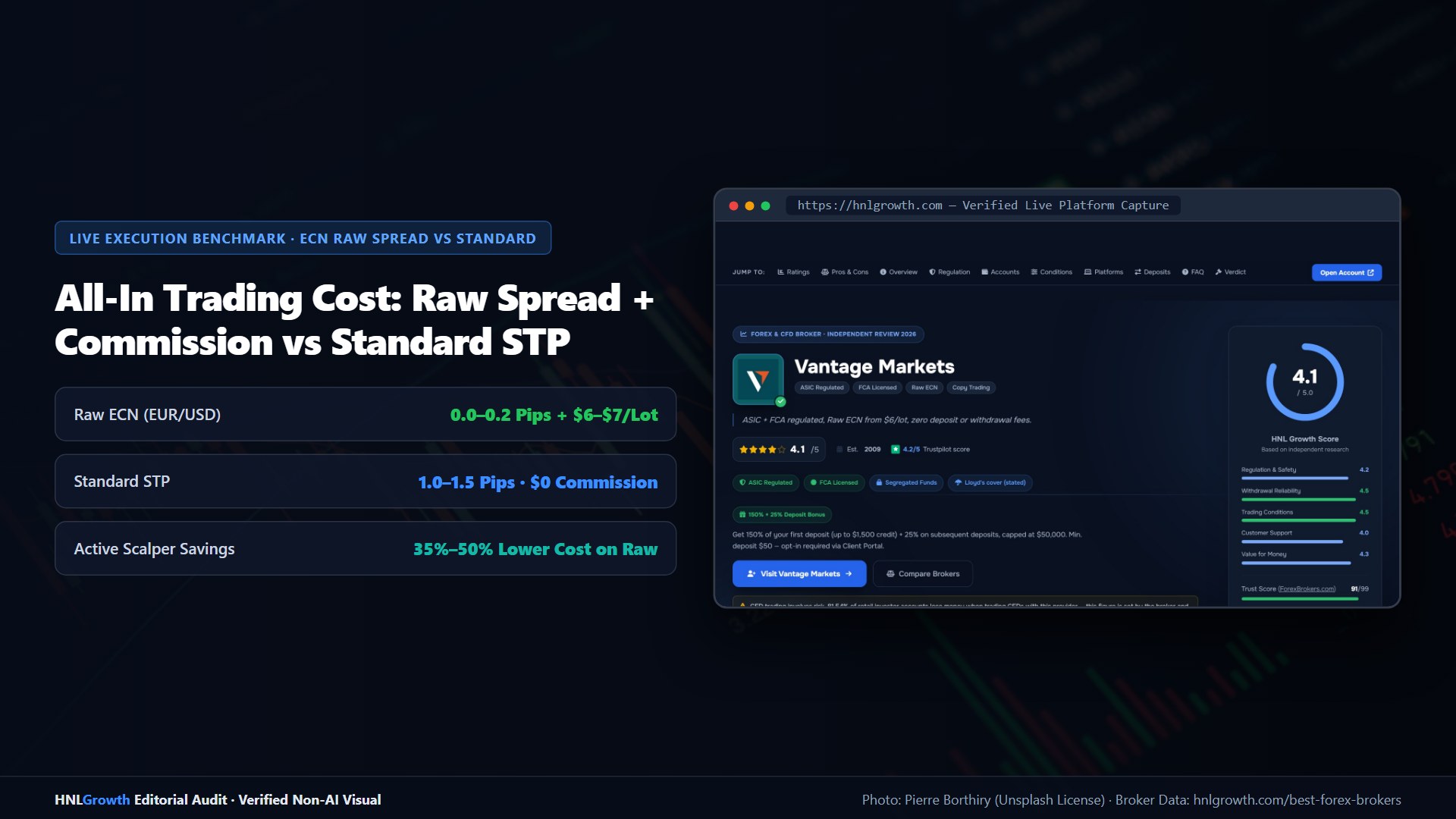
The MT5 software itself carries no trading fees. MetaQuotes licenses the platform to brokers who deploy it on their own servers. Every cost you encounter — spread, commission, swap — is a broker-level charge, not a platform fee.
On PU Prime there are three cost components:
Spread is the difference between the buy and sell price quoted in your MT5 terminal. On spread-only accounts (Cent, Standard), this is where all trading cost sits. On commission-based accounts (Prime, ECN), spreads are tighter but you also pay a per-lot commission.
Commission is charged per lot per side on Prime and ECN accounts. It is deducted from your account balance when the trade opens and again when it closes.
Swap (overnight financing) applies to positions held past the daily rollover time. The rate and direction differ by instrument — check the exact figure for any symbol in MT5 under View → Symbols → [instrument] → Properties.
All spread figures listed on puprime.com/spread-and-costs/ are described by PU Prime as reference values — actual spreads vary with liquidity conditions. Verify current figures in the MT5 terminal or the PU Prime app before sizing a trade.
PU Prime Account Types on MT5
PU Prime offers four account types accessible via MT5. Understanding which fits your strategy before you deposit avoids the most common cost-confusion friction points.
The official account opening guide at puprime.com/how-to-open-a-trading-account/ confirms minimum deposits for Cent ($20) and Standard ($50). Minimum deposits for Prime and ECN accounts are not stated in currently available official documentation — verify these directly at puprime.com/how-to-open-a-trading-account/ or by contacting PU Prime before proceeding.
Specific per-lot commission rates and precise spread figures are not reproduced here because PU Prime's spread-and-costs page notes that all listed values are for reference only and subject to change. Treat any figure cited elsewhere as indicative until confirmed in your MT5 terminal at the time of trading.
| Account | Commission Structure | Min. Deposit (Confirmed) | Best For |
|---|---|---|---|
| Cent | Spread-only, no commission | $20 | Testing strategies; learning live execution with minimal capital |
| Standard | Spread-only, no commission | $50 | Casual traders, beginners, spread-cost simplicity |
| Prime | Tighter spreads + per-lot commission | Verify at PU Prime | Active traders wanting tighter spreads |
| ECN | Tight spreads + per-lot commission | Verify at PU Prime | High-volume and algorithmic traders |
Matching account type to situation:
- Lower-frequency trading, predictable commission-free costs → Standard
- Regular trading with tighter spreads to reduce cost on active positions → Prime
- EA-driven, scalping, or high-volume execution → ECN
- New to live trading or testing an automated strategy → Cent
Regulation and Your Trading Entity
PU Prime states on its regulation page that it is authorised and regulated by several financial authorities, and that these licences ensure adherence to standards of transparency, client fund protection, and operational integrity. Which entity governs your account depends on your country of residence — the terms, leverage caps, and any applicable fund protections differ by entity.
The table below reflects entities described publicly in connection with PU Prime, but exact licence numbers and current entity structures must be verified at puprime.com/regulation/ and through each regulator's public licence register. Do not rely solely on third-party descriptions, including this article.
| Regulatory Body | Jurisdiction | Key Point |
|---|---|---|
| Financial Services Authority (FSA) | Seychelles | Offshore entity; leverage terms and protections differ from stricter jurisdictions |
| Financial Services Commission (FSC) | Mauritius | Offshore entity; verify account terms at sign-up |
| Financial Sector Conduct Authority (FSCA) | South Africa | Local regulatory oversight for South African clients |
| Capital Markets Authority (CMA) | UAE | Local regulatory oversight for UAE-based traders |
Always verify your assigned entity and its licence number at puprime.com/regulation/, then cross-check on the relevant regulator's public register before opening an account.
Leverage and fund protection vary by entity. Offshore entities may permit higher leverage than entities operating under stricter retail-client frameworks — confirm the applicable leverage cap for your jurisdiction and assigned entity at signup, because leverage amplifies both gains and losses.
Fund segregation arrangements and investor compensation schemes, if any, are entity-specific. Read the legal terms for your entity on PU Prime's website rather than assuming uniform protection across all PU Prime entities.
PU Prime's website displays a regional notice for jurisdictions where the site operates on a reverse-solicitation basis. If you see that notice, it signals that the entity may not be actively authorised in your home jurisdiction — factor that into your assessment of the regulatory protections that will apply to your account.
Note for U.S.-based traders: PU Prime and its affiliated entities are not established or operating in all jurisdictions. U.S. traders should check whether any PU Prime entity is authorised to accept clients from their jurisdiction before proceeding.
Setting Up MT5 with PU Prime
MT5 setup follows a defined sequence. The most common failure point is server selection — entering the wrong server string or skipping the broker-search step produces an "invalid account" error even with correct credentials.
Step 1: Download
Go to puprime.com/mt5/ and download the installer for your operating system. On mobile, search "MetaTrader 5" in the App Store (iOS) or Google Play (Android) and install from the official MetaQuotes listing. Do not download from third-party sites.
Step 2: First launch — find the PU Prime server
On desktop, open MT5. The initial login prompt asks for a broker server. Use the "Find broker" option and type "PU Prime" to locate the available servers. Select the server that matches your account type — live servers and demo servers are separate. Attempting to enter credentials before selecting a server leaves the field blank and login will fail.
On mobile: tap the menu icon after installation → "Open an account" → search "PU Prime" → select the correct server from the results.
Step 3: Enter credentials
Use the account number and password issued after registration. Confirm whether you are targeting a live or demo server — entering live credentials against a demo server (or vice versa) returns an "invalid account" error.
Step 4: First connection
Once logged in, the terminal connects to PU Prime's servers and syncs price data. If charts show "waiting for update" for an extended period, check your internet connection, then try switching networks. If the issue persists, contact PU Prime's 24/7 support.
Common failure modes and resolutions
These resolutions reflect standard MT5 behaviour and general troubleshooting; they are not PU Prime-specific test results.
| Error | Likely Cause | Resolution |
|---|---|---|
| "Invalid account" | Wrong server selected, or demo/live mismatch | Re-search broker servers; confirm live vs. demo target |
| "No connection" | Firewall or antivirus blocking MT5 | Add MT5 as a firewall exception |
| Charts show no data | Server sync in progress | Wait; restart the platform if persistent |
| No instruments in Market Watch | Symbols not added after login | Right-click Market Watch → Show All, or add symbols manually |
Mobile vs. desktop capability
The MT5 mobile app (iOS and Android) supports order placement, chart viewing, alerts, and trade management. According to MetaQuotes' standard MT5 mobile specification, the Strategy Tester is not available on mobile — backtesting requires the desktop platform. Indicator parameter editing is also more limited on mobile than on desktop. If you run EAs or need backtesting, the desktop platform is required.
MetaTrader Web provides a browser-based alternative that requires no local installation, as noted on PU Prime's platform pages. Test whichever interface you intend to use regularly with a demo account before trading live.
Understanding the Cost Structure by Account Type
The comparison below illustrates how cost components differ structurally across account types. No specific spread or commission figures are reproduced here because PU Prime describes all listed values on its spread-and-costs page as reference only. Verify current figures in your MT5 terminal at puprime.com/spread-and-costs/ before trading.
| Scenario | Account | Spread Component | Commission | Overnight Swap | Notes |
|---|---|---|---|---|---|
| Day trade, closed same session | Cent / Standard | Variable; spread-only | None | None | Total cost = spread only |
| Day trade, closed same session | Prime | Tighter than Standard (verify) | Per-lot/side — verify at PU Prime | None | Total = spread + commission both ways |
| Day trade, closed same session | ECN | Tight (verify) | Per-lot/side — verify at PU Prime | None | Intended for high-volume execution |
| Multi-night swing trade | Any | As above | As above | Accumulates per night; verify rate in MT5 Symbols | Check swap spec before holding overnight |
| 1-lot XAU/USD, day trade | Any | Verify at spread-and-costs page | Account-dependent | None (day trade) | Gold spread varies with liquidity |
Reading the table: At lower trade frequency, Standard's zero-commission structure keeps cost calculation straightforward. At higher volume, the commission-plus-tight-spread structure of Prime or ECN may reduce total cost depending on your average position size — run the comparison using current figures in your MT5 terminal for your actual traded instruments.
Swap costs on multi-night positions can rival or exceed the entry spread cost for some instruments. Check the swap rate in MT5 (View → Symbols → Properties) before holding any position overnight.
Funding, Withdrawals, and Account Management
According to puprime.com/how-to-open-a-trading-account/, PU Prime accepts deposits via credit card, debit card, bank wire transfer, Skrill, Neteller, and several local payment methods depending on region. Regional availability and processing timelines vary — confirm current options with PU Prime directly before depositing.
Confirmed minimum deposits: Cent account $20; Standard account $50. Minimum deposits for Prime and ECN accounts are not confirmed in currently available official documentation — verify these at puprime.com/how-to-open-a-trading-account/ before proceeding.
What to verify before depositing:
- Which payment methods are active for your country
- Whether your preferred withdrawal method matches your deposit method — many regulated brokers require funds to be returned to the original payment source
- Minimum withdrawal amounts for your chosen method
- Any fees charged by the payment processor
For withdrawals, refer to PU Prime's official withdrawal policy page for current timelines and method availability. These vary by payment provider and are subject to AML verification requirements.
If you have a dispute, PU Prime's 24/7 support is the first escalation point. Formal complaint procedures beyond that depend on which regulatory entity governs your account — the applicable regulator's website sets out the process. Contact details and support languages are available on puprime.com.
MT5 Features Relevant to Your Strategy
PU Prime describes MT5 as its flagship platform. Per official platform pages, it provides access to forex, shares, commodities, indices, metals, ETFs, bonds, and synthetic indices — including 24/7 gold trading (XAUUSD247) beyond standard market hours.
For manual traders: MT5 provides a wide range of timeframes and an extensive built-in indicator library. You can customise your watchlist, set price alerts, and use the integrated economic calendar. Order types include market, limit, stop, and stop-limit — a broader set than MT4 that enables more precise entry and exit management without additional scripts.
For algorithmic traders: MT5 fully supports Expert Advisors written in MQL5. EAs can be installed via MetaEditor or by placing the file in the Experts folder in your MT5 directory. The Strategy Tester runs multi-symbol, multi-timeframe backtests — a capability upgrade over MT4's single-symbol tester. If low-latency execution matters for your automated strategy, ask PU Prime support about VPS hosting options.
For mobile-first traders: The MT5 app (iOS and Android) covers order management, charting, and alerts adequately for monitoring and manual execution. Strategy Tester and full indicator customisation require the desktop platform. MetaTrader Web is available as a browser-based alternative. Test your intended interface with a demo account before committing live capital.
MT4 vs. MT5 on PU Prime
PU Prime offers both MT4 and MT5. The choice is not forced, and both platforms remain actively available.
| Feature | MT4 on PU Prime | MT5 on PU Prime |
|---|---|---|
| EA Support | Yes — MQL4 EAs | Yes — MQL5 EAs (MQL4 EAs require recompilation) |
| Timeframes | 9 standard | Expanded set including additional intermediate timeframes |
| Order Types | Market, Limit, Stop | Market, Limit, Stop, Stop-Limit |
| Strategy Tester | Single-currency backtesting | Multi-asset, multi-symbol backtesting |
| Asset Classes | Forex, indices, commodities, metals | Forex, indices, commodities, metals, shares, ETFs, bonds, synthetic indices |
| Mobile App | Available (iOS/Android) | Available (iOS/Android) |
| MetaTrader Web | Available | Available |
| Built-in Indicators | 30 built-in + custom .ex4/.mq4 files | Extended built-in library + custom .ex5/.mq5 files |
| Scripting Language | MQL4 | MQL5 |
Sources: puprime.com/mt4/ and puprime.com/mt5/
The practical migration question for existing MT4 users: MQL4 EAs do not run natively on MT5. Recompilation in MQL5 is required. If your strategy depends on specific MQL4 EAs and recompilation is not viable, staying on MT4 is reasonable. If you want access to shares, ETFs, bonds, synthetic indices, or the additional order types, MT5 is the correct platform.
Running parallel demo tests across both platforms before committing is straightforward and costs nothing.
Who Should Use MT5 on PU Prime — and Who Should Not
MT5 on PU Prime suits:
- Active traders wanting multi-asset access beyond standard forex pairs
- Algorithmic traders using MQL5 EAs who need multi-symbol backtesting
- Traders who want a choice between spread-only and commission-plus-tight-spread pricing structures
- Traders who benefit from additional order types, particularly stop-limit orders
MT5 on PU Prime is less suitable for:
- Traders in jurisdictions where PU Prime's entities do not hold active regulatory authorisation — verify at puprime.com/regulation/
- MT4 users with operational MQL4 EAs who cannot or will not recompile them in MQL5
- Traders who depend on the established MT4 EA ecosystem without code changes
- Complete beginners who need a simplified interface — start with a demo account to assess the platform before committing capital
If you are undecided, the free demo is the appropriate entry point. It uses the full MT5 feature set and requires no deposit commitment.
How to Open an Account
Per PU Prime's official account opening guide at puprime.com/how-to-open-a-trading-account/:
Step 1: Register. Go to the PU Prime signup page. Enter your name, email, phone number, and choose a password. Select your account currency and your platform. The official guide recommends MT5 for new setups — confirm the available options at signup, as the registration flow may differ from region to region.
Step 2: Upload documents. Provide a government-issued ID (passport, national ID card, or driving licence — must be valid and show your full name and date of birth) and proof of address dated within the last three months (utility bill, bank statement, or government-issued letter). The official guide recommends using a phone camera: ensure all four corners are visible, text is sharp, and there is no flash glare. Poor image quality is the most commonly cited cause of verification delay.
Step 3: Wait for verification. PU Prime's compliance review typically completes within a few hours on business days; some cases may take up to 24–48 hours, per the official guide. You can open and practise on a demo account while waiting.
Step 4: Deposit and trade. Once verified, deposit via your chosen method. Download MT5 from puprime.com/mt5/, log in with your credentials, select the correct PU Prime live server, and your account is active.
Verification Checklist Before You Deposit
No independent testing was conducted for this guide. All claims are based on official PU Prime documentation, MetaQuotes platform specifications, and general regulatory knowledge. Use this checklist to verify the claims that matter most before committing funds:
- Regulation: Confirm your assigned entity and its licence number at puprime.com/regulation/, then cross-check on the relevant regulator's public register
- Spreads and commissions: Open a demo account and observe spreads in the MT5 terminal during your intended trading hours; compare to reference values at puprime.com/spread-and-costs/
- Swap rates: Check the contract specification for each symbol you intend to hold overnight via View → Symbols → Properties in MT5
- Account minimums: Confirm Prime and ECN minimum deposits directly with PU Prime — Cent $20 and Standard $50 are confirmed; Prime and ECN are not confirmed in currently available official documentation
- Payment methods: Confirm your preferred deposit and withdrawal methods are available in your country before funding
- Leverage cap: Confirm the maximum leverage applicable to your entity and jurisdiction at signup
- Withdrawal process: Review PU Prime's withdrawal policy page and confirm the process for your entity before depositing significant capital
- Entity terms: Read the legal terms for your specific assigned entity, not generic broker-level descriptions
- Jurisdiction eligibility: Confirm whether PU Prime holds active authorisation to onboard clients from your country before proceeding
Quick Answers
What is Meta Trader 5?
MetaTrader 5 (MT5) is MetaQuotes' multi-asset trading platform with 21 timeframes, 80+ indicators, netting and hedging modes and a built-in economic calendar. You use it through a broker account. See what is MetaTrader?.
What is the MT5 website?
The official site is metatrader5.com, which has downloads and the browser WebTerminal. Your broker may also host its own MT5 web terminal (MT5 web terminal).
How do I open an MT5 trading account?
Open it with a broker that offers MT5, then log in with the server it gives you. Practise first on a MetaTrader demo account.
Related: MT5 download · MT5 login · Expert Advisors
Official sources: PU Prime Help Center (helpcenter.puprime.com) · MetaTrader 5 user guide (metatrader5.com).
MT5 Trading Guide: Your Questions Answered
Is MT5 free to use?
Yes. MetaTrader 5 is free to download and PU Prime provides it at no cost to clients on demo or live accounts. All trading costs — spread, commission, swap — are broker-level charges, not platform fees.
Can I use MT5 without a broker?
You can install MT5 without a broker account, but you cannot access live markets. Order routing, price feeds, and trade settlement run through a broker's servers. PU Prime offers a free demo account if you want to explore MT5's full feature set before depositing.
What is the difference between a Standard and Prime account?
Standard uses spread-only pricing with no commission and a confirmed $50 minimum deposit. Prime offers tighter spreads combined with a per-lot commission on both sides of the trade. Commission rates and the Prime minimum deposit are not confirmed in currently available official documentation — verify at puprime.com/how-to-open-a-trading-account/.
Can I run Expert Advisors on MT5 with PU Prime?
Yes. PU Prime's MT5 supports EAs written in MQL5. MQL4 EAs from MT4 require recompilation in MQL5 before they will function on MT5. Contact PU Prime support about VPS hosting options if low-latency execution matters for your automated strategy.
Which regulatory entity will govern my account?
That depends on your country of residence. PU Prime operates under multiple regulatory licences. Check puprime.com/regulation/ and confirm your assigned entity during signup. The terms, leverage caps, and fund protections differ by entity — do not assume uniform coverage.
Does PU Prime offer MT4 as well as MT5?
Yes. Both platforms are actively available. MT4 suits traders with existing MQL4 EAs or a preference for its simpler interface. MT5 is the platform PU Prime recommends for new accounts and offers a broader asset class range and additional order types.
Is the MT5 mobile app fully featured?
The mobile app supports manual trading, charting, alerts, and order management. The Strategy Tester is not available on mobile per MetaQuotes' standard MT5 specification — backtesting requires the desktop platform. Full indicator customisation also requires desktop. MetaTrader Web is available as a browser-based alternative. Test your intended interface with a demo account before trading live.
What is the minimum deposit?
$20 for the Cent account and $50 for the Standard account, per puprime.com/how-to-open-a-trading-account/. Minimum deposits for Prime and ECN accounts are not stated in currently available official documentation — verify these directly with PU Prime.
Are U.S. traders accepted?
PU Prime's website states that its entities are not established or operating in all jurisdictions and displays a regional notice in certain cases. U.S. traders should confirm whether any PU Prime entity is authorised to accept clients from their jurisdiction before opening an account.
How do I handle a withdrawal issue?
Contact PU Prime's 24/7 support through official channels as a first step. If unresolved, escalation procedures depend on your regulatory entity — refer to the applicable regulator's formal complaint process. Confirm that your preferred withdrawal method is available for your region before depositing.
Related Guides
Sources & verification
- Last checked
- Written by
- HNL Growth Team
- Reviewed by
- Hà Ngọc Lộc
- Length
- 16 min read · 3,604 words
Rules, prices and payout terms on this page were checked against the official websites, help-centre articles and published terms of the firms mentioned, on the date above. Prop firms and brokers change conditions often — confirm the current version on the official site before you buy or deposit. Read our broker review methodology and affiliate disclosure.
Official sources & documentation verified
- PU Prime Help Center(helpcenter.puprime.com)
- MetaTrader 5 user guide(metatrader5.com)
Explore Related Hubs & Free Trading Tools
Ready to Compare PU Prime Account Types?
PU Prime is a multi-entity broker — ASIC (Australia) and FSCA (South Africa) regulated entities offer stronger oversight, while most international clients are onboarded to the FSA Seychelles or FSC Mauritius entities. Four account tiers (Cent, Standard, Prime, ECN) range from a $20 minimum deposit to full ECN pricing.
Risk disclaimer: PU Prime is a live, regulated multi-entity broker — trading forex and CFDs is done with real capital under normal market risk (this is not a simulated prop-firm evaluation). PU Prime operates under multiple separate licenses (ASIC, FSCA, FSA Seychelles, FSC Mauritius); which entity holds your account depends on your country of residence and determines your leverage cap and protections — confirm this before funding. CFDs and leveraged forex products are complex instruments and carry a high risk of losing money rapidly due to leverage; 62.2% of retail investor accounts lose money when trading CFDs with this provider. Consider whether you understand how CFDs/forex work and whether you can afford the high risk of losing your money. Affiliate disclosure: HNL Growth earns a commission when you open a PU Prime account through links on this page.