MT4 vs MT5 in 2026: Which Platform Should You Use?
MT4 vs MT5: what each was built for, a feature-by-feature breakdown, costs, which suits your style and how to switch.
Reviewed by Hà Ngọc Lộc· Senior SEO Editor
Reviewed using our forex & CFD broker review methodology
MT4 and MT5 are both free MetaTrader platforms developed by MetaQuotes Software Corp, but they solve different problems. MT4 launched in 2005 as a forex-first platform with a deep legacy ecosystem of Expert Advisors and indicators. MT5 launched in 2010 with a broader multi-asset architecture, more timeframes, more order types, and a modernised backtesting engine. Neither is universally better. For forex-only traders with an established EA library, MT4 remains a rational, actively supported choice. For traders who need multi-asset access, newer automation features, or are starting fresh, MT5 offers measurable utility gains. PU Prime supports both platforms — meaning you do not have to pick a broker to get the platform you want.
Quick Verdict
| Your situation | Use this |
|---|---|
| Forex-only trader, existing MT4 EA library | MT4 — no migration cost, no capability loss |
| Multi-asset trader (stocks, indices, crypto alongside forex) | MT5 — platform architecture fits the scope |
| Algorithmic developer starting from scratch | MT5 — MQL5 is more capable and forward-looking |
| Algorithmic developer with existing MT4 EAs | MT4 first, evaluate MT5 migration separately |
| Beginner opening a first live account | MT5 — more features, better long-term toolkit |
| Running parallel strategies on different instruments | Both — PU Prime supports dual-platform accounts |
PU Prime offers MT4 and MT5 — you are not forced to choose a platform because of broker availability.
What Each Platform Was Built For
MT4 was designed for the 2005 retail forex market. That market was dominated by manual traders and early algorithmic strategies, operating on currency pairs with a small set of technical tools. MetaQuotes built MT4 around that reality: a tight, forex-optimised toolset, the MQL4 scripting language for EAs and custom indicators, and a simple four-window interface that traders still recognise today. The design priorities — reliability, speed, and a low learning curve — made MT4 the dominant retail forex platform for over a decade.
MT5 launched in 2010 to address a different market reality: a retail trading universe that had expanded beyond forex into equities, indices, commodities, and eventually crypto-adjacent instruments. The platform was rebuilt on a 64-bit multi-threaded architecture, with a new programming language (MQL5), an integrated Economic Calendar, Depth of Market (DOM), and a strategy tester that can run multiple passes simultaneously. MT5 is not MT4 with extra features bolted on — it is a different piece of software built for a wider instrument scope and more complex automation.
The critical point that most traders misread: MT4 is not obsolete. MetaQuotes has not announced an end-of-life timeline for MT4 as of the date of this article. Brokers continue to support it. The EA and indicator ecosystem built on MQL4 remains active. If your trading fits inside the MT4 design envelope — forex pairs, existing automation, straightforward chart analysis — there is no functional argument for migration unless you need what MT5 specifically offers.
Feature-by-Feature Breakdown
Platform Specification Matrix
| Feature | MT4 | MT5 | Notes |
|---|---|---|---|
| Timeframes | 9 | 21 | MT5 adds intraday, weekly, and monthly variants |
| Built-in Indicators | 30 | 38 | Both support unlimited custom indicators |
| Graphical Objects | 31 | 44 | MT5 adds Fibonacci tools and additional geometric objects |
| Order Types | 4 pending | 6 pending | MT5 adds Buy Stop Limit and Sell Stop Limit |
| Execution Modes | 2 | 4 | MT5 adds Exchange and Request modes |
| Hedging | Yes | Yes (optional) | MT5 added hedging support post-launch |
| Netting | Yes | Yes | Both support netting; MT5 supports both modes |
| Depth of Market (DOM) | No | Yes | MT5 only |
| Economic Calendar | No | Yes (built-in) | MT5 only; MT4 requires third-party plugin |
| Strategy Tester | Single-threaded | Multi-threaded | MT5 backtests run significantly faster at scale |
| Programming Language | MQL4 | MQL5 | Separate languages; code is not cross-compatible without recompilation |
| Architecture | 32-bit | 64-bit | MT5 handles larger datasets and more simultaneous operations |
| Market Access | Forex-primary | Multi-asset | Actual instrument availability is broker-determined in both cases |
Timeframe and indicator counts reflect standard MetaQuotes platform specifications widely cited across official documentation. Verify current counts against your installed platform version as MetaQuotes may update these with platform releases.
Order Types in Practice
MT4 supports four pending order types: Buy Limit, Sell Limit, Buy Stop, and Sell Stop. These cover the majority of manual trading strategies.
MT5 adds Buy Stop Limit and Sell Stop Limit — pending orders that become limit orders once price reaches a specified trigger level. This is useful for traders who want to enter on a retracement after a breakout, without the risk of a market order filling at an unfavourable level. If your strategy relies on this logic, it is a genuine MT5 advantage. If it does not, it is a feature you will not use.
Automation: MQL4 vs MQL5
MQL4 and MQL5 are separate programming languages. An EA written in MQL4 will not execute on MT5 without modification. Recompilation is required, and the degree of effort depends on how the original code was written — this is covered in the switching section below.
MQL5 is technically more capable: it supports object-oriented programming, runs faster in backtesting due to multi-threading, and has access to the MQL5 community marketplace. For developers starting new automation projects, MQL5 is the more powerful environment. For traders with existing, working MT4 EAs, the migration calculus is more nuanced.
Market Access: Platform vs Broker
This distinction matters and is frequently mishandled. MT5's architecture supports trading in stocks, indices, commodities, crypto, and forex. MT4's architecture is primarily designed around forex. However, what instruments you can actually trade depends on your broker's offering, not the platform's design. PU Prime provides access to forex, indices, commodities, metals, shares, ETFs, bonds, and synthetic indices — and this access is available on both platforms through PU Prime's server-side instrument offering. Check the spreads and costs page for the current instrument list and reference values.
The practical implication: do not assume you need MT5 solely because you want to trade gold or indices. Confirm what your broker offers on each platform before treating asset scope as the deciding factor.
What It Costs to Use Each Platform
Both MT4 and MT5 are free to download and use. PU Prime provides both platforms at no cost to clients, whether on a demo or live account — confirmed on the MT5 platform page.
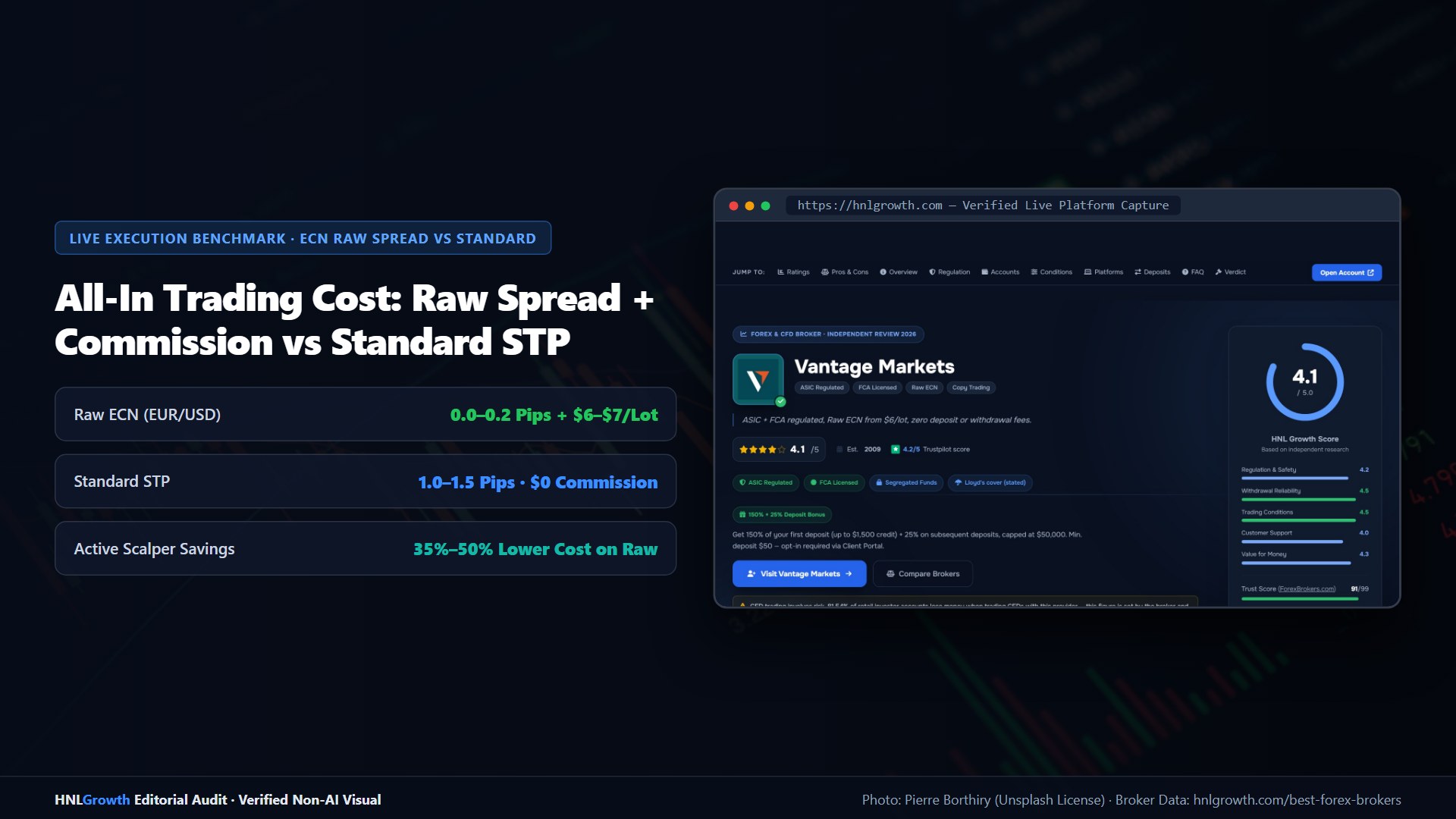
Trading costs — spreads, commissions, and swap rates — are determined by your account type, not by which MetaTrader version you are running. PU Prime's cost structure across account types is:
| Account Type | Spreads | Commission | Min. Deposit |
|---|---|---|---|
| Standard | From 1.3 pips (EUR/USD) | None | $50 |
| Prime | From 0.0 pips | $3.50/lot/side | $1,000 |
| ECN | From 0.0 pips | $1.50/lot/side | $10,000 |
Reference values only. Check spreads and costs or the MT4/MT5 platform for current live values before trading.
The PU Prime spreads page notes that all values listed are for reference and to check MT4/MT5 or the PU Prime mobile app for the most accurate values. This means both platforms display the same cost structure — the account type, not the platform version, is what determines your trading costs.
What to verify yourself before opening an account:
- Confirm current spreads for your preferred instruments on both platforms via the MT4/MT5 terminal or the PU Prime app
- Confirm whether the account type you want is available on your chosen platform version
- Check swap rates for instruments you intend to hold overnight
Which Platform Fits Your Trading Style
Trader Profile Recommendation Table
| Trader Profile | Recommended Platform | Primary Reason | Key Consideration |
|---|---|---|---|
| Beginner (first live account) | MT5 | Broader toolkit, built-in calendar, better long-term relevance | Slight learning curve versus MT4's simpler layout |
| Forex-Only Specialist | MT4 | Sufficient for all standard forex strategies; deep EA ecosystem | No upgrade benefit unless multi-asset or advanced automation needed |
| Multi-Asset Swing Trader | MT5 | Multi-asset architecture, 21 timeframes, DOM support | Confirm specific instruments available on PU Prime MT5 |
| Algo Developer — existing MT4 library | MT4 (near-term), evaluate MT5 migration | Avoid recompilation cost without clear benefit | Assess EA complexity before committing to migration timeline |
| Algo Developer — starting fresh | MT5 | MQL5 is more powerful, multi-threaded tester, active marketplace | MQL5 has a steeper learning curve than MQL4 for basic strategies |
| Prop Trader / High-Volume | MT5 | Multi-threaded execution, additional order types, faster backtesting | Verify prop firm's supported platform version before committing |
Forex-Only Traders and MT4
A trader who operates exclusively in forex pairs, uses a handful of standard indicators, and runs an EA built and tested over years in MQL4 has little to gain from switching to MT5. The additional timeframes are not relevant if the strategy runs on H1 and H4. The Economic Calendar is accessible through other means. The extra order types require strategy adjustment to use. MT4 is not a compromise for this profile — it is the appropriate tool.
Multi-Asset Traders and MT5
If your workflow includes rotating between forex, indices, and commodities, MT5's architecture becomes relevant. The ability to run a single strategy tester across multiple instrument classes simultaneously reduces development time. The DOM provides information about order book depth that forex-only traders rarely need but equity-adjacent strategies can use. The additional pending order types (particularly Buy/Sell Stop Limit) fit breakout-with-confirmation entry logic common in index trading.
Beginners: Lower Friction vs. Future-Proofing
MT4's interface is marginally simpler, and its learning resources are more abundant due to the platform's longer history. MT5 has a larger built-in toolkit but slightly more surface area to learn. The practical difference for a beginner using a Standard account is minor in day-to-day trading. The stronger argument for MT5 is forward-looking: the platform is where broker and ecosystem development is concentrated, and starting on MT5 avoids a migration decision later.
Dual-Platform Workflow
If you run separate strategies — for example, a forex scalping EA on MT4 and a multi-asset swing strategy on MT5 — you can open accounts on both platforms with PU Prime simultaneously. This is an underserved option that removes the false binary of the comparison. The practical requirement is managing two account sets, two sets of login credentials, and reconciling positions across platforms. For traders with clearly separated strategies, this workflow is straightforward.
PU Prime supports both platforms — you can open your preferred account type on either MT4 or MT5 without switching brokers.
Switching to MT5 from MT4: What to Prepare
EA Migration: Complexity Determines Effort
The most common anxiety about switching from MT4 to MT5 is EA compatibility. MQL4 code cannot run on MT5 without recompilation, but recompilation is not the same as rebuilding from scratch. The realistic outcome depends on what the EA does.
| EA Complexity | Recompilation Likelihood | Estimated Effort | Main Risk Factors |
|---|---|---|---|
| Simple rule-based EA (single indicator trigger, single order type) | High — code structure is directly translatable | A few hours to one day | Minor syntax differences, order function changes |
| Moderate EA (multiple conditions, partial close logic, trailing stops) | Medium-high — most logic transfers; specific functions need rewriting | One to several days | Deprecated MQL4 functions, position management differences |
| Complex EA (multi-symbol, custom library dependencies, tick-level logic) | Lower without significant rework | Days to weeks | Custom library incompatibility, execution model differences, tick data handling |
These are editorial estimates based on documented differences between MQL4 and MQL5. They are not official MetaQuotes benchmarks. Your specific EA's complexity is the most important variable.
The execution model difference is the most common source of errors. MT4 uses a position-based model where each order is independent. MT5 uses a netting or hedging model (broker-configurable), which affects how position management code handles multiple open trades on the same instrument. Rewriting partial-close and trailing-stop logic for MT5 is often where moderate EAs require the most attention.
Recommended Approach Before Migrating
- Open a demo MT5 account with PU Prime before moving a live strategy. The demo environment uses real market prices and lets you test execution behaviour without capital at risk.
- Recompile your EA in MetaEditor (the IDE included with MT5) and review all compiler warnings before running any backtest.
- Run a strategy tester comparison — run the same EA logic on equivalent historical data in both platforms to check that results are directionally consistent before going live.
- Keep your MT4 account active during the transition period. Running both simultaneously until you have validated the MT5 version removes unnecessary migration risk.
PU Prime supports opening accounts on both platforms. If you are mid-migration, maintaining both accounts at the same broker simplifies position monitoring and funding.
Related: Ready to install? Use our MetaTrader 5 download guide for official sources. No install possible? Try the MT5 web terminal.
Related: What is MetaTrader? · Expert Advisors · MetaTrader demo account
Official sources: MetaTrader 5 user guide (metatrader5.com) · MetaTrader 4 user guide (metatrader4.com).
MT4 vs MT5 in: Your Questions Answered
Is MT4 being discontinued?
MetaQuotes has not published an end-of-life timeline for MT4 as of the publication date of this article. MT4 continues to be actively supported by PU Prime and is available to new and existing clients. This is a question worth monitoring — check MetaQuotes' official communications and PU Prime's platform pages for any updates. We review this article quarterly.
Can I use MT4 and MT5 at the same time?
Yes. PU Prime supports accounts on both platforms simultaneously. You can run MT4 and MT5 in parallel, each with separate account credentials, which is practical if you operate different strategies across the two platforms.
Will my MT4 EA work on MT5?
Not directly — MQL4 code requires recompilation to run on MT5. Whether that process is straightforward or complex depends on the EA's architecture. Simple, single-indicator EAs often transfer with modest effort. EAs with custom library dependencies or complex position management logic require more significant rework. Test on a demo account before running on live capital.
Which platform is better for beginners?
Both are accessible for beginners. MT5 has a slightly larger toolkit, which means more options to explore but also more to learn. MT4 has a simpler interface and a larger archive of tutorials built up over 20 years. If you are starting fresh and plan to trade beyond forex, MT5 is the more forward-looking choice. If you are starting with basic forex trading and want the simplest possible interface, MT4 is easier to get started on.
Does PU Prime offer both MT4 and MT5?
Yes. PU Prime provides both platforms with full access to its instrument range, account types, and trading conditions. Both platforms are available as desktop downloads, mobile apps, and web trader versions. See the MT4 page and MT5 page for download links and feature details.
Is there a cost difference between MT4 and MT5 accounts at PU Prime?
Trading costs at PU Prime are determined by account type (Standard, Prime, ECN), not by platform version. Both platforms offer the same account types with the same spread and commission structure. The spreads and costs page notes that displayed values are for reference — check the platform itself for live pricing before trading.
MT4 and MT5 at HFM: An Alternative Worth Comparing
If you're weighing brokers beyond PU Prime, HFM also runs both platforms across most account types — forex, metals, indices, cryptocurrencies, and energies are available on both MT4 and MT5, though the exact instrument mapping per platform depends on how HFM configures each server. HFM's MT5 implementation supports hedging, so your position-management workflow stays consistent whichever platform you pick.
- MT4 at HFM: Standard 4 pending order types, 9 timeframes, largest EA/indicator compatibility
- MT5 at HFM: 6 pending order types (adds Stop Limit variants), 21 timeframes, built-in economic calendar, hedging and netting support depending on server configuration
Verify which specific instruments are live on HFM's MT4 and MT5 servers by checking HFM's instruments page or opening a demo before committing to either platform.
Related Guides
Sources & verification
- Last checked
- Written by
- HNL Growth Team
- Reviewed by
- Hà Ngọc Lộc
- Length
- 11 min read · 2,609 words
Rules, prices and payout terms on this page were checked against the official websites, help-centre articles and published terms of the firms mentioned, on the date above. Prop firms and brokers change conditions often — confirm the current version on the official site before you buy or deposit. Read our broker review methodology and affiliate disclosure.
Official sources & documentation verified
- MetaTrader 5 user guide(metatrader5.com)
- MetaTrader 4 user guide(metatrader4.com)
Explore Related Hubs & Free Trading Tools
Ready to Compare PU Prime Account Types?
PU Prime is a multi-entity broker — ASIC (Australia) and FSCA (South Africa) regulated entities offer stronger oversight, while most international clients are onboarded to the FSA Seychelles or FSC Mauritius entities. Four account tiers (Cent, Standard, Prime, ECN) range from a $20 minimum deposit to full ECN pricing.
Risk disclaimer: PU Prime is a live, regulated multi-entity broker — trading forex and CFDs is done with real capital under normal market risk (this is not a simulated prop-firm evaluation). PU Prime operates under multiple separate licenses (ASIC, FSCA, FSA Seychelles, FSC Mauritius); which entity holds your account depends on your country of residence and determines your leverage cap and protections — confirm this before funding. CFDs and leveraged forex products are complex instruments and carry a high risk of losing money rapidly due to leverage; 62.2% of retail investor accounts lose money when trading CFDs with this provider. Consider whether you understand how CFDs/forex work and whether you can afford the high risk of losing your money. Affiliate disclosure: HNL Growth earns a commission when you open a PU Prime account through links on this page.