Vantage Demo Account 2026: How to Open It
A Vantage demo account gives up to $100,000 in virtual funds and access to 1,000+ instruments on MT4/MT5 — no live deposit required to try it.
Reviewed using our forex & CFD broker review methodology
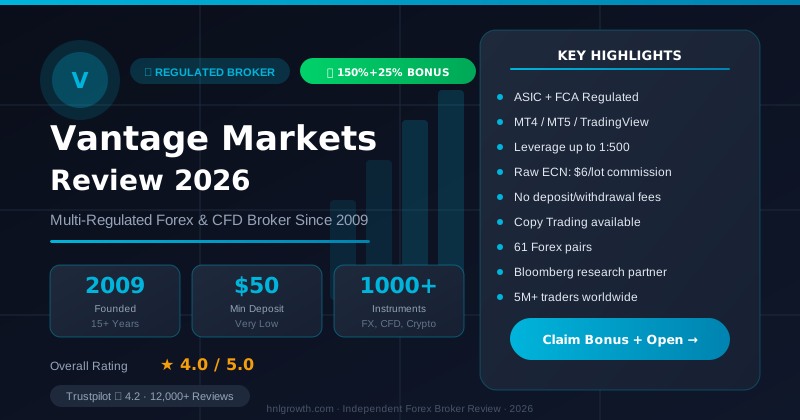
A Vantage demo account is a free practice account that uses virtual money instead of real funds, so you can learn how order placement, charts, and the MT4/MT5 platforms work without deposit or downside risk. According to Vantage's official demo account page, it comes with up to $100,000 in virtual funds and access to 1,000+ instruments. You don't need to fund a live account to try it. This guide walks through setup, what's realistic (and what isn't), and how to tell when you might be ready to trade with real money.
Demo account features
At its core, a Vantage demo account is a sandbox version of live trading. Per the official demo page, it lets you practise trading forex CFDs, share CFDs, gold CFDs and other instruments using virtual funds on the same MT4 or MT5 platforms used for live accounts.
What's included:
- Virtual balance up to $100,000, so you can test position sizing without worrying about running out of practice capital.
- Access to 1,000+ CFD instruments, spanning forex, indices, gold and silver, shares, commodities, ETFs and bonds, based on Vantage's own marketing materials.
- Real-time pricing. Vantage states the demo account mirrors live market conditions and uses real-time data, so the price movements you watch are the actual market, not a simulation.
- Expert Advisors (EAs) on MT4, letting you test automated strategies before committing real capital.
What's virtual, not real: the money in the account, and any profit or loss it generates. Nothing you do in demo affects your real finances, and nothing can be withdrawn from it, a point Vantage confirms directly in its FAQ.
This matters most for a beginner because it removes the two biggest sources of first-trade anxiety: not knowing where any button leads, and fear of losing money by clicking the wrong one. A demo account lets you make that first mistake for free.
How to create a demo
Opening a Vantage demo doesn't require a live account or a deposit first. Based on Vantage's help center, there are two paths depending on whether you're new to Vantage:
If you're new to Vantage:
- Go to the registration flow for a demo account on the official Vantage site.
- Fill in the requested details to register.
- Your demo account login details are sent to the email address you registered with.
- Log into MT4 or MT5 using those details and start practising.
If you already have a Vantage account:
- Log into your client portal.
- Select "+ Open Account."
- Choose "Demo Account."
- Configure your preferred trading platform, account type, currency, leverage, and starting virtual balance.
The whole process is a few short steps.
Disclosure: This page may contain affiliate links. We may earn a commission if you open an account through our links, at no extra cost to you.
MT4 vs MT5 demo
Vantage offers demo accounts on both MetaTrader 4 (MT4) and MetaTrader 5 (MT5). If you've never used either, here's the plain-English difference for a beginner:
- MT4 is the older, simpler platform. It's widely used for straightforward forex and CFD trading and, per Vantage's demo page, is specifically highlighted for connecting Expert Advisors (EAs), which are automated scripts that can place trades based on preset rules.
- MT5 is the newer platform, generally aimed at traders who want more depth from the same screen.
For a beginner, the practical takeaway is simpler than the technical one: both run the same underlying demo account experience (virtual funds, live-like pricing, access to the same instrument range), so neither choice locks you out of core functionality. If you're not sure which to pick, MT4 is the more common starting point for new traders because of its simpler layout. You can also open a demo on both and compare them directly, since setup takes only a few minutes each.
Virtual balance and limits
Your Vantage demo account starts with virtual funds, with the marketing page referencing up to $100,000 as a promotional figure. A few practical points worth knowing before you start:
- Duration. Vantage's FAQ excerpt states "There is no specific time limit for traders to trade on a demo account," though the full answer in the official source is truncated mid-sentence, so the complete terms are not confirmed here.
- Live market data. The demo isn't running on delayed or artificial prices; Vantage states it mirrors live market conditions with real-time pricing.
Because no strict expiry is mentioned in available materials, you don't need to rush your decision to go live. That said, don't mistake an open-ended demo for a substitute for the learning that comes from real conditions. A demo that sits unused for months isn't building any skill.
Demo vs live differences
The most important thing to understand about demo trading is what it does and doesn't replicate. Vantage states the demo experience "closely mimics real trading conditions," but a few structural differences remain by design:
| Demo account | Live account | |
|---|---|---|
| Funds | Virtual, no real value | Real money, at risk |
| Profits/losses | Not withdrawable, don't affect you financially | Withdrawable subject to Vantage's terms and procedures |
| Market data | Real-time, live-like pricing | Real-time, live pricing |
| Execution & psychology | No real capital on the line | Real order flow, and the emotional pressure of real money at stake |
Two things beginners often underestimate here. First, execution behavior can differ between practice and live environments, particularly under fast-moving or volatile market conditions, because real order flow involves liquidity constraints that a demo does not fully reproduce. This is a general industry characteristic worth testing carefully once live. Second, the psychological pressure of real money is impossible to simulate. Many traders who perform well in demo hesitate or overtrade the first time real funds are on the line. Demo trading builds mechanical skill; it can't fully rehearse that emotional shift.
Because Vantage operates through different regulated entities depending on where you're onboarded, the specific protections that apply to a live account, such as fund handling rules or dispute processes, depend on which entity you're onboarded under. This doesn't apply to a demo account, since no real funds are involved, but it becomes relevant the moment you consider going live. Check Vantage's regulatory information page for the entity relevant to your jurisdiction, and independently confirm any regulatory status on the regulator's own public register rather than taking a broker's word for it, a sensible check regardless of which broker you're considering.
When to switch to live
There's no universal deadline for "graduating" from demo to live trading, and Vantage's own FAQ backs this up by not imposing one. Instead of a time-based rule, use a behavior-based checklist. You're generally in a better position to consider a live account when you can honestly say:
- You can place and close a trade on your chosen platform without needing to look up how.
- You understand what a stop-loss and take-profit order do, and you've used both at least once.
- You've watched at least one demo trade move against you and understand why, not just what.
- You have a basic idea of position sizing relative to your account balance, not just "how much can I make."
- You've read and understood the risks of leveraged CFD trading, not just the potential rewards.
- You're treating the demo balance like it matters, rather than trading recklessly because "it's not real."
If several of these still feel shaky, that's not a failure, it's useful information. Staying in demo longer costs nothing.
When you do feel ready, live account details including minimum deposit levels and account type differences can be found on Vantage's accounts page, though the official page provided for this review was gated by jurisdiction and did not display usable account specifications. Verify current figures directly before deciding, since these details can change. A live account also requires standard identity verification, which a demo account does not.
Editorial Verification Process
This article is fact-checked against Vantage's official documentation, following our 7-criteria broker review methodology. We have not completed a funded live-account test covering this specific feature — where a claim depends on live-account behavior, we cite Vantage's official terms and independently-reported user experience rather than presenting it as something we personally verified. See our broker review methodology for the full source hierarchy.
Risk warning: CFDs and leveraged forex products are complex and carry a high risk of losing money. Check the terms, entity and protections that apply to your jurisdiction before trading.
FAQ
Is the Vantage demo account really free? Yes. It uses virtual funds only, and Vantage does not require a deposit to open or use it.
How long does the demo account last? Vantage's FAQ states "There is no specific time limit for traders to trade on a demo account," though the full answer in the official source is incomplete. No fixed expiry is mentioned in available materials.
Can I withdraw profits from a demo account? No. Vantage confirms that demo profits aren't withdrawable, since the funds aren't real. Withdrawals apply only to live accounts, under Vantage's standard terms and procedures.
Do I need a live account or deposit before accessing the demo? No. New users can register for a demo directly without opening or funding a live account first, per Vantage's help center.
Is Vantage's demo account legitimate? The demo itself carries no financial risk since it uses virtual money. For the broker's regulatory legitimacy, don't rely on marketing pages or ratings; check the relevant regulator's public register for the specific Vantage entity tied to your jurisdiction, listed on Vantage's regulations page.
Is demo trading exactly the same as live trading? Close, but not identical. Vantage says the demo mimics live conditions and uses real-time pricing, but the money isn't real, and real-market execution and the psychological weight of live trading can't be fully replicated in a practice environment.
Related Vantage Markets Guides
Ready to Trade with Vantage Markets?
Vantage Markets is a multi-regulated forex & CFD broker (FCA, ASIC, FSCA, CIMA, VFSC, FSC) trusted by 5 million+ traders, with Raw ECN pricing from $3/lot, no deposit/withdrawal fees, and full MT4/MT5/TradingView support.
Risk disclaimer: Vantage Markets is a live, regulated broker — trading forex and CFDs is done with real capital under normal market risk (this is not a simulated prop-firm evaluation). CFDs and leveraged forex products are complex instruments and carry a high risk of losing money rapidly due to leverage; most retail investor accounts lose money trading these products. Consider whether you understand how CFDs/forex work and whether you can afford the high risk of losing your money. Affiliate disclosure: HNL Growth earns a commission when you open a Vantage Markets account through links on this page.