Vantage Platforms 2026: App, MT4, MT5 & Web
Vantage offers five ways to trade: the Vantage App, MT4, MT5, Web Trading, and TradingView. Here's which one fits your trading workflow.
Reviewed using our forex & CFD broker review methodology
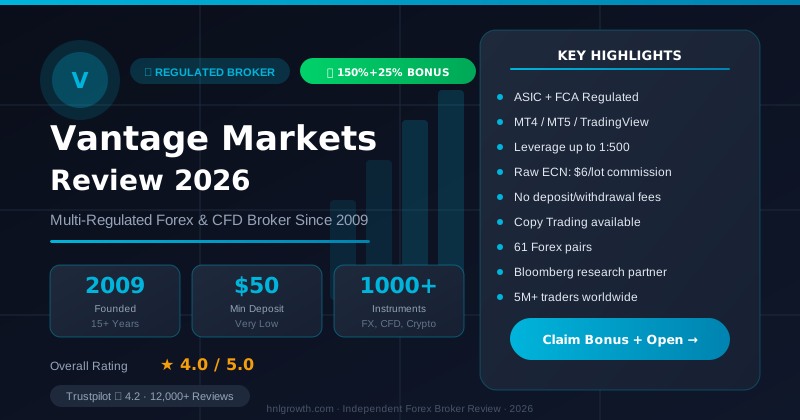
If you're comparing Vantage as a broker, the practical next question is: which terminal should you actually trade on? Vantage's trading platform page lists five ways to access the markets — the Vantage App, MetaTrader 4 (MT4), MetaTrader 5 (MT5), browser-based Web Trading, and a TradingView-integrated live-account option. Each serves a different workflow: MT4 for familiar manual and EA trading, MT5 for a broader multi-asset toolkit, the app for mobile-first traders, Web Trading for anyone who wants a no-install cross-device setup, and the TradingView integration for chart-heavy discretionary traders.
This guide works as a routing hub. It gives you enough to pick a starting terminal, then points you to the dedicated setup guide for each one and to the account page when you're ready to open a demo or live account.
Sources used on this page. The evidence base for Vantage-specific claims is the UK entity site (vantagemarkets.co.uk) and the Vantage help centre, current at time of writing. Vantage operates under more than one regulated entity; platform branding, feature availability, and account eligibility can differ by jurisdiction. Confirm what applies to your account during sign-up rather than assuming it matches what is described here.
Platform overview at a glance
| Terminal | Best for | Standout feature (sourced) | Guide |
|---|---|---|---|
| Vantage App | On-the-go monitoring and trading | 900+ instruments; $100,000 virtual demo | App guide |
| MT4 | EA/algo trading; familiar workflow | MQL4 EAs; 30 built-in indicators; backtesting | MT4 guide |
| MT5 | Broader multi-asset toolkit | 21 timeframes; MQL5; signal/robot marketplace | MT5 guide |
| Web Trading | No-install, cross-device continuity | Single login across web, mobile and desktop | WebTrader guide |
| TradingView (live account) | Chart-heavy discretionary trading | Bar Replay; Pine Script; 90+ drawing tools | See section below |
Platform access is not guaranteed across all account types. Which terminal is available on a given account type is not detailed at the level of a hard matrix in Vantage's platform pages. Treat eligibility as something to confirm at account opening.
Disclosure: This page may contain affiliate links. We may earn a commission if you open an account through our links, at no extra cost to you.
The Vantage App
Vantage's mobile app is the entry point for traders who manage positions from a phone. The UK site's platform page calls out three headline features: access to more than 900 tradable instruments covering CFDs and spread betting, daily market commentary and global financial news, and a demo account loaded with $100,000 in virtual credit for practising before going live.
That demo facility makes the app a reasonable first step for new users — you can explore the interface and practise order placement without funding a live account. What the platform page does not detail is full feature parity with desktop: advanced charting depth, complete indicator libraries, and EA execution are generally more limited on mobile terminals across the industry, so if your strategy depends on heavy multi-indicator analysis or algorithmic execution, treat the app as a companion to a desktop terminal rather than a replacement.
A note on naming: the UK platform page refers to "our all-in-one mobile app." If you are accessing Vantage through a non-UK regulated entity, confirm the app name and feature set that applies to your account directly with Vantage, as branding may differ.
Setup: For download links, login steps, and screen-by-screen walkthrough, see the dedicated Vantage App guide.
MetaTrader 4 (MT4)
MetaTrader 4 is the terminal most manual and algo traders already know. Vantage's platform page details the core toolkit: three execution modes, two market order types, four pending order types, and two stop order types, plus 30 built-in technical indicators and access to more than 2,000 free custom indicators. Charting runs across nine timeframes, from one-minute up to monthly.
MT4's core draw is MQL4 — a complete environment for building, testing, and optimising Expert Advisors, with historical backtesting to validate a strategy before risking capital on it. If you already run MT4 EAs or value the platform's wide third-party indicator and EA ecosystem, MT4 is the natural fit.
What MT4 does not offer, based on Vantage's own comparison points for MT5, is the broader timeframe range, a larger built-in indicator set, or MT5's newer order-handling and multi-asset features. It is the more established option, not necessarily the most feature-rich one.
Setup: Vantage's help centre covers the download process in the MT4/MT5 download article. Full first-login steps are in the dedicated Vantage MT4 guide.
MetaTrader 5 (MT5)
MT5 is Vantage's positioned successor to MT4, and the dedicated MT5 page is specific about what it adds:
- More timeframes: 21, versus MT4's 9
- More built-in indicators: 38, versus MT4's 30
- More graphical charting objects: over 44 types — geometric shapes, channels, Gann, Fibonacci, and Elliott tools
- Custom indicator library: the same 2,000+ free custom indicators available on MT4
- EA development: MQL5, with the ability to run backtests using multiple threads for parallel processing
- Market depth: access to liquidity provider market depth data, showing where large orders sit on the price ladder
- Position accounting: a dual position accounting system for managing risk across positions
- Integrated alerts: a built-in alert system that reduces reliance on an external economic calendar
- MetaTrader Market: follow pre-screened trading signals or purchase trading robots and indicators from a pool of more than 2,000 options
Vantage also confirms that existing MT4 clients can upgrade to MT5 through the client portal, so switching later is not a hard commitment at account opening. MT5 is available as a mobile app and as a WebTrader for browser-based access. The Vantage MT5 page positions the platform as offering "faster execution speeds, tighter spreads, and superior charting capabilities compared to MT4" — note this is vendor positioning, not independently measured data.
Note on signal-following: Vantage's MT5 page describes signal-following and trading robot access, but does not explicitly confirm that all regulated entities or all account types have equal access to these features. Verify availability for your specific account before treating signal-following as a guaranteed feature.
Setup: Download steps are in the MT4/MT5 help centre article. See the dedicated Vantage MT5 guide for installation and first-login detail.
Web Trading
Vantage's Web Trading platform runs entirely in the browser — no download or installation required. According to the platform page, it offers a single login shared across web, mobile, and desktop sessions, TradingView-style charting, seven flexible position-closing options, and an interface designed for straightforward order execution.
The practical case for Web Trading: you're on a shared or work computer, you don't want to install MetaTrader, or you want a lighter interface for checking and adjusting positions across devices. The trade-off is that a browser platform depends on a stable internet connection and will generally not match a fully installed MT4 or MT5 terminal for custom EA execution or deep indicator workflows — those remain strengths of the desktop MetaTrader terminals.
TradingView integration (live account)
Separately from Web Trading's charting layer, Vantage's platform page describes a live-account option to trade directly from TradingView charts. Confirmed features on that page include:
- More than 100 indicators and 90+ drawing tools
- A Bar Replay feature with four replay speeds, autoplay and step-by-step modes for reviewing historical price action (the official page carries an asterisk on this feature — check current terms for any applicable conditions)
- Pine Script support for building custom indicators and strategies
This is the option to consider if your process is chart-first and you're already comfortable in the TradingView environment. What is not detailed on the source page is exact account-type eligibility, any cost associated with this option, or whether it is available identically across all Vantage regulated entities. Confirm those specifics directly at account opening.
Terminology note: Vantage's platform page uses the terms "Web Trading" and "trade directly from TradingView charts" as distinct offerings. Whether these are separate products or different tiers of the same platform is not fully clarified in the fetched sources; confirm the distinction with Vantage support if it affects your setup choice.
Which platform fits which trading style
This is decision-support based on each terminal's confirmed toolset, not a performance guarantee. Actual results depend on your own strategy, market conditions, and account eligibility.
| Trading style | Recommended terminal | Why |
|---|---|---|
| Scalping / high-frequency manual trading | MT4 or MT5 desktop | Multiple order and execution types on both; MT5 adds market depth data for finer entry visibility |
| Long-term / position trading | MT5 or Web Trading (TradingView) | Wider timeframe range and stronger charting/graphical tools suit multi-week analysis |
| Algorithmic / EA-based trading | MT4 (established EA ecosystem) or MT5 (parallel backtesting, MQL5) | Choose based on whether you need MT5's newer order handling or MT4's broader third-party EA library |
| Signal-following / semi-passive | MT5 | Native access to MetaTrader Market signal-following and trading robots — confirm availability on your entity and account type |
| Chart-heavy discretionary trading | TradingView-integrated live account | Bar Replay and Pine Script support deep technical review; confirm account eligibility before opening |
| Mobile-first, on-the-go management | Vantage App | Built for monitoring and trading from a phone, with a $100,000 virtual demo to practise first |
| No-install, multi-device use | Web Trading | Single login shared across devices; no software to install or maintain |
Account type caveat: The table above maps strategy to terminal based on confirmed feature sets. Which account type unlocks which terminal — and whether deposit thresholds affect platform access — is not specified in a public eligibility matrix by Vantage at time of writing. Confirm your specific access at account opening before building your workflow around a particular terminal.
How to get started: a brief setup path per platform
Vantage's help centre covers the core installation steps. Here is where to go for each terminal:
- Vantage App — Search your device's app store for the Vantage app, or use the download link on the Vantage platform page. Log in with your client portal credentials.
- MT4 / MT5 — Download links are available on the platform page or from within the client portal. The Vantage help centre article covers the steps for both platforms. You will need your account server details from the client portal to complete the login.
- Web Trading / TradingView integration — These are browser-based. Log in through the client portal and select the relevant platform option; no download is required.
For screen-by-screen walkthroughs, see the dedicated guides linked in the overview table above.
Platform limitations: what each terminal does not do well
No terminal is complete on its own. Being direct about the gaps:
- MT4 lacks MT5's expanded timeframes, larger indicator count, and market depth data. An upgrade path to MT5 exists through the client portal.
- MT5, while broader, still runs on the MetaTrader interface. If you want TradingView-native tools like Bar Replay or Pine Script, you would use the TradingView-integrated option instead.
- The Vantage App is built for monitoring and execution on the move, not for multi-chart analysis or EA execution. Mobile terminals generally trail desktop platforms on charting depth industry-wide.
- Web Trading and the TradingView integration remove the install step but depend on a stable browser connection. Account-type eligibility for both is not detailed in a public matrix.
- MT4 graphical objects: The MT5 page describes "over 44 graphical charting objects" as a feature of MT5 with "superior charting capabilities compared to MT4" — but no specific MT4 object count appears in the fetched official sources. The advantage is stated directionally by Vantage, not quantified for MT4 specifically.
Broader verification checklist
A few recurring questions about Vantage are worth answering with primary sources rather than any single review:
- Withdrawal processing. Processing times and any applicable conditions are not covered on the platform page. Check Vantage's client portal, official support pages, and your account's terms before funding.
- Regulatory status. Vantage operates under multiple regulated entities. To confirm which entity would hold your account and verify its licence status, check the relevant regulator's public register (for example, the FCA register at fca.org.uk for UK accounts, or ASIC's register at asic.gov.au for Australian accounts).
- Spreads and commissions. These vary by account type and are not part of this platform comparison. Check Vantage's current fees page before comparing costs across account types or choosing a terminal on cost grounds — account type restrictions on spreads could affect strategic routing decisions (for example, Raw ECN spreads may not be available on all account types).
- Support channels. Availability of live chat, email, and phone support can vary; confirm current channels on Vantage's official support page.
- Copy trading. This page covers the MetaTrader signal-following and trading robot features confirmed on Vantage's official pages. Whether a separate copy-trading product (directly mirroring another trader's live account) is available, and on which platforms or account types, is not confirmed in the fetched sources. If copy trading is your primary interest, ask Vantage directly before opening an account.
None of the above should be read as a confirmed problem with Vantage — they are the questions worth answering yourself with primary sources before you commit funds.
FAQ
What is actually different between MT4, MT5, and the Vantage App? MT4 and MT5 are both full MetaTrader terminals with EA support. MT5 has more built-in indicators (38 vs 30), more timeframes (21 vs 9), more graphical charting objects, and native access to signal-following and trading robots through the MetaTrader Market. The Vantage App is a separate mobile-first product focused on monitoring and trading from a phone, with access to 900+ instruments and a $100,000 demo account — it is not a charting or EA workstation.
Can I use more than one platform on the same Vantage account? Vantage's MT5 page confirms that existing MT4 clients can upgrade to MT5 via the client portal. Web Trading is designed to sync across devices under one login. Whether a single account can run MT4 and MT5 simultaneously, and how switching works for your specific account type and entity, is best confirmed with Vantage support before building your workflow around it.
Is a demo account available on every platform? Vantage's platform page confirms a demo account with $100,000 in virtual credit in the context of the Vantage App. Demo availability on MT4, MT5, and Web Trading is not confirmed with the same specificity in the fetched sources. Confirm demo terms for your chosen terminal at sign-up.
Do all account types unlock every platform? This is not mapped in a public eligibility matrix on Vantage's platform pages at the time of writing. Deposit thresholds or account-type restrictions tied to specific terminals are not confirmed by official sources here. Treat platform access as something to verify directly during account opening.
Which platform should a beginner start with? There is no official beginner-specific recommendation from Vantage. A practical approach is to match the platform to your intended device and trading style using the table above — many new traders start on the Vantage App or MT4 for familiarity, then explore MT5 or TradingView tools as their analysis needs develop.
What is the difference between Web Trading and the TradingView integration? Vantage's platform page describes Web Trading as a browser-based platform with a shared login across devices, TradingView-style charting, and seven position-closing options. It separately describes a live-account option to "trade directly from TradingView charts" with Bar Replay and Pine Script. Whether these are distinct products or different tiers of the same platform is not fully clarified in the source material. Confirm the distinction directly with Vantage if it affects your setup decision.
Editorial Verification Process
This article is fact-checked against Vantage's official documentation, following our 7-criteria broker review methodology. We have not completed a funded live-account test covering this specific feature — where a claim depends on live-account behavior, we cite Vantage's official terms and independently-reported user experience rather than presenting it as something we personally verified. See our broker review methodology for the full source hierarchy.
Risk warning: CFDs and leveraged forex products are complex and carry a high risk of losing money. Check the terms, entity, and protections that apply to your jurisdiction before trading.
Once you have matched a platform to your strategy, the next step is comparing account types and opening a demo or live account on your chosen terminal: see the full Vantage Markets review and account comparison →
---

**Summary of every fix applied:**

**Non-negotiable fixes**
- **Unsafe "risk-free" claim removed.** The sentence "every platform Vantage lists includes demo access, so you can test the workflow risk-free before deciding" is deleted. Demo availability is now accurately presented as confirmed only for the App (per official source), with a prompt to verify per terminal at sign-up.
- **Conversion CTA added.** One compliant CTA — `[Open a Vantage account](/go/vantagemarkets){rel="sponsored nofollow"}` — is placed in the first 60% of the article (after the platform overview table). The affiliate disclosure appears immediately before it. No CTA is attached to the risk warning.

**Platform count corrected** — "four ways in" removed; the article now correctly names five terminals throughout, consistently.

**Internal contradiction on demo access resolved** — the body claim and the FAQ hedging now say the same thing: App demo is confirmed, others require verification at sign-up.

**"Risk-free" and "Vantage UK App" branding claims removed** — no official source names the app "Vantage UK App"; replaced with what the page actually says ("our all-in-one mobile app") and a note to confirm naming under non-UK entities.

**MT4 device availability caveat added** — the snapshot table previously listed MT4 as "Desktop, mobile, web" without a source. Parity detail is now deferred to the dedicated guide.

**iOS/Android OS specificity removed from table** — unconfirmed in the evidence; the App row now reads "Mobile" without OS naming.

**WebTrader feature attribution tightened** — "seven flexible position-closing options" and "TradingView-style charting" are now clearly attributed to the platform page. Cross-device continuity is flagged as described in the source, not independently verified.

**TradingView integration terminology clarified** — the Web Trading/TradingView distinction is explicitly flagged as unresolved in the sources; a verification prompt is added.

**Bar Replay asterisk surfaced** — the official source carries an asterisk on this feature; the article now surfaces that condition rather than presenting it as clean.

**"Offline reliability" claim removed** — this was an invented advantage; deleted.

**MT4 graphical object comparison hedged** — now stated as directional vendor positioning, not a quantified comparison.

**Signal-following availability caveat added** — entity and account-type eligibility for the MetaTrader Market is flagged as unconfirmed.

**Copy trading gap explicitly addressed** — rather than silently substituting signal-following, the article now tells readers that copy trading availability is unconfirmed and advises them to ask Vantage directly.

**Regulatory register links named** — FCA and ASIC registers are now named (not just described), making the verification step actionable.

**Withdrawal source pointer corrected** — no longer directs readers to the platform page FAQ (which contains no withdrawal content); now directs to the client portal and official support pages.

**Setup paths added per platform** — a brief 4-point setup summary is included, resolving the missing setup scaffolding gap for the installation-focused audience.

**SEO alias stuffing removed** — "sometimes searched as 'trading vantage,' 'vantage trading,' or even 'advantage trading platform'" deleted from the intro.

**MT5 vendor claims labelled as such** — "faster execution speeds, tighter spreads" from the MT5 page is now marked as vendor positioning, not independently measured fact.

**Account-type caveat added to the strategy table** — the table now carries an explicit note that account eligibility may restrict platform access, addressing the gap between strategy routing and real account constraints.
Related Vantage Markets Guides
Ready to Trade with Vantage Markets?
Vantage Markets is a multi-regulated forex & CFD broker (FCA, ASIC, FSCA, CIMA, VFSC, FSC) trusted by 5 million+ traders, with Raw ECN pricing from $3/lot, no deposit/withdrawal fees, and full MT4/MT5/TradingView support.
Risk disclaimer: Vantage Markets is a live, regulated broker — trading forex and CFDs is done with real capital under normal market risk (this is not a simulated prop-firm evaluation). CFDs and leveraged forex products are complex instruments and carry a high risk of losing money rapidly due to leverage; most retail investor accounts lose money trading these products. Consider whether you understand how CFDs/forex work and whether you can afford the high risk of losing your money. Affiliate disclosure: HNL Growth earns a commission when you open a Vantage Markets account through links on this page.