Vantage MT4 2026: Download & Login Guide
MetaTrader 4 is available from Vantage on desktop, WebTrader, and mobile. Here's how to download, log in, and use MT4's EA and charting tools.
Reviewed using our forex & CFD broker review methodology
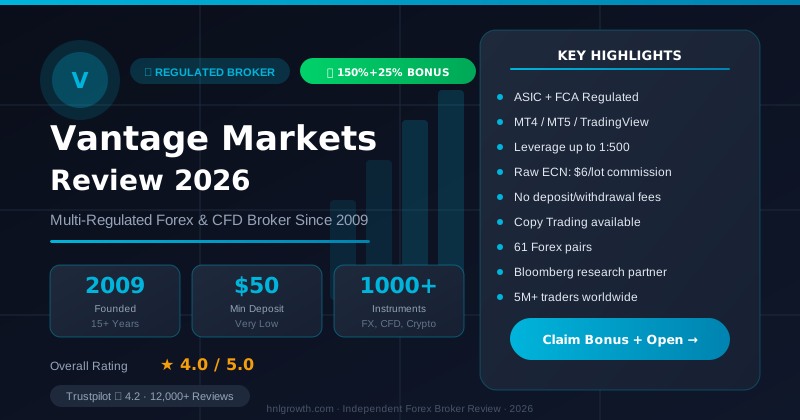
If you already trade with Vantage or are deciding whether to open an account, here's the short answer: MetaTrader 4 (MT4) is available as a trading platform option from Vantage, for desktop download, browser-based WebTrader, and mobile. You can download it from the official Vantage website or through your client portal, log in with the credentials generated when your account is approved, and trade CFDs using MT4's charting, order types, and Expert Advisor (EA) automation tools. This guide covers download and login steps, account compatibility, MT4's built-in tools and limitations, how it compares with MT5, and what to do when login or connection issues come up.
Is MT4 Available on Vantage?
Yes. Vantage lists MetaTrader 4 as one of its platform options alongside MetaTrader 5, TradingView, and its own web and mobile trading tools (Vantage Trading Platform). MT4 was developed by MetaQuotes in 2005 and remains widely used by both traders and brokers for its charting tools and support for automated strategies via Expert Advisors (Vantage MetaTrader 4 page).
On Vantage, MT4 can be accessed in three ways:
- A downloadable desktop application (Windows, and via WebTrader for browser access)
- A mobile app for iOS and Android
- WebTrader, which runs in-browser without installing software
One practical point worth flagging early: which Vantage entity services your account depends on your country of residence, and the site itself gates access with a jurisdiction disclaimer before you can view platform and pricing details. If you're comparing offers across regions, don't assume terms, account types, or protections quoted on one regional Vantage site apply to another. Confirm the entity tied to your account before relying on any published figure.
Download for Desktop and Mobile
To download MT4, go to the official Vantage website or log in to your client portal, both of which host the current download links (Vantage Help Center: How do I download MT4/MT5?). Download the installer only from official Vantage sources or the client portal to reduce the risk of installing modified or unofficial versions.
Typical desktop setup follows this sequence:
- Download the MT4 installer from the official Vantage site or client portal.
- Run the setup file and accept the installation terms.
- Choose an install location (or use the default) and complete installation.
- Launch MT4 and log in using the account number and password issued when your live or demo account was approved.
For mobile, search your device's app store for the MetaTrader 4 app, install it, and log in with the same account credentials. If you'd rather not install anything, the WebTrader option lets you trade from a browser using the same login details.
A demo account is worth using first if you haven't traded on MT4 before, or if you're testing a new EA or charting setup. It lets you get familiar with order placement and the interface without committing funds.
Disclosure: This page may contain affiliate links. We may earn a commission if you open an account through our links, at no extra cost to you.
Login and Server Selection
MT4 login requires three pieces of information: your account number, your password, and the correct trade server. This is the step that trips up the most existing users switching devices or reinstalling the platform.
- Account number and password are issued by email when your account is opened. If you've changed your password since, use the current one, not the original.
- Server selection matters because MT4 routes your login to a specific server tied to your account type and the Vantage entity you're registered with. Selecting the wrong server is one of the most common reasons login fails, even with correct credentials.
- If you can't find your server name, check your account welcome email or the account details section of your client portal.
Some MT4 setups also issue a separate investor (read-only) password, which lets you view an account's activity without being able to place trades. If you've entered an investor password by mistake, MT4 will log in but you won't be able to open or close positions — worth checking if trading buttons appear greyed out.
Account Types on MT4
MT4 is available as a platform choice across Vantage's live account options, alongside MT5, TradingView, and Vantage's own web and app trading tools (Vantage Trading Platform). Exact account tiers, minimum deposits, spreads, and commission structures vary by account type and by the regulatory entity handling your registration, and these details change periodically. Rather than quoting figures that may be out of date by the time you read this, check the current account comparison and pricing page for your region before funding an account, and confirm the numbers match what's shown during your own account opening flow.
If you're unsure which account type your existing MT4 login is tied to, this is visible in your client portal account overview, and support can confirm it if the portal display is unclear.
Tools and Limitations
MT4 on Vantage includes the standard MT4 charting and automation features developed by MetaQuotes:
| Feature | MT4 specification |
|---|---|
| Built-in technical indicators | 30 |
| Free custom indicators (broader MT4 ecosystem) | 2,000+ |
| Timeframes per symbol | 9 (M1 to Monthly) |
| Execution modes | 3 |
| Market order types | 2 |
| Pending order types | 4 |
| Stop order types | 2 |
| EA programming language | MQL4 |
| Strategy testing | Backtesting on historical data |
Source: Vantage Trading Platform
These tools make MT4 a workable fit for traders who rely on Expert Advisors, custom indicators, or established MQL4 scripts, and for anyone who wants a lighter, familiar interface without a steep learning curve.
Where MT4 is more constrained: it has fewer built-in indicators, fewer timeframes, and single-threaded backtesting compared with MT5. If your strategy depends on advanced charting objects (Gann, Elliott wave tools), multi-asset order books, or faster multi-threaded strategy optimization, MT4 will be more limiting.
MT4 may be less suitable if you:
- Trade multiple asset classes that benefit from MT5's broader instrument and timeframe range
- Run computationally heavy backtests that need multi-threaded processing
- Want built-in depth-of-market or more advanced graphical analysis tools out of the box
- Prefer a modern charting-first workflow, in which case TradingView-based trading may suit you better
Leverage limits and margin call/stop-out levels depend on the regulatory entity and account type attached to your login, not on the platform itself. Check these terms in your account agreement or client portal rather than assuming they're identical across every Vantage entity.
MT4 vs MT5: Which One Should You Use?
Vantage runs MT4 and MT5 side by side rather than positioning one as a replacement for the other. Here's how they compare on documented specifications:
| Feature | MT4 | MT5 |
|---|---|---|
| Built-in indicators | 30 | 38 |
| Custom indicators (broader ecosystem) | 2,000+ | 2,000+ |
| Timeframes | 9 | 21 |
| EA language | MQL4 | MQL5 |
| Backtesting | Single-threaded | Multi-threaded (parallel processing) |
Source: Vantage Trading Platform
Decision framework:
If you already have MQL4 Expert Advisors, custom indicators, or trading habits built around MT4, switching platforms usually isn't worth the disruption just to gain extra timeframes. MT4's 9 timeframes cover the majority of intraday and swing trading needs.
If you're starting fresh or developing new automated strategies, MT5's 21 timeframes give you more granular price data (useful for scalping or multi-timeframe confirmation systems), and its multi-threaded backtesting can cut strategy optimization time significantly when you're testing across multiple instruments or parameter sets.
For a deeper breakdown of MT5-specific tools and setup, see our dedicated Vantage MT5 guide.
Troubleshooting Common MT4 Issues
Most MT4 access problems on Vantage fall into a handful of categories:
"Invalid account" or login rejected Double-check the account number and password for typos, and confirm you're using the trading password, not the investor password. Passwords are case-sensitive.
Login accepted, but no server connection This is usually a server mismatch. Re-check the exact server name against your account welcome email or client portal, and re-enter it manually if the platform's automatic search doesn't return it.
"No connection" despite correct credentials and server This is typically network-side: check whether a firewall, antivirus, or VPN is blocking MT4's outbound connections, and confirm your internet connection is stable. Corporate or public wifi networks sometimes block trading platform traffic.
Platform loads but charts or prices don't update Try reconnecting via File > Login to Trade Account, or restart the terminal. Persistent freezing across sessions is worth reporting to support with your build number.
Trades placed on MT4 don't match what you see in your account summary elsewhere If figures shown on MT4 don't match your client portal or app balance, don't assume it's a platform bug — refresh both, and if the discrepancy persists, raise it with support directly with screenshots and timestamps rather than assuming an error.
If none of the above resolves your issue, contact Vantage support through your client portal. Have your account number, server name, and a description (or screenshot) of the error ready, as this speeds up resolution.
What to Verify Yourself Before You Rely on MT4 for Live Trading
Since platform terms, entities, and pricing pages change, it's worth confirming these directly rather than trusting older reviews or comparison sites:
- Which Vantage entity and regulator apply to your account, based on your country of residence
- Current minimum deposit and any account-tier requirements for the account type you're considering
- Spreads, commission structure, and swap rates for the instruments you plan to trade
- Leverage limits, margin call, and stop-out thresholds for your specific account and entity
- Withdrawal processing timelines and any verification steps required for your account, since these are commonly asked about by existing users and can vary by payment method and region
Summary
MT4 remains a functional and widely recognized platform for CFD trading on Vantage, particularly for traders who rely on MQL4 automation, custom indicators, or a familiar workflow. Download it from official Vantage sources, confirm your server and account credentials, and verify your entity-specific terms before committing funds. MT5 offers more timeframes and faster backtesting, but MT4 covers the core charting and automation needs for most retail strategies. If you're deciding between the two, the practical question is whether your strategy genuinely benefits from MT5's additional features, or whether MT4's simpler, established toolset already does what you need.
Editorial Verification Process
This article is fact-checked against Vantage's official documentation, following our 7-criteria broker review methodology. We have not completed a funded live-account test covering this specific feature — where a claim depends on live-account behavior, we cite Vantage's official terms and independently-reported user experience rather than presenting it as something we personally verified. See our broker review methodology for the full source hierarchy.
Risk warning: CFDs and leveraged forex products are complex and carry a high risk of losing money. Check the terms, entity and protections that apply to your jurisdiction before trading.
FAQ
Is MetaTrader 4 free? The MT4 platform itself is free to download and use. Trading costs come from spreads, commissions, and swaps that apply to your specific account type, not from a platform fee.
How do I trade on MetaTrader 4? Log in with your account credentials, select an instrument from the Market Watch window, choose a lot size, and place a market or pending order using the order ticket. Charting tools and indicators help inform entry and exit decisions, but placing the trade itself is a straightforward order-ticket process.
Is MetaTrader 4 good for beginners? Its interface is generally considered accessible, with a manageable set of built-in tools rather than an overwhelming one. That said, ease of use doesn't reduce trading risk — new traders should use a demo account to get comfortable with order types before trading live.
Can you trade CFDs on MT4? Yes, Vantage offers CFD trading on MT4 (Vantage MetaTrader 4 page).
Can you trade commodities and stocks on MT4? Instrument availability depends on your account type and the entity servicing your account. Check the current instrument list on your account portal or the official Vantage site for what's tradable under your specific account.
Do I need a certain deposit amount to use MT4? Minimum deposits vary by account type and are subject to change, so confirm the current figure on the official Vantage pricing or account page for your region rather than relying on older published numbers.
What's the difference between MT4 and the Vantage app? The Vantage app is Vantage's own mobile trading tool with features like a demo account and market commentary built in. MT4 is a separate, third-party platform (built by MetaQuotes) that Vantage offers alongside its own app and web trading tools. You can use either, or both, depending on your workflow.
Related Vantage Markets Guides
Ready to Trade with Vantage Markets?
Vantage Markets is a multi-regulated forex & CFD broker (FCA, ASIC, FSCA, CIMA, VFSC, FSC) trusted by 5 million+ traders, with Raw ECN pricing from $3/lot, no deposit/withdrawal fees, and full MT4/MT5/TradingView support.
Risk disclaimer: Vantage Markets is a live, regulated broker — trading forex and CFDs is done with real capital under normal market risk (this is not a simulated prop-firm evaluation). CFDs and leveraged forex products are complex instruments and carry a high risk of losing money rapidly due to leverage; most retail investor accounts lose money trading these products. Consider whether you understand how CFDs/forex work and whether you can afford the high risk of losing your money. Affiliate disclosure: HNL Growth earns a commission when you open a Vantage Markets account through links on this page.