Vantage WebTrader 2026: Browser Trading Guide
Vantage's browser platform is Vantage Web Trading (VWT), powered by TradingView charts — no download needed. Here's how it works and how to log in.
Reviewed using our forex & CFD broker review methodology
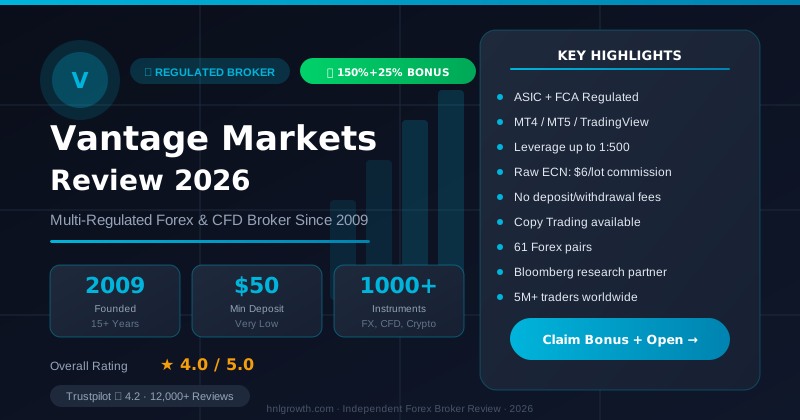
Vantage doesn't sell a separate app called "Vantage WebTrader." Its browser-based option is called Vantage Web Trading (VWT) — a web platform powered by TradingView charts that lets you log in once and trade across your Vantage accounts with no software download. Separately, MetaTrader 5 also has its own MT5 WebTrader, the standard MetaQuotes browser client, which you can open directly from your MT5 login details. This guide explains what each option actually does, how to log in, which accounts and markets they support, and where a browser falls short of the desktop or mobile app.
What Vantage's Web Trading Terminal Actually Is
According to Vantage's own web trading page, Vantage Web Trading (VWT) is a browser-based platform built on TradingView's charting engine, offering unified login access, one-click order execution, and real-time market data — all without installing anything. It's the platform Vantage points new and existing clients toward when they want to trade "in browser."
Alongside VWT, the MT5 platform page confirms a second browser route: MT5 WebTrader, which mirrors the familiar MetaTrader interface and lets you trade "from any browser without any downloads required." Neither of these is a Vantage-invented terminal — VWT is Vantage's TradingView integration, and MT5 WebTrader is MetaQuotes' own browser client. Which one you should use depends mostly on whether you want TradingView's charting or MetaTrader's familiar order panel.
How to Access Vantage's Web Platforms
Getting into either platform takes a few minutes and no installation:
New clients:
- Register for a Vantage live or demo account on the Vantage website.
- Complete verification and wait for account approval.
- Once approved, click "Trade" from your account dashboard to launch Vantage Web Trading directly in your browser, or select MT5 and open its WebTrader login from the Client Portal.
Existing clients:
- Log in to the Vantage Client Portal.
- Select the trading account you want to use.
- Click "Trade" to open Vantage Web Trading, or use your MT5 login credentials on the MetaQuotes WebTrader page.
One login on VWT manages access across your linked trading accounts, so you don't need separate credentials for each one. Exact menu wording can vary slightly depending on which Vantage entity your account sits under, since the Client Portal layout differs by regulator.
Which Accounts and Markets Are Supported
Vantage's accounts page confirms account structures for professional traders, experienced traders seeking tight spreads and commissions, novice traders looking for commission-free access, and traders with religious beliefs that prohibit swaps. All are opened through the same registration flow and are usable across MT4, MT5, and the Vantage App — with web access following the account, not restricting it.
The two primary pricing models:
| Account type | Pricing model | Confirmed spread/fee detail |
|---|---|---|
| Standard STP | Spread-only, no commission | Commission-free trading; spreads from 1.0 pips |
| Raw ECN | Tighter spreads plus commission | Spreads from 0.0 pips on major currency pairs; $3.00 per standard lot per side ($6.00 round turn) |
Vantage's FAQ states you can start trading with as little as $50. Minimum deposits and exact fee schedules may differ by account type and entity, so check the current accounts page before funding. Demo accounts come with up to $100,000 in virtual funds that reset when depleted.
On tradable markets, Vantage's documentation confirms CFDs across over 60 forex pairs, indices from the US, UK, and Europe, commodities including gold, silver, and oil, share CFDs from major global markets, and ETFs and cryptocurrencies including Bitcoin and Ethereum — all from a single account. The UK-specific web trading page mentions access to "900+ CFDs and spread bets," indicating spread betting is available under Vantage's UK entity. That product is jurisdiction-specific and isn't offered by all Vantage regional entities.
Disclosure: This page may contain affiliate links. We may earn a commission if you open an account through our links, at no extra cost to you.
If the account structure and web access above fit how you want to trade, opening a Vantage account or testing a demo first is the logical next step.
What You Can Do in the Browser — and What You Can't
Vantage Web Trading's stated strengths are TradingView charting, one-click order execution, and real-time data, all inside a single browser tab. MT5 WebTrader gives you the standard MetaTrader order ticket, watchlist, and basic charting instead.
Neither browser platform lets you install or run Expert Advisors. That's a limitation of browser-based MetaTrader technology generally, not something specific to Vantage — EAs need a running desktop terminal or a VPS to execute continuously, which a browser session can't provide. If your strategy depends on automation, you'll need desktop MT4 or MT5.
TradingView's charting library is generally broader than MetaTrader's native web charts, which is the practical reason to pick VWT over MT5 WebTrader for chart-heavy analysis. If you mainly want the classic MetaTrader order flow you already know, MT5 WebTrader is the simpler match.
Web vs Desktop MT4/MT5 vs the Vantage App
| Factor | Vantage Web Trading | MT5 WebTrader | Desktop MT4/MT5 | Vantage App |
|---|---|---|---|---|
| Installation | None | None | Required | Required |
| Charting | TradingView-powered | Standard MetaTrader web charts | Standard MetaTrader charting | Standard MetaTrader charting |
| Expert Advisors | Not supported | Not supported | Supported on MT5 | Not supported |
| Best suited for | Desk-based analysis, quick multi-account access | Traders who prefer the MetaTrader ticket in-browser | Algorithmic/EA trading, full toolset | On-the-go monitoring and trade management |
Use this as a starting point rather than a fixed rule: if you trade with EAs or signal scripts, desktop is the only option confirmed to support them. If you want to trade without installing anything and like TradingView charts, VWT fits. If you're already comfortable in MetaTrader and just want to skip the download, MT5 WebTrader is the closer match. For quick checks between meetings, the mobile app remains the most practical.
Browser and Device Requirements
Vantage describes Vantage Web Trading as "fully web-responsive," accessible from desktop, laptop, tablet, or mobile using any modern browser — no VPS or extra software needed. In practice, that means keeping your browser updated (Chrome, Firefox, Safari, or Edge) with JavaScript and cookies enabled, and allowing pop-ups for the trading window. A stable internet connection matters more for a browser platform than for an installed application, since your session depends on a live connection rather than a locally running program.
Testing With a Demo Account
Vantage's demo accounts come with up to $100,000 in virtual funds and can be reset once depleted, per Vantage's own FAQ. Both Vantage Web Trading and MT5 WebTrader are accessible from a demo login, so you can test order execution, charting, and navigation before risking real funds — no deposit required to open one.
Managing Funds Through the Web Platform
Deposits and withdrawals are handled through the Vantage Client Portal rather than inside the trading terminal itself. Because both VWT and MT5 WebTrader connect to the same account and portal, funding methods and processing aren't platform-dependent — whichever browser terminal you trade on, you manage money through the same portal you'd use from desktop or the app.
Common Login and Access Issues
A few recurring snags with browser trading, and how to work through them:
- Wrong server or account selected on MT5 WebTrader: double-check you're using the exact server shown in your MT5 login email, since MetaTrader logins are server-specific.
- Session appears logged out: if your session ends after inactivity, log back in through the Client Portal or MT5 WebTrader page.
- Page won't load or looks broken: clear your browser cache, disable ad-blocking extensions, or try a different modern browser.
- Can't reach support directly: Vantage's Client Portal includes live chat and support contact details for account-specific issues that a general troubleshooting step won't fix.
Execution Speed and Fees
Vantage describes its web trading as offering "fast, secure, and flexible trading experience" with "responsive order processing," but doesn't publish a specific latency figure for the web platform. Browser and connection quality will affect how fast pages update, which matters more for time-sensitive strategies than for casual position management.
Your costs are set by the account type — spread-only for Standard STP or spread plus commission for Raw ECN — rather than which terminal you trade from. Vantage's FAQ confirms no charges for opening any trading account, though minimum deposit requirements and per-trade commissions apply depending on the account selected.
FAQ
Is there a proprietary "Vantage WebTrader"? No. The browser option is Vantage Web Trading (VWT), powered by TradingView, plus MT5's own WebTrader for MetaTrader users. Neither is a Vantage-built terminal from scratch.
Do I need a separate account to use the web platform? No — per Vantage's FAQ, you log in with your existing Vantage account credentials; there's no separate signup for VWT.
Can I run automated strategies on the web platform? No. Expert Advisors require a running desktop terminal or VPS; browser platforms don't support installing or executing them.
Is web trading available on mobile browsers? Yes — Vantage describes VWT as fully web-responsive across desktop, tablet, and mobile browsers, separate from the dedicated Vantage App.
Which account types can use the web platform? Web access follows your trading account rather than restricting it, so the account types confirmed on Vantage's accounts page can all log in to the web platforms.
Getting Started
Before placing a live trade through the browser: confirm your account type and its spread/commission structure on the accounts page, verify your identity, fund the account, and choose whether Vantage Web Trading's TradingView charts or MT5 WebTrader's classic interface fits how you analyze the market. Testing both on a demo account first costs nothing and removes the guesswork.
Whether you're ready to fund a live account or want to try Vantage Web Trading and MT5 WebTrader on a demo first, both paths start from the same Vantage registration process — and Vantage's support channels are available through the Client Portal if you hit a setup snag along the way.
Editorial Verification Process
This article is fact-checked against Vantage's official documentation, following our 7-criteria broker review methodology. We have not completed a funded live-account test covering this specific feature — where a claim depends on live-account behavior, we cite Vantage's official terms and independently-reported user experience rather than presenting it as something we personally verified. See our broker review methodology for the full source hierarchy.
Risk warning: CFDs and leveraged forex products are complex and carry a high risk of losing money. Check the terms, entity and protections that apply to your jurisdiction before trading.
Related Vantage Markets Guides
Ready to Trade with Vantage Markets?
Vantage Markets is a multi-regulated forex & CFD broker (FCA, ASIC, FSCA, CIMA, VFSC, FSC) trusted by 5 million+ traders, with Raw ECN pricing from $3/lot, no deposit/withdrawal fees, and full MT4/MT5/TradingView support.
Risk disclaimer: Vantage Markets is a live, regulated broker — trading forex and CFDs is done with real capital under normal market risk (this is not a simulated prop-firm evaluation). CFDs and leveraged forex products are complex instruments and carry a high risk of losing money rapidly due to leverage; most retail investor accounts lose money trading these products. Consider whether you understand how CFDs/forex work and whether you can afford the high risk of losing your money. Affiliate disclosure: HNL Growth earns a commission when you open a Vantage Markets account through links on this page.