Vantage TradingView 2026: Setup & Features
Vantage integrates directly with TradingView, letting you chart and trade live on one screen. Here's how to link your account and what you get.
Reviewed using our forex & CFD broker review methodology
Disclosure: This page may contain affiliate links. We may earn a commission if you open an account through our links, at no extra cost to you.
Vantage's TradingView integration lets you connect a live Vantage trading account to TradingView's charts and trade selected CFDs directly, without switching platforms. It's a genuine trading connection, not just a charting overlay: once your accounts are linked, you can open, manage and close positions on forex, gold, oil, indices, share and ETF CFDs from inside TradingView, using Vantage's pricing and execution.
This guide covers what the integration actually does, how to set it up, which accounts and instruments are supported, what it costs, and how TradingView compares with Vantage's MT5 platform, so you can judge whether it fits your workflow before you fund an account.
TradingView Support Status
Vantage offers a confirmed broker integration with TradingView, allowing clients to trade directly from TradingView's charts once a live account is connected. The partnership was formally announced in a March 2024 press release for Vantage UK clients, covering CFDs across forex, gold, oil, indices, shares, ETFs and bonds.
Vantage's current platform suite lists TradingView alongside MT4, MT5, Vantage Web Trading and the Vantage mobile app. Platform access can differ by regulatory entity and region, since Vantage operates under separate licensed entities in different markets. Before opening an account specifically for TradingView trading, confirm with Vantage support or during the account-opening process that the integration is available under the entity serving your jurisdiction.
On the charting side, TradingView itself is used by more than 50 million traders globally and includes 15+ chart types, 100+ built-in indicators, 90+ drawing tools and 12+ alert conditions, regardless of which broker you connect.
How to Connect and Set Up TradingView with Vantage
Setting up the integration requires three steps: open a Vantage account, create or log in to TradingView, then link the two platforms.
- Open a Vantage account. The official platform page indicates that TradingView trading is accessed with a live account, so begin the account-opening process before attempting to link.
- Create or log in to your TradingView account. A free TradingView account is sufficient to connect a broker; a paid TradingView subscription is not required for basic broker integration.
- Connect the accounts. From TradingView's trading panel, select Vantage as your broker and authenticate using your Vantage account credentials. Official documentation does not detail the exact authentication steps, so follow the prompts within TradingView's broker connection workflow.
- Load the correct instrument symbol. Once linked, select the Vantage-specific symbol for the market you want to trade (for example, the Vantage feed for XAU/USD or a forex pair) to ensure your chart reflects the pricing you will receive on execution.
Whether demo accounts can be linked to TradingView for practice is not confirmed in Vantage's public documentation. If risk-free testing of the integration is important to your workflow, verify demo availability with Vantage support before proceeding.
Compare Vantage account types to find the tier that matches your trading style and budget.
Supported Instruments and Account Types
The 2024 integration announcement specifies that TradingView trading covers CFDs on forex, gold, oil, indices, shares, ETFs and bonds. Crypto CFD availability through the TradingView connection is not documented in published Vantage material, so traders who prioritize cryptocurrency exposure should confirm availability directly before relying on the platform.
Vantage's published account structure includes:
| Account Type | Minimum Deposit | Spreads (from) | Commission | Best For |
|---|---|---|---|---|
| Standard STP | $50 | 1.1 pips | Commission-free | Traders who want simple, all-in pricing |
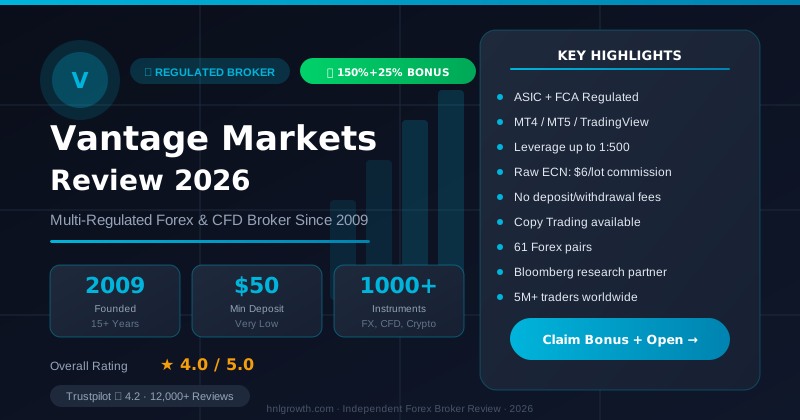
| Raw ECN | $50 | 0.0 pips | $3 per side | Active traders prioritising tight raw spreads |
| Pro ECN | $10,000 | 0.0 pips | $1.50 per side | High-volume traders who meet the higher minimum |
Source: Vantage Markets gold trading platforms guide. Spreads and commissions are variable and depend on market conditions and liquidity; the figures above are published starting points, not guarantees.
UK FCA entity note: Pro ECN is offered through Vantage's global/offshore entities. Clients under the UK FCA entity get a different top-tier account instead — Premium ECN ($25,000 minimum, $0.75 per lot per side) — so confirm which one applies to your entity.
Whether all three account tiers support TradingView linking is not stated in Vantage's public documentation. Confirm account type compatibility with Vantage support during account opening if you plan to trade primarily through TradingView.
Order Execution Workflow
When you place an order from TradingView on a linked Vantage account, that order is routed through the same execution infrastructure as trades placed on MT4 or MT5. The underlying account tier, liquidity connections and pricing model remain unchanged; TradingView functions as an interface layer for order entry and management, not a separate execution pathway.
Standard STP accounts apply spread-only pricing. Raw ECN and Pro ECN accounts charge a per-side commission on top of tighter raw spreads. Order types, fill quality and any slippage during volatile periods are governed by your account tier and prevailing market conditions, not by the platform you use to submit the order.
Execution speed, fill consistency during high-impact news, and order rejection rates are elements to observe with your own account over time, since Vantage does not publish independent, verifiable latency figures or fill-quality metrics specific to the TradingView integration.
Costs and Limitations
There is no separate subscription fee from Vantage to use the TradingView integration. Trading costs are the spreads and commissions attached to your account type, as shown in the table above. However, several practical limitations apply:
- Live account requirement. Vantage's platform documentation frames TradingView trading as a live-account feature. Demo account compatibility is not confirmed in public material, so traders seeking risk-free testing should verify this with Vantage support before assuming demo access is available.
- Entity and regional variation. The integration launched through Vantage UK. Availability under other Vantage entities is not comprehensively documented, so traders outside the UK should confirm access with Vantage before opening an account specifically for TradingView use.
- Instrument scope. Confirmed coverage is forex, gold, oil, indices, shares, ETFs and bonds CFDs. Crypto CFDs and other niche instruments may not be available through the TradingView connection; verify instrument availability for your strategy before relying on the platform.
- Not built for MQL4/MQL5 algo porting. Pine Script supports custom indicators and strategies, but traders with existing Expert Advisors built for MT4/MT5 will need to rebuild that logic rather than port it directly.
TradingView through Vantage is generally suited to traders who already use TradingView for analysis and want to execute from the same interface. It is less suited to traders who require confirmed demo access, depend on MetaTrader-specific EAs, or trade instruments not confirmed as available through the integration.
TradingView vs MT5 on Vantage
| Feature | TradingView | MT5 |
|---|---|---|
| Built-in indicators | 100+ | 38 built-in; additional custom indicators available |
| Drawing tools / objects | 90+ drawing tools | 44 graphical objects |
| Timeframes | Standard TradingView timeframes | 21 timeframes |
| Custom scripting | Pine Script | MQL5 Expert Advisors |
| Historical review | Bar Replay feature | Strategy tester with multi-threaded backtesting |
| Alerts | 12+ alert conditions | Built-in price/indicator alerts |
| Community/social features | Integrated idea-sharing community | None native |
| Live trading | Via linked live Vantage account | Native order management |
Source: Vantage trading platform overview and TradingView platform page.
MT5 remains the deeper tool for algorithmic trading, extensive backtesting and a broader indicator/timeframe set. TradingView's strength is charting quality, community context and Pine Script flexibility, with execution routed through the same underlying Vantage infrastructure. Traders who value social features and cleaner chart design tend to lean toward TradingView; traders building or running EAs typically prefer MT5.
FAQ
Is TradingView on Vantage charting-only, or can I actually trade?
It is a full trading connection for eligible linked accounts. You can place and manage CFD orders directly from TradingView once your live Vantage account is connected.
Do I need a live account to use TradingView with Vantage?
Vantage's platform documentation indicates that TradingView trading is accessed via a live account. Demo account compatibility is not confirmed in public material; verify with Vantage support if demo access is required.
Which instruments can I trade through TradingView?
Confirmed coverage includes forex, gold, oil, indices, shares, ETF and bond CFDs. Crypto CFD availability via the TradingView connection is not documented; verify availability before trading.
What does TradingView cost on Vantage?
There is no separate platform fee from Vantage. You pay the spread and, on Raw ECN and Pro ECN accounts, a per-side commission based on your account type.
Is TradingView available across all Vantage entities?
The integration launched through Vantage UK. Availability under other regulated Vantage entities is not comprehensively documented. Confirm availability for your jurisdiction with Vantage support before opening an account for this purpose.
How does TradingView compare to MT5 for algo traders?
MT5 is generally the stronger choice for Expert Advisor development and backtesting depth. TradingView offers Pine Script and strong charting but is not a direct substitute for MQL5-based automated strategies.
What should I verify before relying on this integration?
Confirm your account type supports TradingView linking, check instrument availability for the markets you trade, verify your jurisdiction has access to the integration, and review current spreads and commissions on your account tier, since pricing is variable.
Open a Vantage account to access TradingView integration alongside MT4, MT5, and Vantage's proprietary platforms.
Editorial Verification Process
This article is fact-checked against Vantage's official documentation, following our 7-criteria broker review methodology. We have not completed a funded live-account test covering this specific feature — where a claim depends on live-account behavior, we cite Vantage's official terms and independently-reported user experience rather than presenting it as something we personally verified. See our broker review methodology for the full source hierarchy.
Risk warning: CFDs and leveraged forex products are complex and carry a high risk of losing money. Check the terms, entity and protections that apply to your jurisdiction before trading.
Related Vantage Markets Guides
Ready to Trade with Vantage Markets?
Vantage Markets is a multi-regulated forex & CFD broker (FCA, ASIC, FSCA, CIMA, VFSC, FSC) trusted by 5 million+ traders, with Raw ECN pricing from $3/lot, no deposit/withdrawal fees, and full MT4/MT5/TradingView support.
Risk disclaimer: Vantage Markets is a live, regulated broker — trading forex and CFDs is done with real capital under normal market risk (this is not a simulated prop-firm evaluation). CFDs and leveraged forex products are complex instruments and carry a high risk of losing money rapidly due to leverage; most retail investor accounts lose money trading these products. Consider whether you understand how CFDs/forex work and whether you can afford the high risk of losing your money. Affiliate disclosure: HNL Growth earns a commission when you open a Vantage Markets account through links on this page.