Best TradingView Brokers (2026): Direct Execution & Raw Spreads
Which forex and CFD brokers connect directly to TradingView in 2026? Compare Vantage, VT Markets, IC Markets & FP Markets on spreads, fees, and setup.
Reviewed by Hà Ngọc Lộc· Senior SEO Editor
Reviewed using our forex & CFD broker review methodology
TradingView is a charting platform. To place trades from TradingView itself, your broker has to be integrated into TradingView's Trading Panel. Among the brokers we cover, Vantage offers a direct connection: you link a live Vantage account and trade forex, gold, indices and share CFDs from TradingView's charts. HFM and PU Prime take a different approach. Their own web traders use TradingView charts, but you trade inside the broker's platform, not on tradingview.com. Exness and JustMarkets weren't connectable from TradingView's panel when we checked. JustMarkets offers TradingView-powered charts on its site.
TradingView Support by Broker (Checked 2026-10-01)
| Broker | Trade from tradingview.com? | TradingView inside broker platform? | Notes |
|---|---|---|---|
| Vantage | Yes, link account in TradingView Trading Panel | — | Forex, gold, oil, indices, share/ETF CFDs; see Vantage TradingView |
| HFM | Not confirmed | Yes, HFM WebTrader "powered by TradingView" | Log in via Client Area → Trade → HFM WebTrader |
| PU Prime | Not confirmed | Yes, PU Web Trader with TradingView-powered charts | Accessed through PU Prime client portal |
| Exness | No (per third-party checks, Sep 2026) | Exness Terminal (own charts) | MT4/MT5 also available |
| JustMarkets | No | TradingView-powered "Advanced charts" | Trading on MT4/MT5 |
"Not confirmed" means we found no official broker page stating a TradingView Trading Panel connection on 2026-10-01.
Direct Integration vs "Powered by TradingView"
- Direct integration: your positions, orders and balance appear in TradingView. You can use TradingView alerts, Pine Script indicators and your saved layouts, and send orders to the broker. Pricing and execution still come from the broker.
- Powered by TradingView: the broker licenses TradingView's chart library for its own web trader. The charts feel familiar, but your TradingView account, scripts and alerts don't carry over.
What Doesn't Change
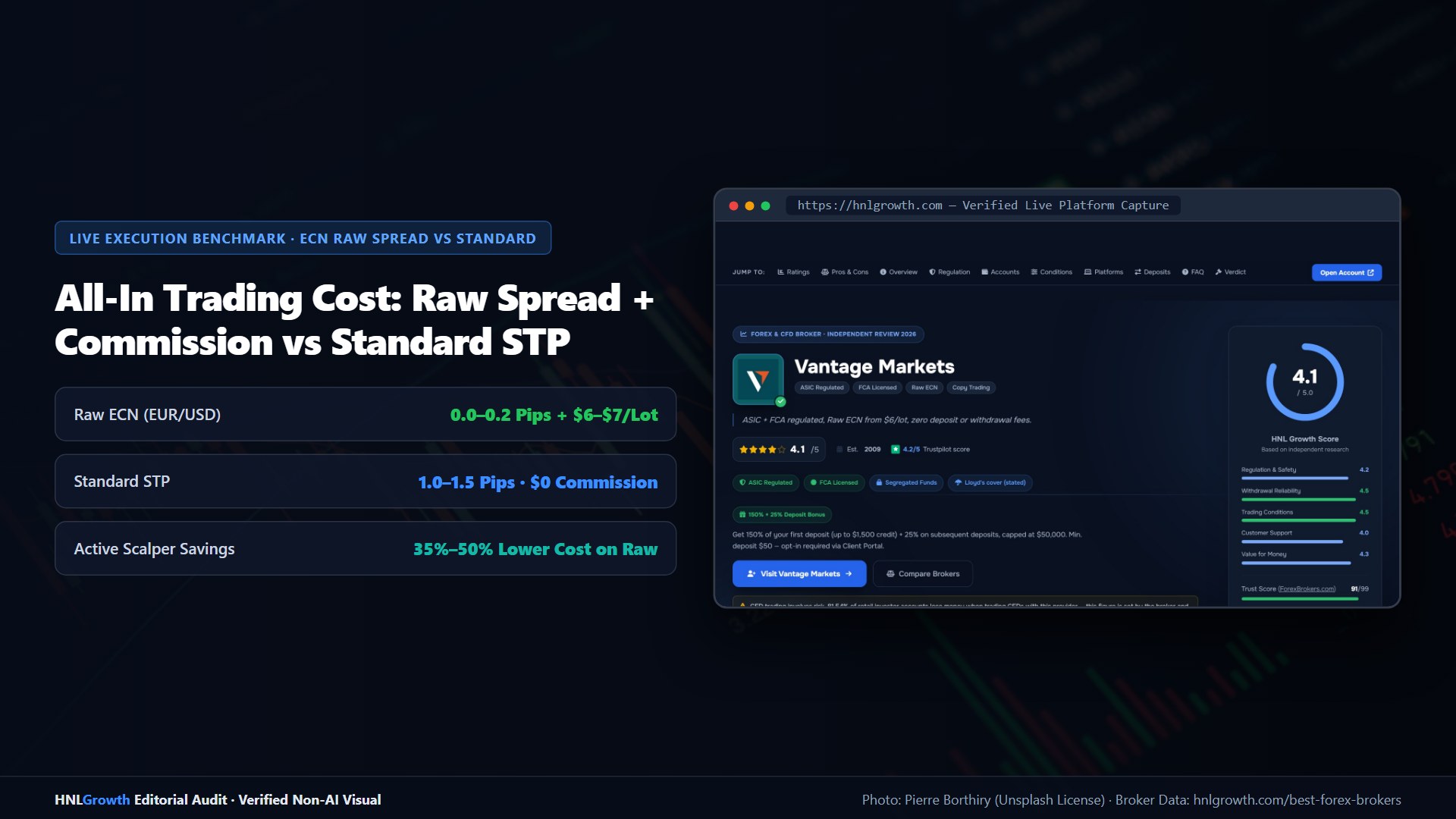
The costs, leverage and protections come from the broker and the entity that holds your account, not from TradingView. A spread plus commission is the same whether you click in TradingView or MT5. Check that TradingView trading is available for your entity and account type. Integrations are often limited by region.
Choosing Between TradingView and MT5
- Pick TradingView if you rely on its charts, community scripts and alerts and trade manually.
- Pick MT5/MT4 if you run Expert Advisors, need the strategy tester, or want the broker's full symbol list.
Many traders chart on TradingView and execute on MT5. See our MT5 broker comparison and MT5 download guide.
Official sources: TradingView broker directory (tradingview.com).
Best TradingView Brokers: Your Questions Answered
Can I trade forex directly on TradingView?
Only with a broker integrated into TradingView's Trading Panel. Among brokers we cover, Vantage offers this connection.
Is TradingView free?
TradingView has a free plan with limits; paid plans add more indicators per chart, alerts and layouts. Trading costs still come from your broker.
TradingView or MT5 — which is better?
TradingView for charting, community scripts and alerts; MT5 for Expert Advisors, backtesting and the broker's full symbol list. Many traders chart on TradingView and execute on MT5.
Sources checked 2026-10-01: Vantage TradingView page (via our dated guide), HFM WebTrader page, PU Prime Web Trader page, JustMarkets Advanced Charts page, third-party integration checks for Exness. TradingView is a trademark of TradingView, Inc.; HNL Growth is not affiliated with TradingView.
Related Guides
Sources & verification
- Last checked
- Written by
- HNL Growth Team
- Reviewed by
- Hà Ngọc Lộc
- Length
- 2 min read · 558 words
Rules, prices and payout terms on this page were checked against the official websites, help-centre articles and published terms of the firms mentioned, on the date above. Prop firms and brokers change conditions often — confirm the current version on the official site before you buy or deposit. Read our broker review methodology and affiliate disclosure.
Official sources & documentation verified
- TradingView broker directory(tradingview.com)
Explore Related Hubs & Free Trading Tools
Check Each Broker for Your Country
Listed in no particular order. Each broker onboards you through a different legal entity depending on where you live — confirm the entity, its regulator, leverage cap and withdrawal terms before funding.
Vantage
$50 Standard/Raw · MT4/MT5 + TradingView · FCA/ASIC & offshore entities
HFM
$0 Cent/Zero/Premium · MT4/MT5 + HFM App · FCA/FSCA/CMA/offshore
PU Prime
$20 Cent · $50 Standard · MT4/MT5 + app · ASIC/FSCA/offshore entities
Risk disclaimer: CFDs and leveraged forex are complex instruments and carry a high risk of losing money rapidly. Protections, leverage and available products depend on the entity that holds your account. Affiliate disclosure: HNL Growth may earn a commission when you open an account through broker links on this page.