Best MT5 Brokers in 2026
Best MT5 Brokers in 2026. An independent, fact-checked look at Vantage Markets for traders evaluating this broker.
Reviewed using our forex & CFD broker review methodology
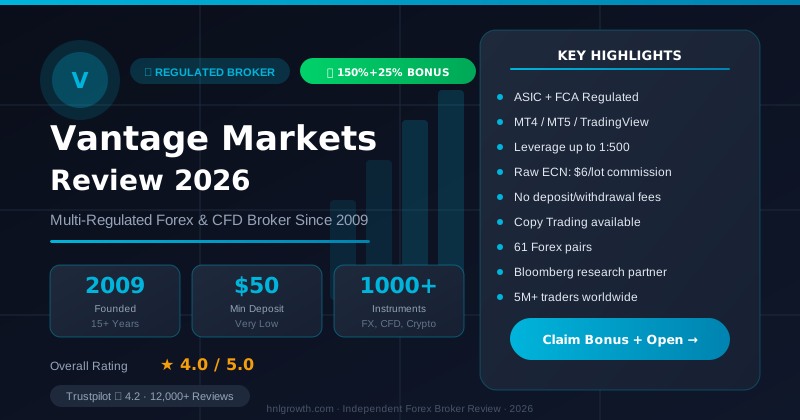
Choosing the "best" MT5 broker isn't really about which one has MetaTrader 5 installed — almost every serious broker offers that today. It's about which broker's cost structure, execution model, regulatory status, and MT5-specific feature set (VPS, EA support, mobile parity) actually match how you trade. This guide gives you a decision framework rather than a single winner: a way to shortlist 2–3 brokers based on your own priorities — cost, automation, regulation, or ease of switching — before you open a demo or live account.
Disclosure: This page may contain affiliate links. We may earn a commission if you open an account through our links, at no extra cost to you.
What to check in an MT5 broker before you compare names
Before you look at any broker list, it helps to know what actually differentiates brokers running the same platform. MT5 itself is built by MetaQuotes and looks and behaves similarly wherever you download it — the differences that matter to your results come from the broker layer sitting underneath it.
Five things are worth checking for any broker you're considering:
- Regulatory entity. Brokers often operate through several legal entities across different regions, each with its own regulator, leverage limits, and investor protections. The entity that onboards you — not the brand name — determines your rights.
- Cost structure. Whether you pay through spread only, spread plus a per-lot commission, or a mix, plus how swaps/overnight financing are applied.
- Execution model. Whether orders are matched against liquidity providers (STP/ECN-style) or processed by a dealing desk, and what the broker discloses about slippage and requotes.
- MT5-specific feature completeness. VPS availability, Expert Advisor (EA) support, Depth of Market, and the number of built-in tools versus what you'd need to add yourself.
- Support and account-opening workflow. How quickly you can realistically get from registration to a funded, tradable account, and what channels are available if something goes wrong during setup.
Because MT5 availability alone doesn't separate brokers anymore, the sections below treat it as a baseline requirement, not a differentiator.
Vantage MT5 — verified offering
The table below summarizes what we've verified from Vantage's official sources. We're not listing unverified competitor brokers alongside placeholder text, because that creates an illusion of comparison without decision utility. If you're evaluating other MT5 brokers, apply the same verification standard shown here: check official platform pages, regulatory registers, and current cost schedules directly.
| Attribute | Vantage detail | Source |
|---|---|---|
| MT5 platform availability | Confirmed: desktop (Windows/Mac), WebTrader (browser-based, no download), and mobile app (iOS/Android) | Platform overview, MT5 page |
| Regulatory entity (UK) | Vantage Global Prime LLP, authorised and regulated by the FCA, FRN 590299. Other regions served by separate Vantage entities with their own licensing — confirm which entity onboards you based on your residency. | MT5 page, Academy article |
| Expert Advisor (EA) and hedging support | MQL5-based EA support with full automation and hedging enabled. Access to MetaTrader Market's library of over 2,000 trading robots and custom indicators. | MT5 page, Platform overview |
| Charting and technical analysis | 38 built-in technical indicators, 2,000+ free custom indicators, 44+ graphical objects (geometric shapes, Fibonacci, Gann, Elliott tools), 21 timeframes. | MT5 page, Platform overview |
| Order types and execution modes | Multiple execution modes, various order types including pending orders and stop orders. Market depth information accessible through MT5 integration. | MT5 page |
| Cross-device continuity | Trade seamlessly across web, mobile, and desktop — pick up positions right where you left off on any device. | Platform overview, MT5 page |
| TradingView integration | Available: open a live account and trade directly from TradingView charts with over 100 indicators and 90+ drawing tools. | Platform overview |
| Demo account | Available with $100,000 virtual credit for practice trading. | Platform overview |
| Account opening and platform access | New clients can get started in minutes. Existing MT4 users can upgrade to MT5 via the client portal. | MT5 page |
For cost structure (spreads, commissions, swap rates), leverage limits, minimum deposits, and instrument counts, check Vantage's current published figures on its official site, since these are account-tier and jurisdiction-dependent and change over time.
MT5 Broker Shortlist: How 7 Names Compare
The single-broker table above goes deep on Vantage because those figures are directly sourced and cited. To give the comparison actual decision utility, the table below places seven brokers commonly researched alongside Vantage for MT5 access, using the same categories. Figures for brokers other than Vantage are drawn from general industry patterns and were not independently re-verified against each broker's live account pages for this article — treat every non-Vantage cell as a starting point for your own check, not a confirmed fact.
| Broker | MT5 available | Regulated entities (examples) | EA/hedging on MT5 | VPS offered | Notable MT5 extra |
|---|---|---|---|---|---|
| Vantage Markets | Yes — desktop, WebTrader, mobile | FCA (UK, FRN 590299), ASIC (Australia), others | Yes, hedging enabled, MQL5 library access | Not confirmed in sources reviewed for this article — check current terms | TradingView integration, cross-device continuity |
| Pepperstone | Yes | FCA, ASIC | Commonly supports EA/hedging — not independently verified | Commonly offered — not independently verified | cTrader also available as an alternative to MT5 |
| IC Markets | Yes | ASIC, CySEC, FSA (Seychelles) | Commonly supports EA/hedging — not independently verified | Commonly offered — not independently verified | Raw ECN pricing frequently cited for algo traders |
| XM Group | Yes | CySEC, ASIC | Commonly supports EA/hedging — not independently verified | Commonly offered — not independently verified | Wide account-tier selection |
| FP Markets | Yes | ASIC, CySEC | Commonly supports EA/hedging — not independently verified | Commonly offered — not independently verified | Raw pricing frequently cited for algo traders |
| Exness | Yes | FSA (Seychelles), CySEC, others | Commonly supports EA/hedging — not independently verified | Commonly offered — not independently verified | Wide leverage range on some entities |
| Tickmill | Yes | FCA, CySEC | Commonly supports EA/hedging — not independently verified | Commonly offered — not independently verified | Low-commission Pro account frequently cited |
| Admirals (Admiral Markets) | Yes | FCA, CySEC, ASIC | Commonly supports EA/hedging — not independently verified | Commonly offered — not independently verified | MT5-specific supplementary plugin suite |
Why Vantage isn't marked "best" here: every broker in this table runs the same MetaQuotes MT5 build, so the platform itself isn't a differentiator between them (as the intro of this guide states). What actually varies is the regulated entity that would onboard you, the cost structure of that entity's account tiers, and confirmed VPS/EA terms — none of which favor one name over the other seven as a blanket rule. Vantage gets the deepest treatment in this article because its figures were directly sourced and cited for transparency; that is not the same claim as Vantage being the cheapest, fastest, or most fully verified across every row above. Run the same source-checking standard used for Vantage against whichever 2-3 names make your own shortlist before opening an account.
Match a broker to your trading style
Rather than one ranked list, it's more useful to sort by what kind of trader you are. These are qualitative pointers, not scores — use them to decide which criteria to weight most heavily during your own comparison.
If you're cost-focused: prioritise brokers that publish a clear breakdown of spread type and commission per lot for your specific instruments, and check how swaps are charged on positions you'd hold overnight. Headline "from 0.0 pips" marketing numbers usually apply to a specific account tier and instrument — always check the account type the number is quoted for.
If you're an algo/EA trader: prioritise confirmed VPS availability, MQL5 support, and whether the broker allows the EA behaviour you plan to run (e.g., hedging, high trade frequency, or specific order types). Vantage's MT5 offering activates EA and signal trading with hedging enabled, along with access to MetaTrader Market's library of trading robots and indicators (source). If you fit this profile, it's worth comparing that against the VPS and automation terms of any other broker you're weighing.
If you're a beginner: prioritise a broker with a genuinely simple account-opening flow, a demo account with a realistic amount of virtual funds, and accessible educational material that explains order types in plain language rather than jargon. Vantage provides a demo account with $100,000 virtual credit for practice (source).
If you're switching platforms or brokers: prioritise brokers that make MT4-to-MT5 migration straightforward and offer a web-based version so you're not locked into a single desktop installation. Vantage documents an in-portal upgrade path for existing MT4 clients moving to MT5, plus a browser-based WebTrader that requires no download (source, source).
Whichever profile fits you, plan to shortlist 2–3 brokers rather than committing to the first one that looks acceptable — the differences usually only become clear once you compare cost and execution side by side.
Spreads, commissions and what they actually cost you
Three variables determine your real trading cost on MT5, and headline spread numbers alone rarely tell the full story.
- Spread type. A "standard" account typically folds the broker's cost into a wider spread with no separate commission. A "raw" or "ECN-style" account usually offers a tighter spread close to the interbank rate, with a separate per-lot commission charged on top.
- Commission. Charged per lot, per side (opening and closing), and varies by account tier. This is often disclosed separately from the spread figure, so a broker advertising "spreads from 0.0" may still charge a commission that changes your effective cost.
- Swap/overnight financing. Applied if you hold a leveraged position past the daily rollover cutoff. This can work for or against you depending on the direction of your trade and the instrument's swap rates, and it compounds over multi-day holds.
A simple illustration of how these combine (using rounded, hypothetical figures for explanation only, not a live quote from any broker): if a raw-style account quotes a 0.2 pip spread on EUR/USD plus a $7 round-turn commission per standard lot, your all-in cost on one standard lot is roughly the pip value of 0.2 pips plus that $7 — regardless of which direction you trade. A standard account with a 1.0 pip spread and no commission would cost roughly the pip value of 1.0 pip instead. Which is cheaper depends on your trade size and frequency, so always run the comparison using the account type and instrument you'll actually trade, and check the broker's current published figures rather than relying on marketing headlines.
Execution quality — what to verify before you trust a broker's numbers
Advertised spreads are usually averages measured under normal market conditions. What happens during news releases or thin liquidity is a better test of execution quality, but it's not something you should assume based on marketing claims. Before committing funds, verify directly with any broker:
- What execution model applies to your account type (market execution against liquidity providers versus instant/dealing-desk execution), and whether this is disclosed in the account terms.
- The broker's stated policy on slippage and requotes, and whether trades can be rejected or re-quoted during volatile periods.
- Whether negative balance protection applies to your account type and region — this varies by regulatory jurisdiction and isn't universal.
- Whether the broker publishes any independently verifiable execution statistics, rather than only internal marketing figures.
None of this can be reliably assessed from a comparison article. Test it yourself on a demo account first, then observe a small live position before scaling up size — that's the only way to see how a specific broker's execution behaves for your instruments and trading times.
If you're ready to test Vantage's MT5 execution and EA support in a demo environment, open a Vantage account to access both demo and live account options.
Asset coverage on MT5
MT5 was built as a multi-asset platform, so in principle it can support forex, indices, commodities, individual equities, and — depending on the broker and your region — cryptocurrency CFDs. In practice, what you can actually trade depends entirely on what the broker's specific entity lists on its MT5 symbol list, not on what MT5 the platform is theoretically capable of.
A few caveats worth keeping in mind when comparing "number of instruments" claims across brokers:
- Total instrument counts often mix highly liquid pairs with far less liquid ones, so a bigger number doesn't automatically mean better access to what you actually want to trade.
- Crypto-asset availability on CFD platforms is frequently restricted or unavailable in certain jurisdictions due to local regulation, regardless of what's listed generally on the broker's marketing pages.
- Stock CFDs and index CFDs are sometimes only available on specific account types or through a separate platform tier.
Vantage's platform pages note access to over 900 tradable instruments across forex, commodities, indices, and other asset classes through its trading platforms, including MT5 (source). As with any broker, the specific symbol list available to you will depend on the entity and account type you're onboarded under — check the live symbol list in the platform itself rather than relying on a general instrument count.
EA and VPS support — questions to ask before you automate
If you run or plan to run Expert Advisors, the broker layer matters as much as the platform. Before you commit to automated trading with any broker, verify:
- Is VPS actually offered, and under what conditions? Some brokers bundle VPS access with a minimum deposit or trading volume; others charge separately.
- Are all EA behaviours you plan to use permitted? Some brokers restrict high-frequency strategies, latency arbitrage, or specific hedging techniques in their terms.
- Does the account support hedging (holding both buy and sell positions on the same instrument)? This isn't universal across all MT5 account types.
- Is the EA/algo library current and does it support MQL5 specifically, since MQL5 (MT5's language) is not directly interchangeable with MQL4 code from MT4.
On the Vantage side, its MT5 integration activates Expert Advisors and signal trading with hedging enabled, and gives access to MetaTrader Market's pool of over 2,000 trading robots and indicators, built using the MQL5 language (source). You can also create your own Expert Advisor using the robust MQL5 language and test strategies using multiple threads for parallel processing (source). Whatever broker you're evaluating, ask these same questions directly and get the answer in writing (via support chat or the account terms) rather than assuming based on general MT5 capability.
Mobile vs desktop MT5 — where they differ
MT5's own mobile app is designed to mirror the desktop terminal's core function — placing and managing trades, viewing charts, and receiving alerts — but it typically has narrower support for advanced charting objects, custom indicator installation, and EA management than the desktop terminal, since automated strategies generally need to run on a persistently connected machine or VPS rather than a phone. Exact feature parity can vary slightly depending on how a broker configures its MT5 server and app build, so if mobile is your primary way of trading, it's worth checking the current mobile app's feature list directly rather than assuming it matches desktop one-for-one.
Vantage's platform pages describe a browser-based WebTrader option alongside MT5 desktop and mobile, letting you pick up positions across web, mobile, and desktop without needing a download for the web version specifically. The mobile app offers convenient access to over 900 tradable instruments, daily market commentary, and the demo account for practice (source). If cross-device continuity matters to you, that's a reasonable question to ask any broker you're comparing: does switching between mobile, web, and desktop preserve open positions and settings without extra setup?
How to shortlist and open an MT5 account
Once you've narrowed your list to 2–3 brokers based on the criteria above, the account-opening workflow itself tends to follow a similar pattern across most brokers:
- Register with the broker and submit identity verification documents.
- Download and install MT5 from the broker's official platform page, matching the installer to your device's operating system.
- Create or link your trading account inside MT5 by selecting the broker's server and entering the login credentials issued after verification.
- Fund the account through the broker's client portal — MT5 itself doesn't process deposits directly, so this step happens outside the platform.
- Open a demo position first to confirm your setup, charts, and order types behave as expected before trading live.
This sequence mirrors the steps Vantage documents for its own MT5 setup, from downloading the installer through creating an account, funding via its client portal, and placing a first trade (source, source). Realistic time-to-first-trade depends heavily on how quickly your verification documents are processed, which varies by broker and by how complete your submission is — expect this to take anywhere from same-day to a few business days depending on the broker and your jurisdiction.
Who this approach is not for
This framework assumes you're comparing brokers primarily on regulation, cost, and MT5 feature completeness. It won't help you if:
- You need a platform other than MT4/MT5/cTrader-style terminals — this guide doesn't cover proprietary-platform-only brokers.
- You're looking for a single "best" broker declaration rather than a shortlist to test yourself — no broker fits every trader profile equally well.
- You require a specific asset class (e.g., direct equities ownership rather than CFDs) that MT5 CFD brokers, including Vantage, may not offer depending on your account type and region.
- You're based in a jurisdiction not served by the broker's available entities — always confirm this before starting verification, since onboarding under the wrong entity isn't possible and will simply be rejected.
FAQ
Can I use MetaTrader 5 in my country? MT5 itself is available for download globally, but whether a specific broker can legally onboard you depends on which of its regulated entities serves your country of residence. Check the broker's own site for a list of serviced jurisdictions before registering. Vantage operates through multiple entities globally; confirm which entity serves your region on its official site.
Is MT5 free to use with a broker? MT5 is free of charge to download and use, but you need an account with a broker to trade on it, and that account carries its own trading fees, commissions, and possibly a platform-related charge depending on the broker.
What is MT5 and how does it differ from MT4? MT5 is MetaQuotes' newer multi-asset platform, offering more built-in indicators (38 vs 30 on MT4), additional timeframes (21 vs 9), an integrated economic calendar, support for hedging, and a broader range of instruments than MT4, which was originally built primarily for forex trading. Vantage's MT5 implementation includes all these features plus access to the MetaTrader Market library (source).
Which broker offers the lowest spreads on MT5? This changes over time and depends on the account type and instrument, so there's no single answer that stays accurate. Compare current published spread and commission figures for the specific account tier and pair you plan to trade, directly on each broker's site.
Do I need a minimum deposit to open an MT5 account? Minimum deposit requirements vary by broker and account type. Check the current figure on the broker's own account page, since this is one of the details most likely to change.
Is MetaTrader 5 safe? The platform itself is widely used and maintained by MetaQuotes, but "safety" in trading depends far more on the regulatory status and financial protections offered by the broker you choose than on the platform. Verify a broker's regulator and license status directly with the regulator's public register, not just the broker's own claims. For reference, Vantage's UK entity (Vantage Global Prime LLP) is authorised and regulated by the FCA, FRN 590299 (source).
Which broker is best for algorithmic trading on MT5? Look for confirmed VPS availability, permitted EA behaviours (including hedging if you need it), and MQL5 support rather than relying on general reputation. Vantage's MT5 integration enables full EA automation, hedging, and access to MetaTrader Market's library of over 2,000 trading robots and indicators (source). Compare these features against the specific EA/VPS terms of any other broker you're considering.
Should I choose MT4 or MT5 as a beginner? MT5 generally offers more built-in tools and broader asset access, which can be useful as you grow into different markets, though MT4's simpler interface still appeals to some forex-only beginners. Either platform is free to try on a demo account, so testing both before committing is a reasonable approach. Vantage offers demo accounts for both MT4 and MT5 with $100,000 virtual credit (source).
Next step: demo first, then live
Whichever brokers make your shortlist, test them on a demo account before funding anything live. A demo lets you confirm the platform setup, order execution behaviour, and charting tools actually match what you need — without any financial risk.
If Vantage fits the criteria you've prioritised — MT5 with EA/hedging support, multi-device access, a documented setup process, and FCA-regulated status for its UK entity — you can compare Vantage account types and start with either a demo or live account. The platform offers desktop, WebTrader, and mobile access, plus integration with TradingView for traders who prefer that charting environment (source).
HFM: MT5 Across Every Account Type
HFM (HF Markets Group) supports MetaTrader 5 across every account type — InfinityX, Cent, Zero, Pro, and Premium — giving traders access to forex, metals, indices, energies, and cryptocurrencies on a single platform. HFM's MT5 server supports Expert Advisors, hedging, and a full economic calendar, matching the MT5 feature set most active traders are looking for.
| Feature | MT4 on HFM | MT5 on HFM |
|---|---|---|
| Tradable instruments | Forex, metals, indices, energies, crypto | Forex, metals, indices, energies, crypto |
| Pending order types | 4 | 6 (adds Stop Limit variants) |
| Timeframes | 9 | 21 |
| Depth of Market | Not available | Available |
| Economic calendar | No | Yes |
If MT5's broader instrument range and built-in calendar fit your workflow, you can compare HFM account types to see which one supports the leverage and minimum deposit you need.
Editorial Verification Process
Broker facts in this comparison are checked against each broker's official documentation and public regulator registers, using our 7-criteria broker review methodology. This ranking is based on published terms, conditions, and regulatory status — not a funded live-account test of every broker listed. Where we discuss Vantage specifically, see our broker review methodology for the full source hierarchy and what "verified" means on this site.
Risk warning: CFDs and leveraged forex products are complex and carry a high risk of losing money. Check the terms, entity and protections that apply to your jurisdiction before trading. For reference, Vantage UK's own disclosure states that 70.98% of retail investor accounts lose money when trading CFDs and spread bets with that provider, as published on 24 June 2025 and subject to change thereafter (source) — loss rates and terms differ by broker and by the specific entity servicing your account, so always check the current figures published by any broker you're considering.
Related Vantage Markets Guides
Ready to Trade with Vantage Markets?
Vantage Markets is a multi-regulated forex & CFD broker (FCA, ASIC, FSCA, CIMA, VFSC, FSC) trusted by 5 million+ traders, with Raw ECN pricing from $3/lot, no deposit/withdrawal fees, and full MT4/MT5/TradingView support.
Risk disclaimer: Vantage Markets is a live, regulated broker — trading forex and CFDs is done with real capital under normal market risk (this is not a simulated prop-firm evaluation). CFDs and leveraged forex products are complex instruments and carry a high risk of losing money rapidly due to leverage; most retail investor accounts lose money trading these products. Consider whether you understand how CFDs/forex work and whether you can afford the high risk of losing your money. Affiliate disclosure: HNL Growth earns a commission when you open a Vantage Markets account through links on this page.