How to Open a MetaTrader 5 Real Account (Step by Step)
You open an MT5 real account through a broker, not MetaQuotes: choose a broker and entity, register, verify ID, pick the account, fund and log in.
Reviewed by Hà Ngọc Lộc· Senior SEO Editor
Reviewed using our forex & CFD broker review methodology
You can't open a real-money account with MetaTrader itself. MetaQuotes only makes the software, and the "open an account" dialog inside MT5 creates demo accounts or hands you over to a broker. A real MT5 account is opened with a broker: register on the broker's site, verify your identity and address, pick MT5 (not MT4) and an account type, fund it, and log in to MetaTrader with the account number, password and server the broker gives you. Which legal entity onboards you decides your regulator, leverage limits and protections.
Step 1: Pick a Broker and Check the Entity
Before registering, check three things:
- Do they accept residents of your country? Many offshore brokers exclude the US, UK, Canada, Australia, Japan and others.
- Which entity will hold your account? One brand can operate through several companies, each with a different regulator. EU clients, for example, typically get EU leverage caps (1:30 on major FX pairs for retail clients) and a CySEC or other EU licence.
- Is the broker flagged where you live? Search your local regulator's warning list. Malaysia's Securities Commission and India's RBI both publish alert lists that include large international brokers.
Our MT5 broker comparison sets out entities, costs and restrictions for the brokers we cover.
How to Open a MetaTrader 5 Real Account: Key Rules & Specifications Summary
| Specification / Metric | Trading Evaluation & Execution Standard | What Traders Must Verify |
|---|---|---|
| Entry Cost / Minimum Deposit | $49 to $540 (typical 1-Step/2-Step evaluation or $50 broker min deposit) | Confirm exact tier pricing and checkout fee structure before funding |
| Target / Spread Structure | 8%–10% Phase 1 / 5% Phase 2 (or 0.0 pip Raw ECN pricing) | Check instrument commissions and session spread widening |
| Risk & Drawdown Threshold | 4%–5% daily / 8%–10% max static or trailing drawdown | Verify daily reset time and whether drawdown tracks equity or balance |
| Payout Split / Execution Terms | 80%–90% funded profit split | Review minimum trading days and KYC withdrawal documentation |
| Supported Trading Platforms | MT4, MT5, cTrader, TradingView, NinjaTrader | Match platform server feed and order routing to your strategy |
| Oversight & Environment | Regulated Tier-1/Tier-2 broker entities or simulated prop accounts | Check the specific legal entity on your client agreement |
Step 2: Register and Verify
- Sign up on the broker's website with your country of residence and email.
- Upload a government ID (passport, national ID or driver's licence) and a proof of address (a recent utility bill or bank statement in your name).
- Answer the suitability or appropriateness questions honestly. Regulated entities use them to decide whether CFDs are appropriate for you and which leverage you can get.
Step 3: Choose MT5 and an Account Type
In the client area, open a new live/real account, select MetaTrader 5, then pick:
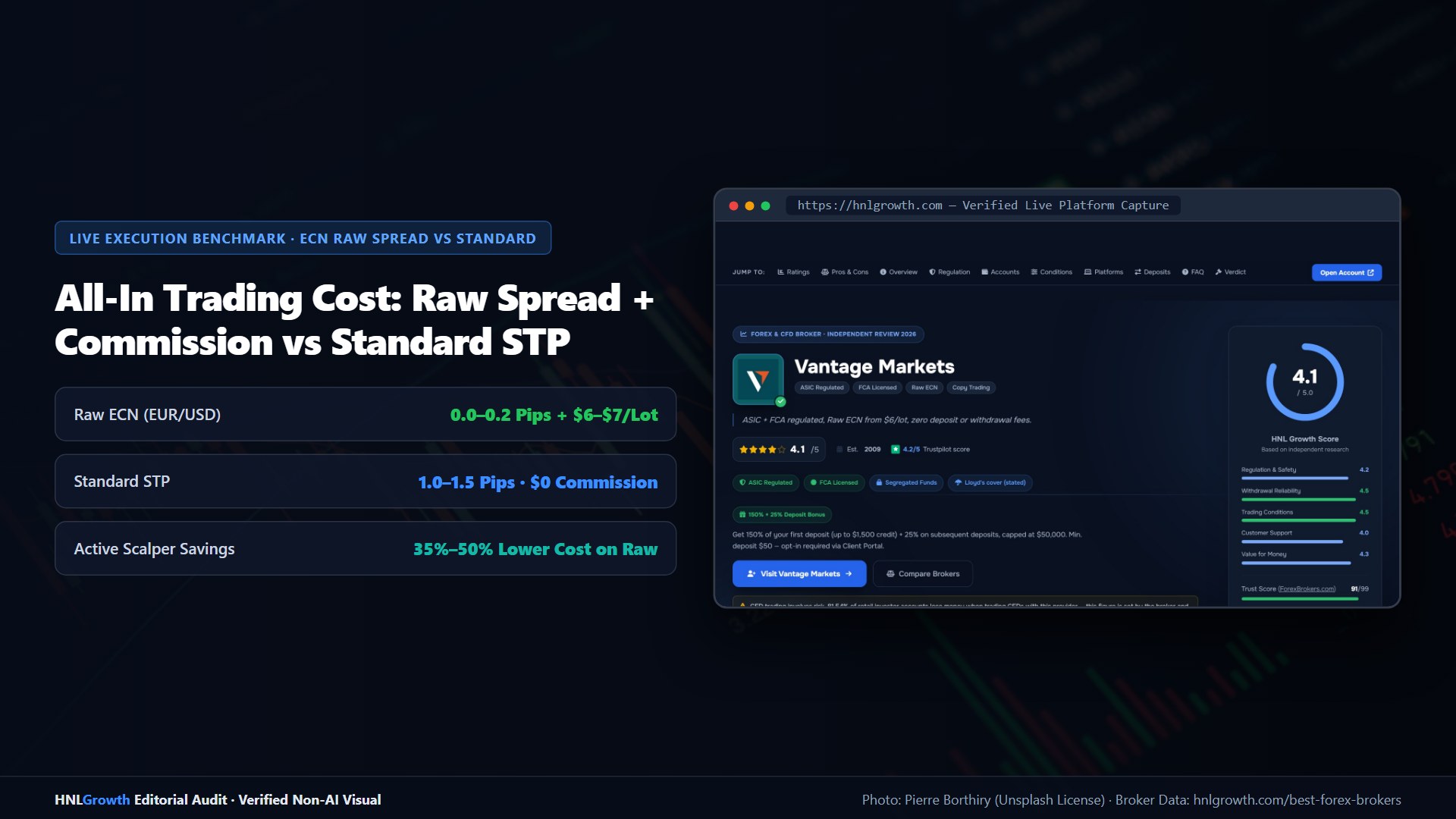
- Account type: spread-only (no commission, wider spread) or raw/ECN (tight spread plus commission per lot).
- Base currency: ideally the currency you deposit in, to avoid paying conversion twice.
- Leverage: start low. Higher leverage only raises how much margin you can use. It doesn't improve your results.
The broker then shows or emails the MT5 login number, password and server. Some brokers open an account automatically at registration (JustMarkets opens a Pro account, for example), so check that its type and minimum deposit suit you.
Step 4: Fund the Account
Deposit through the client area, not through MT5. MetaTrader has no deposit function. Check the method's minimum, any provider fees and the processing time. Fund only from payment accounts in your own name, because most brokers reject third-party payments.
Step 5: Log In and Test
Log in on desktop, mobile or the web (see the MT5 login guide). Before trading at normal size:
- Open and close a minimum-size trade to confirm the account works.
- Check the symbol specifications (contract size, swap, trading hours) in Market Watch.
- Make a small withdrawal to confirm the payout route works.
Demo vs Real
A demo account is free and useful for learning the platform, but demo fills and liquidity are simulated. Brokers say this openly. Moving to a real account changes slippage, spreads at news times and, most of all, how it feels to trade. Start at the smallest size the account allows.
Related: Open an MT4 real account · MetaTrader demo account
Official sources: MetaTrader 5 user guide (metatrader5.com).
How to Open a MetaTrader 5 Real Account: Your Questions Answered
Can I open a real account inside MetaTrader 5?
Not directly. MetaQuotes doesn't hold client money; the in-platform dialog creates demo accounts or redirects to a broker. Real accounts are opened on the broker's website.
What documents do I need?
Typically a government ID (passport, national ID or driver's licence) and a recent proof of address in your name, such as a utility bill or bank statement.
How long does verification take?
It varies by broker and how clear your documents are — from minutes with automated checks to a few business days for manual review.
Can I deposit through MT5?
No. MetaTrader has no deposit function. Deposits and withdrawals are done in the broker's client area or app.
Sources checked 2026-10-01: MetaTrader 5 help (opening an account), broker account pages (JustMarkets quick-start), SC Malaysia Investor Alert List, RBI Alert List. HNL Growth is not affiliated with MetaQuotes. CFDs are complex instruments and carry a high risk of losing money rapidly due to leverage.
Related Guides
Sources & verification
- Last checked
- Written by
- HNL Growth Team
- Reviewed by
- Hà Ngọc Lộc
- Length
- 4 min read · 929 words
Rules, prices and payout terms on this page were checked against the official websites, help-centre articles and published terms of the firms mentioned, on the date above. Prop firms and brokers change conditions often — confirm the current version on the official site before you buy or deposit. Read our broker review methodology and affiliate disclosure.
Official sources & documentation verified
- MetaTrader 5 user guide(metatrader5.com)
Explore Related Hubs & Free Trading Tools
Ready to Trade with Vantage Markets?
Vantage Markets is a multi-regulated forex & CFD broker (FCA, ASIC, FSCA, CIMA, VFSC, FSC) trusted by 5 million+ traders, with Raw ECN pricing from $3/lot, no deposit/withdrawal fees, and full MT4/MT5/TradingView support.
Risk disclaimer: Vantage Markets is a live, regulated broker — trading forex and CFDs is done with real capital under normal market risk (this is not a simulated prop-firm evaluation). CFDs and leveraged forex products are complex instruments and carry a high risk of losing money rapidly due to leverage; most retail investor accounts lose money trading these products. Consider whether you understand how CFDs/forex work and whether you can afford the high risk of losing your money. Affiliate disclosure: HNL Growth earns a commission when you open a Vantage Markets account through links on this page.