Vantage Free VPS 2026: Eligibility & Setup
Vantage's Free VPS Promotion refunds up to $25-$50/month toward a VPS you buy, if you meet deposit and trading volume requirements. Full terms here.
Reviewed using our forex & CFD broker review methodology
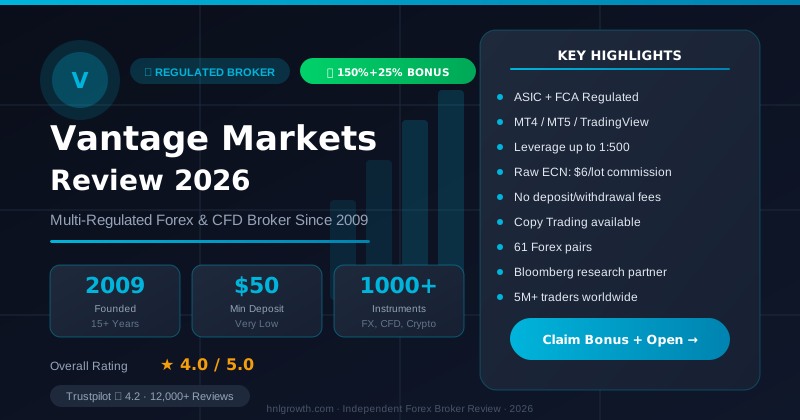
Vantage does not provide a complimentary VPS to every client. What it offers through its Free Virtual Private Server (VPS) Promotion is a monthly refund of up to USD$25 or USD$50 toward a VPS you purchase yourself, conditional on meeting three requirements: a minimum deposit, a monthly trading volume target, and timely invoice submission (official terms). If you're searching for "vantage markets free vps" expecting a bundled server at no cost, the accurate answer is: it's a rebate for third-party VPS costs, not hosted infrastructure, and it comes with specific conditions worth verifying before you commit to any VPS subscription.
This guide explains the eligibility rules as published, how the refund works, how to configure MT4 or MT5 on a VPS, and when a VPS is actually useful for your trading approach.
Is Vantage VPS Really Free?
No. Vantage does not host or provision any VPS infrastructure. According to the terms and conditions page, the "Free VPS Promotion" is administered by Vantage Global Limited (Reg. No. 700271) and operates as a partial reimbursement: you subscribe to a VPS from any provider, pay for it in full, and if you meet the deposit, volume, and documentation requirements, Vantage refunds part of that cost (source).
Two entity details matter here. The promotion page appears on the UK-facing domain, but the entity administering it is Vantage Global Limited, which is not the same legal entity as Vantage Global Prime LLP, the FCA-authorised UK entity (FRN 590299) referenced elsewhere on Vantage materials (source). The official terms are published on vantagemarkets.co.uk, suggesting UK clients may be eligible, but the entity distinction means you should confirm directly with Vantage whether this specific promotion applies to the entity that holds your account.
Second, the terms state the promotion has been "active until further notice" since 20 January 2022, meaning Vantage reserves the right to amend or withdraw it at any time without prior notice. No confirmation is available that the promotion remains active as of 2026. Treat the details below as reflecting the last published terms, not a guaranteed or permanent offer.
Current Eligibility Requirements
Per the published terms, to qualify for a VPS refund a client must meet all three conditions:
- Deposit at least USD$1,000 (internal transfers, balance adjustments, and IB/affiliate rebates do not count as qualifying deposits)
- Trade the required notional volume during the exact calendar month that matches the VPS billing period
- Upload the VPS invoice through the client portal within 3 months of the last day of that billing period, with the invoice clearly showing the client's name, billing period, amount, and currency, and with the name matching the one registered with Vantage
Additional restrictions:
- PAMM/MAM master accounts are explicitly excluded
- The trading volume used to qualify for this promotion cannot be applied to any other Vantage promotion
- Only one VPS bill per client per month is eligible
The invoice upload requirement is mandatory. Meeting the deposit and volume thresholds alone does not trigger a refund if documentation is not submitted within the specified window.
VPS Refund Caps and Processing
The refund is capped and tiered by trading volume, not a full reimbursement of your VPS bill:
| Notional Trading Volume (per billing month) | Maximum Refund |
|---|---|
| USD$500,000 | Up to USD$25 |
| USD$1,000,000 | Up to USD$50 |
Source: Vantage Free VPS Promotion terms
Practical points from the same terms:
- Refunds are processed within 10 days of the start of each calendar month, after the relevant VPS subscription cycle has completed.
- If your actual VPS subscription costs more than the capped refund, you cover the difference yourself. This is a partial offset, not full coverage.
- Vantage reserves the right to reject, cancel, or reverse the refund if it suspects abuse, fraud, or a breach of the terms, and its decision on eligibility disputes is final and binding.
Because the refund is processed after you've already paid for and completed a VPS billing cycle, budget for the full monthly cost upfront and treat the rebate as a reduction, not an advance subsidy.
Disclosure: This page may contain affiliate links. We may earn a commission if you open an account through our links, at no extra cost to you.
If the deposit, volume, and documentation requirements align with your trading activity, you can open a Vantage account to verify current eligibility before purchasing any VPS subscription.
Setting Up MT4/MT5 for VPS Trading
Whether or not you claim the refund, running MT4 or MT5 on a VPS follows the same basic sequence. Vantage's own setup guidance for MT5 outlines these steps (source):
- Go to Vantage's official website and open the Platforms section to download MT4 or MT5, or use the download links inside the client portal (help center).
- Run the installer, accept the license agreement, and complete the on-screen setup.
- Register or log in: select "Trade Now" for a live account or "Practice Trading" for a demo, then submit verification documents.
- Once your account is verified and funded, you'll receive login credentials by email.
- Repeat this download-and-login process on your VPS remote desktop session rather than your local PC, using the same credentials.
The platform feature set is identical whether installed locally or on a VPS:
| Platform | Built-in Indicators | Free Custom Indicators | Timeframes | EA/Scripting Language | Backtesting |
|---|---|---|---|---|---|
| MT4 | 30 | 2,000+ | 9 | MQL4 | Historical backtesting |
| MT5 | 38 | 2,000+ | 21 | MQL5 | Multi-threaded (parallel) backtesting |
Source: Vantage Trading Platform page
MT5's expanded timeframes and parallel backtesting are particularly relevant for VPS users planning to run and stress-test automated strategies continuously.
Choosing a VPS Provider and Managing Latency
Two different "server" decisions arise when configuring a VPS. The first is the trade server you select inside the MT4/MT5 login dialog, which should match the account and region shown in your welcome email or client portal. Selecting the wrong server means you simply won't connect.
The second is the VPS provider's data center location. Since Vantage's refund promotion does not operate or specify a proprietary VPS network, no official data center locations, uptime guarantees, or latency benchmarks exist for a Vantage-branded VPS. You choose the VPS provider and its region yourself. As a general practice, selecting a VPS location geographically closer to your broker's trade servers tends to reduce round-trip latency. MT4/MT5 display a live ping indicator in the terminal, allowing you to verify connection quality after setup rather than relying on marketed figures.
Running Expert Advisors (EAs) on a VPS
EAs are the primary reason active traders consider VPS hosting. MT4 uses MQL4 and MT5 uses MQL5 to build, test, and run automated strategies, with MT5 supporting multi-threaded backtesting for faster optimisation (source). A VPS keeps an EA running continuously even when your own computer or internet connection is off, which matters for strategies that trade outside your normal hours or react to fast-moving news.
Before running any EA live, test it thoroughly on a demo account using historical backtesting. Automation does not remove trading risk, and no EA, VPS, or platform setup can guarantee profit or protect against losses.
Troubleshooting Common VPS Issues
Most VPS problems are remote-desktop issues rather than broker-specific ones: expired or incorrect RDP credentials, a firewall blocking the outbound ports MT4/MT5 requires, or a VPS provider restarting the server without your EA configured to auto-launch on reboot. For issues tied to your Vantage account itself, such as platform downloads or login credentials, Vantage's help center provides dedicated articles, including a guide to downloading MT4/MT5. For refund-specific issues, such as a rejected invoice, contact support through the client portal and reference the exact terms clause your query relates to.
Alternatives to the Vantage VPS Rebate
If you don't meet the USD$1,000 deposit or the monthly volume thresholds, the rebate is not available, and purchasing a VPS solely to chase a capped USD$25–$50 refund may not be cost-effective. Compare the full monthly price of a standalone VPS provider against what you would realistically claim back.
A VPS is generally worth considering if you:
- Run EAs that need to trade around the clock, including outside your waking hours
- Scalp or trade news events where a dropped local connection could leave a position unmanaged
- Already meet or exceed the $1,000 deposit and volume thresholds, making the rebate a meaningful offset
A VPS is likely unnecessary if you:
- Trade manually during set hours when you are already at your computer
- Trade infrequently or hold swing/position trades where a few minutes of downtime is not material
- Are not comfortable managing a remote desktop, firewall settings, and ongoing third-party billing
FAQ
Does Vantage Markets give free VPS? No. It refunds part of a VPS bill you pay yourself, capped at USD$25–$50 a month, conditional on a $1,000 deposit, meeting a monthly trading volume threshold, and uploading a qualifying invoice within 3 months (source).
What's the minimum deposit for the VPS refund? USD$1,000, per the published promotion terms. This is the deposit requirement specifically for the promotion.
How do I claim the refund? Upload your VPS invoice through the client portal within 3 months of the end of the billing period it covers, with your name, the billing period, amount, and currency clearly shown. The name on the invoice must match the name registered with Vantage.
Can I run MT4 or MT5 EAs on my VPS? Yes. Install MT4 or MT5 on your VPS the same way you would locally, using MQL4 or MQL5 for automated strategies.
Is this promotion available on every Vantage account? Not necessarily. The promotion is published under Vantage Global Limited terms and has been marked "active until further notice" since January 2022, but Vantage can change or discontinue it at any time. Confirm with support which entity holds your account and whether the current terms apply to it.
Does the refund apply to demo accounts? The official terms do not specify. Contact Vantage support to confirm whether demo accounts, specific account types, or copy-trading accounts qualify.
Editorial Verification Process
This article is fact-checked against Vantage's official documentation, following our 7-criteria broker review methodology. We have not completed a funded live-account test covering this specific feature — where a claim depends on live-account behavior, we cite Vantage's official terms and independently-reported user experience rather than presenting it as something we personally verified. See our broker review methodology for the full source hierarchy.
Risk warning: CFDs and leveraged forex products are complex and carry a high risk of losing money. Check the terms, entity and protections that apply to your jurisdiction before trading.
Related Vantage Markets Guides
Ready to Trade with Vantage Markets?
Vantage Markets is a multi-regulated forex & CFD broker (FCA, ASIC, FSCA, CIMA, VFSC, FSC) trusted by 5 million+ traders, with Raw ECN pricing from $3/lot, no deposit/withdrawal fees, and full MT4/MT5/TradingView support.
Risk disclaimer: Vantage Markets is a live, regulated broker — trading forex and CFDs is done with real capital under normal market risk (this is not a simulated prop-firm evaluation). CFDs and leveraged forex products are complex instruments and carry a high risk of losing money rapidly due to leverage; most retail investor accounts lose money trading these products. Consider whether you understand how CFDs/forex work and whether you can afford the high risk of losing your money. Affiliate disclosure: HNL Growth earns a commission when you open a Vantage Markets account through links on this page.