Best Forex Trading Platforms in 2026
Best Forex Trading Platforms in 2026. An independent, fact-checked look at Vantage Markets for traders evaluating this broker.
Reviewed using our forex & CFD broker review methodology
There's no single best forex trading platform for everyone. The right choice depends on which platform your broker officially supports (MetaTrader 4, MetaTrader 5, a proprietary terminal, or TradingView integration), whether that broker is authorized by a regulator you trust, how transparent its cost structure is, and whether the platform actually works well on the devices you use day to day. A trustworthy starting point is a broker regulated by an authority such as the FCA, ASIC, or CySEC, offering official MetaTrader or a verifiable proprietary platform, with negative balance protection for retail clients. From there, the "best" platform is the one that fits your experience level, location, and workflow.
This guide breaks down how to evaluate platforms, what MT4, MT5, proprietary apps, and TradingView integrations actually offer, how costs work, and which platform types suit different trading styles.
Disclosure: This page may contain affiliate links. We may earn a commission if you open an account through our links, at no extra cost to you.
How to Choose a Forex Trading Platform
Before comparing any shortlist, it helps to fix the criteria you're actually testing for. Four factors do most of the work.
Regulatory authorization. Check the broker's license directly on the regulator's public register rather than trusting a logo on a website. In the UK, that's the FCA Financial Services Register, where you can search by firm name and confirm the registration number, permissions, and whether the entity is authorized for retail business. Brokers operating under multiple entities (for example, a UK entity and an offshore or Australian entity) may offer different products, leverage, and protections depending on which entity you're onboarded under — always confirm which entity your account sits with.
Platform compatibility. Decide whether you want MetaTrader (for its expert advisor ecosystem and cross-broker familiarity), a proprietary terminal (for integrated tools built specifically for that broker), or TradingView-style charting layered over execution. Then confirm the broker actually supports that platform on your specific device — web, desktop, iOS, or Android — since "platform available" and "full feature parity on mobile" are not the same claim.
Transparent costs. Spreads, commissions, overnight financing, and inactivity fees should all be published on the broker's official pricing page, not just referenced vaguely. A tight headline spread on a "from" basis often applies only to specific account types or peak liquidity windows.
Account minimum and funding friction. Minimum deposits, accepted payment methods, and typical processing times affect how quickly you can move from research to a funded account.
A quick filter checklist
Use this to narrow your own shortlist before opening any broker review page:
| Requirement | Why it matters |
|---|---|
| Regulator you can verify on a public register | Confirms fund segregation and complaint-handling rights |
| Platform you actually want (MT4, MT5, proprietary, TradingView) | Avoids discovering a feature gap after funding |
| Native app for your device, not just a mobile browser | Mobile browser access is not the same as a dedicated app |
| Published spread and commission schedule | Lets you compare total cost, not just headline spread |
| Demo account with no forced deposit | Lets you test execution and interface before committing real funds |
Best Forex Trading Platforms in 2026: Quick Shortlist
Rather than ranking brokers on numbers we haven't independently verified, this shortlist groups options by the platform type and use case they're generally known for. Treat this as a starting point for research, not a final ranking — confirm current spreads, minimums, and regulatory status on each broker's own site before deciding.
| Category | Typical platform focus | Who it suits |
|---|---|---|
| Multi-asset CFD broker | Proprietary web/app with TradingView charting | Traders who want forex plus indices, metals, and shares in one account |
| MetaTrader-first brokers | MT4 and/or MT5 | Traders who use expert advisors or want cross-broker platform familiarity |
| Proprietary-only brokers | Custom desktop/web terminal, no MT4/MT5 | Traders who prioritize an integrated research and charting suite over EA portability |
| Advanced/professional-tier brokers | DMA execution, API access, tiered commission accounts | Higher-volume or professional-classified traders |
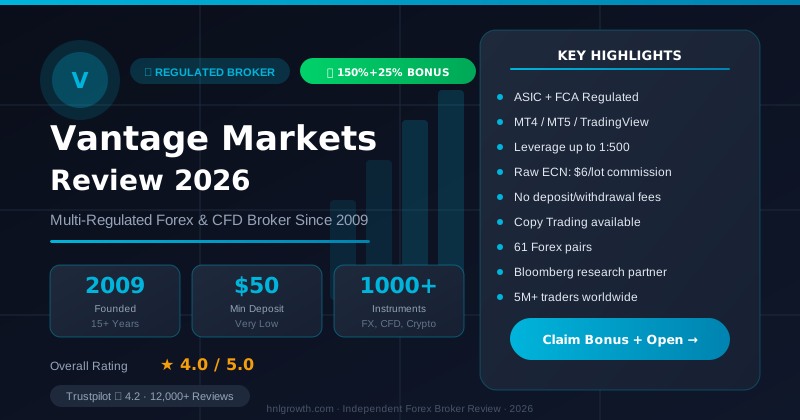
Vantage Markets is an example of a multi-asset broker that offers forex pairs alongside indices, metals, energy, and other CFDs. According to its official UK site, the platform includes one-click trading, integrated TradingView charts, market analysis, and price alerts, plus a demo account across its asset classes (source). As with any broker, confirm which regulated entity applies to your country of residence before opening an account, since available leverage, products, and protections can differ by entity.
Named brokers mapped to the categories above
The category table above is a useful filter, but it's more actionable once you can see which specific brands typically fall into each bucket. The table below names eight brokers commonly researched across these categories. Figures for brokers other than Vantage reflect general industry patterns and were not independently re-verified against each broker's current platform pages for this article — confirm every non-Vantage row directly before relying on it.
| Broker | Primary category | Platforms offered | Notable for |
|---|---|---|---|
| Vantage Markets | Multi-asset CFD broker | Proprietary web/app, MT4, MT5, TradingView (execution) | One-click trading, TradingView charts, forex + indices + metals + energy in one account |
| IG Group | Multi-asset / advanced-tier | Proprietary platform, MT4, ProRealTime | Breadth of markets, research tools, longstanding FCA/ASIC regulation |
| Pepperstone | MetaTrader-first / advanced-tier | MT4, MT5, cTrader, TradingView | Raw-spread accounts, DMA-style execution favoured by algo traders |
| IC Markets | MetaTrader-first / advanced-tier | MT4, MT5, cTrader | Raw ECN pricing frequently cited by high-frequency and algo traders |
| XTB | Proprietary-only | xStation 5, MT4 | Proprietary charting suite (xStation), European retail client base |
| Interactive Brokers (IBKR) | Advanced/professional-tier | Trader Workstation (TWS), IBKR mobile | Direct market access across 150+ global markets, institutional-grade tools |
| CMC Markets | Proprietary-only | Next Generation platform | Advanced charting on a proprietary terminal, no MT4/MT5 support |
| Saxo Bank | Advanced/professional-tier | SaxoTraderGO, SaxoTraderPRO | Broad multi-asset access with tiered professional-level tools |
How to use this table: Vantage sits in the "multi-asset CFD broker" row because it bundles forex with indices, metals, and energy under one proprietary platform plus TradingView charting — that's a workflow fit, not a claim that it beats the other seven on cost, execution, or feature depth. An EA-heavy algo trader is likely better served checking Pepperstone or IC Markets first; a professional-tier trader wanting DMA and 150+ markets may find IBKR or Saxo more relevant. Match the row to your own workflow, then verify that broker's current terms directly before opening an account.
MetaTrader 4 vs MetaTrader 5: Which Should You Use?
MetaTrader remains the most widely supported third-party platform in retail forex, largely because of its expert advisor (EA) ecosystem and the fact that traders can move between brokers without relearning an interface. MT4 and MT5 are built by the same developer (MetaQuotes) but differ meaningfully in scope.
| Feature | MT4 | MT5 | Trade-off |
|---|---|---|---|
| Timeframes | 9 | 21 | MT5 gives finer intraday granularity |
| Built-in indicators | Approximately 30 | Approximately 38 | MT5 adds more out of the box, though both support custom indicators |
| Pending order types | 4 | 6 | MT5 adds stop-limit order types |
| Programming language | MQL4 | MQL5 (object-oriented, faster backtesting) | MT5 EAs are generally not backward-compatible with MT4 |
| Built-in economic calendar | No | Yes | MT5 reduces the need for a separate news source |
| Depth of Market (Level II) | Limited/broker-dependent | Native support (where broker enables it) | Matters mainly for scalpers watching order book depth |
| Legacy adoption | Very high; still the default for many EA libraries | Growing, now the primary version most brokers push for new accounts | Some older EAs and indicators exist only for MT4 |
Who MT4 suits: traders relying on a large library of legacy EAs or indicators, or who value the simplest, most universally supported version across brokers.
Who MT5 suits: traders who want more timeframes, more order types, and an integrated economic calendar without switching to a third app.
Who neither suits: traders who want a single web interface combining charting, research, and account management without downloading a separate terminal — that's where proprietary or TradingView-integrated platforms tend to fit better.
Not every broker offers both versions, and some have phased out MT4 for new accounts in favor of MT5 or a proprietary alternative. Confirm current availability directly on the broker's platform page rather than assuming support carries over from older reviews.
Proprietary Trading Platforms and Apps
Brokers without official MetaTrader support build their own terminals instead — examples in the market include xStation, SaxoTraderGO/PRO, and various broker-branded web and mobile apps. Proprietary platforms trade breadth for integration: they typically can't run third-party MT4/MT5 expert advisors or indicators, and you can't carry the exact interface to a different broker if you switch. In exchange, they're often built around a specific broker's research tools, order flow, and design priorities, which can mean a more cohesive experience than bolting a generic terminal onto a broker's back end.
Vantage's platform is built as a proprietary terminal rather than a MetaTrader add-on. According to its UK site, it bundles one-click trading, TradingView charting, market analysis tools, and real-time price alerts into a single interface, alongside access to forex, indices, metals, energy, and other CFDs (source).
Proprietary platforms suit traders who want an integrated, ready-made research and charting experience and don't rely on custom EAs.
Proprietary platforms are not for algorithmic traders who need to run existing MQL4/MQL5 expert advisors, or traders who deliberately want a platform they can port across multiple brokers.
TradingView Integration
TradingView is a charting and analysis platform used industry-wide, and a growing number of brokers integrate it either as a charting layer over their own execution or as a connected brokerage account. The appeal is charting depth: TradingView is broker-agnostic, widely used for social/community analysis, and offers advanced drawing tools and custom scripts through Pine Script.
There are two different integration models worth distinguishing before you assume feature parity:
- Charting-only integration: the broker embeds TradingView's charting engine into its own app or web platform (this is how Vantage's platform incorporates TradingView charts alongside its own execution and account tools, per its official site).
- Full account integration: some brokers allow you to place trades directly from a TradingView account linked to your brokerage account.
Confirm which model applies before assuming you'll get the complete TradingView toolset, since charting-only integrations may not carry over every script, alert type, or community feature available in a standalone TradingView subscription.
TradingView integration suits traders who prioritize charting depth and are comfortable using it alongside (not instead of) the broker's own order execution tools.
It's not a fit for traders who specifically need MQL4/MQL5 expert advisor automation, since Pine Script and MQL are not interchangeable.
Understanding Forex Trading Costs
Cost comparisons that stop at "spread from X pips" miss most of what actually affects your account. A full picture includes:
- Spread: the gap between bid and ask, which widens during low-liquidity sessions and around major news releases regardless of the advertised headline figure.
- Commission: charged per trade or per lot on some account types (often paired with a tighter raw spread), and absent on others (often paired with a wider "spread-only" price).
- Overnight financing (swap): a charge or credit applied when a position is held past the broker's daily rollover cutoff, calculated from the interest rate differential between the two currencies in the pair, plus the broker's markup. Most brokers apply a triple charge on one weekday to account for weekend settlement.
- Inactivity/dormancy fees: some brokers charge a fee after a defined period of no trading activity; others don't charge one at all.
- Withdrawal and currency conversion fees: vary by payment method and whether your account's base currency matches the currency you're withdrawing in.
Vantage's UK site states that forex spreads start from 0.0 pips, with a note that other fees may apply (source). That "from 0.0" wording indicates best-case pricing on certain pairs or account types rather than a guaranteed rate across all trades, and you'll need to check the full cost breakdown — including any commission and swap charges — for the specific pair and account structure you're considering.
Worked example (illustrative, not a quote from any specific broker): if you place 10 round-turn trades a month on a pair with an average all-in cost of 1 pip per trade at a pip value of £10 per standard lot, that's roughly £100 in spread/commission cost for the month before any overnight financing on positions held past rollover. Rerun this same math using the actual published spread, commission, and swap rate for the broker and account type you're considering — the inputs change the answer more than any single "cheap broker" label does.
Mobile and Web Trading Experience
"Mobile app available" and "full desktop feature parity on mobile" are different claims, and the gap between them is one of the most common sources of frustration for platform evaluators. Native apps generally offer faster execution and push notifications than a mobile browser session, but charting depth, drawing tools, and alert types on mobile often lag behind the desktop or web version, even within the same platform family.
Vantage's platform is described on its UK site as including one-click trading, TradingView charts, and real-time price alerts, alongside 24/5 customer support and a demo account across its asset range (source).
What to verify yourself before committing to a platform on mobile
Since specific mobile feature sets change between app versions and this isn't something we've tested first-hand, confirm these directly with the broker or in the app store listing before assuming parity:
- Which specific indicators and drawing tools are available on the mobile app versus desktop/web
- Whether price alerts, one-click trading, and order types work identically on mobile
- Whether the demo account is accessible from the mobile app or only web/desktop
- App store rating, last update date, and whether the app is the broker's own listing (not a third-party clone)
- Whether the broker's app is region-restricted on iOS or Android in your country
Best Forex Trading Platform by Use Case
Best for beginners: a broker with a straightforward proprietary or web platform, a demo account with access to the same asset range as live trading, and structured educational content, so you can learn order types and risk management before funding. Vantage's UK site indicates it offers a demo account and publishes educational articles, webinars, videos, and courses (source).
Best for MetaTrader users: brokers offering official MT4 and/or MT5 with published server details and no unofficial workarounds.
Best for integrated charting: brokers with native TradingView charting built into their own platform rather than a bolt-on.
Best for multi-asset diversification: brokers offering forex alongside indices, metals, energy, shares, and ETFs in one account, useful if you want to diversify beyond currency pairs without managing multiple broker relationships.
Best for advanced or professional-tier traders: brokers offering DMA-style execution, tiered commission accounts, or API access, generally paired with professional client classification once you meet the relevant eligibility criteria (more below).
From Platform Choice to First Trade
- Verify the license. Search the broker's legal entity name on the relevant regulator's public register (for the UK, the FCA register) and confirm which entity you'll actually be onboarded under.
- Match platform to device. Confirm official availability of MT4, MT5, the proprietary app, or TradingView integration on your specific device before assuming compatibility.
- Open a demo account. Test order execution, charting, and the mobile experience without risking capital. Vantage's UK site indicates it offers a demo account across its asset classes (source).
- Compare total cost for your trading pattern. Use the broker's published spread, commission, and swap tables against your expected trade frequency and holding period, not just the headline "from" spread.
- Fund the account. Confirm minimum deposit, accepted payment methods, and typical processing time on the broker's official account-opening page.
- Place a small first trade. Start with a size you're fully comfortable losing, and confirm stop-loss and take-profit order types behave as expected on the live platform before scaling up.
Account classification: retail vs professional
Most new traders open a retail account, which in FCA-regulated frameworks generally comes with a leverage cap on major currency pairs and mandatory negative balance protection. Some brokers offer an "elective professional" classification to clients who meet criteria such as sufficient trading frequency and volume over recent quarters, a financial instrument portfolio above a set threshold, or relevant professional experience in the financial sector — professional classification typically removes the retail leverage cap but can also remove negative balance protection and other retail-only safeguards. Eligibility tests and thresholds vary by regulator and broker, so confirm the exact criteria with the broker rather than assuming a one-size-fits-all rule.
Risk Warnings and What to Verify Yourself
Regulators require CFD and leveraged forex providers to disclose that a majority of retail client accounts lose money trading these products; published loss percentages vary by provider and reporting period, so check the specific figure disclosed by any broker you're considering rather than relying on an industry-wide average. Retail leverage on major forex pairs is capped by FCA rules at 1:30 for major pairs, with lower caps on other asset classes — confirm the current cap and whether it applies to your account type directly with the regulator or broker. Negative balance protection is mandated for FCA-regulated retail accounts, meaning you shouldn't be able to lose more than your account balance, though this protection typically does not extend to professional accounts. If a UK-authorized firm fails, the Financial Services Compensation Scheme (FSCS) may cover eligible client claims up to a limit that's reviewed periodically — check the current limit on the FSCS website rather than relying on an older figure.
Verification checklist before you fund any account
- Broker's legal entity confirmed on the regulator's public register, with registration number noted
- Platform (MT4, MT5, proprietary, TradingView integration) confirmed available for your specific device
- Spread, commission, and swap tables checked on the broker's official pricing page, dated
- Minimum deposit and accepted payment methods confirmed on the official account page
- Negative balance protection and account classification (retail vs professional) confirmed for your account type
- Demo account tested for execution, charting, and mobile experience before funding
FAQ
Is forex trading legal in the UK? Yes, forex and CFD trading are legal when conducted through a broker authorized by the FCA or an equivalent recognized regulator. Always verify the specific entity on the FCA register before funding an account.
What is the minimum deposit to start trading forex? Minimum deposits vary by broker and account type and are published on each broker's official account-opening page. Check the current figure there rather than relying on older articles, since minimums change.
How do I verify a broker's regulatory license? Search the broker's exact legal entity name on the regulator's public register (for the UK, the FCA register) and confirm the registration number and permitted business activities match what the broker advertises.
What leverage can I use? For FCA-regulated retail accounts, major forex pairs are capped at 1:30, with lower caps on other instruments. Clients classified as elective professional may access higher leverage but typically lose some retail protections in exchange. Confirm current limits directly with your broker or regulator.
What is negative balance protection? It's a safeguard, mandated for FCA-regulated retail accounts, that prevents your account balance from going below zero even in extreme market moves. It typically doesn't apply to professional-classified accounts, so confirm your classification.
How is forex trading taxed in the UK? Tax treatment depends on the product (spread betting versus CFDs) and your personal circumstances, and rules can change. This isn't tax advice — consult HMRC guidance or a qualified tax adviser for your specific situation before assuming a particular treatment applies to you.
What is the difference between spread betting and CFD trading? Both are leveraged derivative products that let you speculate on price movements without owning the underlying asset, but they're structured and taxed differently in the UK. Confirm the specific product structure and any tax implications with the provider and a tax professional, since this varies by individual circumstance.
Can I trade forex on mobile? Most brokers offer a native mobile app, but feature depth (indicators, drawing tools, alert types) can lag behind the desktop or web version. Confirm specific mobile features before assuming full parity.
What happens if my broker becomes insolvent? For FCA-authorized firms, eligible retail client funds are typically held in segregated accounts, and the FSCS may cover eligible claims up to a periodically reviewed limit if the firm fails. Confirm current protections and limits directly with the FSCS and the broker's regulatory disclosures.
How long does opening a forex trading account take? This depends on the broker's identity verification process and your payment method's clearing time; check the broker's official onboarding page for its stated timeline rather than assuming a universal figure.
Which is the best forex trading platform for beginners? Look for a broker with a demo account that provides access to the same range as live accounts, clear educational resources, and a simple proprietary or web platform rather than jumping straight into MetaTrader's more technical interface, unless you specifically want to learn EA-based trading from the start.
Closing Summary
Choosing a forex platform comes down to matching the platform type (MetaTrader, proprietary terminal, or TradingView integration) to your workflow, confirming the broker's regulatory authorization on a public register, understanding the full cost structure beyond headline spreads, and testing the platform's execution and mobile experience through a demo account before funding. No platform is universally "best" — the right fit depends on whether you prioritize expert advisor automation, integrated charting and research, or multi-asset access in one account, alongside your jurisdiction's regulatory protections and the broker's transparency on costs and entity structure.
Methodology, Limitations, and Transparency
This article was built through desk-based research and synthesis of official broker sources, platform documentation, and general regulatory frameworks — it does not include first-hand live-account testing, measured spread sampling, or withdrawal timing observations, and we don't claim otherwise. Facts specific to Vantage Markets are drawn from and linked to Vantage's official website; facts about MetaTrader's platform features reflect the platform developer's publicly documented capabilities. Where a claim (spreads, minimums, exact leverage caps, tax treatment) can change or vary by entity and jurisdiction, we've flagged it for direct verification rather than stating it as fixed. This page is reviewed on a quarterly basis; if you spot outdated information, check the broker's own current disclosures before relying on this article.
Editorial Verification Process
Broker facts in this comparison are checked against each broker's official documentation and public regulator registers, using our 7-criteria broker review methodology. This ranking is based on published terms, conditions, and regulatory status — not a funded live-account test of every broker listed. Where we discuss Vantage specifically, see our broker review methodology for the full source hierarchy and what "verified" means on this site.
Risk warning: CFDs and leveraged forex products are complex and carry a high risk of losing money. Check the terms, entity and protections that apply to your jurisdiction before trading.
Related Vantage Markets Guides
Ready to Trade with Vantage Markets?
Vantage Markets is a multi-regulated forex & CFD broker (FCA, ASIC, FSCA, CIMA, VFSC, FSC) trusted by 5 million+ traders, with Raw ECN pricing from $3/lot, no deposit/withdrawal fees, and full MT4/MT5/TradingView support.
Risk disclaimer: Vantage Markets is a live, regulated broker — trading forex and CFDs is done with real capital under normal market risk (this is not a simulated prop-firm evaluation). CFDs and leveraged forex products are complex instruments and carry a high risk of losing money rapidly due to leverage; most retail investor accounts lose money trading these products. Consider whether you understand how CFDs/forex work and whether you can afford the high risk of losing your money. Affiliate disclosure: HNL Growth earns a commission when you open a Vantage Markets account through links on this page.