Forex Trading App Guide: Features & Safety
A forex trading app connects you to a broker's infrastructure from your phone. See what to check for charting, order types, and security.
Reviewed using our forex & CFD broker review methodology
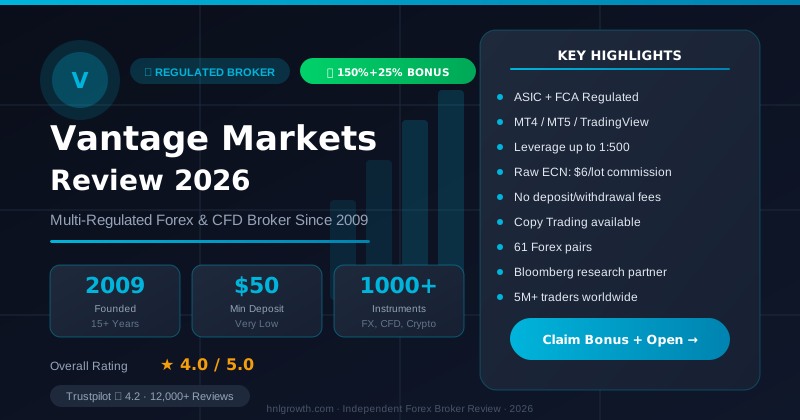
A forex trading app is mobile software that connects you to a broker's trading infrastructure, letting you open, manage, and close currency CFD positions from a smartphone or tablet. The quality of that app—its charting tools, order types, security standards, and the regulation behind it—directly affects your trading costs, data safety, and ability to act when markets move. This guide explains what to look for, what separates legitimate platforms from poor ones, and how to match an app's design to your trading style before you commit any capital.
What a Forex Trading App Actually Does
A forex app is not a standalone exchange. It is a front-end interface connected to your broker's servers, which in turn route your orders into the interbank or ECN liquidity pool. Everything you do in the app—place a market order, set a stop-loss, deposit funds—depends on the broker's infrastructure behind it.
That distinction matters for two reasons. First, the app's appearance can be polished while the underlying broker is poorly regulated or has opaque costs. Second, the broker's entity—not the app store listing—determines which regulatory protections apply to your account.
The practical jobs a forex trading app performs include:
- Streaming live price quotes for currency pairs, indices, commodities, and other instruments
- Executing market, limit, stop, and trailing stop orders
- Displaying real-time and historical charts with technical indicators
- Managing open positions and account equity
- Handling deposits, withdrawals, and account statements
- Delivering economic calendar alerts and market news
If an app can't do most of these reliably on mobile, it is a convenience layer rather than a complete trading environment.
Core Features That Separate Good Apps From Poor Ones
Not all forex apps are built to the same standard. Evaluating the following areas before opening an account will save you from discovering limitations after your money is already in.
Instrument access and market depth
A credible forex app should give you access to major, minor, and exotic currency pairs, plus related markets like indices and commodities if diversification matters to you. Vantage Markets, for example, provides access to forex, shares, commodities, ETFs, and bonds through its mobile app, covering a range of instruments across global markets.
The number of pairs is less important than the quality of execution on the pairs you actually trade. Check whether spreads on your primary pairs are quoted in the app in real time, and whether the account type you plan to use has a different spread structure than the demo.
Order types and execution
A functional forex app should support at minimum: market orders, limit orders, stop-loss orders, take-profit orders, and trailing stops. More advanced traders will want one-cancels-other (OCO) orders and the ability to set price alerts without being logged in.
Re-quotes—where your requested price is rejected and a new price offered—can erode execution quality in fast-moving markets. Apps built on ECN architecture are generally less prone to this than dealing-desk models, though no execution environment eliminates it entirely under all conditions.
Charting and technical analysis tools
The charting interface is where most technical traders spend their time. Meaningful minimum requirements include multiple timeframes (at least 1-minute through monthly), a library of standard indicators (moving averages, RSI, MACD, Bollinger Bands, Fibonacci tools), and the ability to draw directly on the chart.
The Vantage UK App provides access to a range of technical indicators, customisable charting tools, and 10 timeframes for mobile analysis. This is a reasonable baseline; professional-grade analysis typically requires a desktop terminal or a platform like TradingView, which Vantage also supports.
One limitation worth knowing: mobile charting, on most apps, still lags behind desktop in terms of multi-chart layouts, indicator customisation depth, and script-based automation. If algorithmic or highly visual multi-screen analysis is central to your workflow, assess desktop parity before treating a mobile app as your primary environment.
Charting and Order Management on Mobile
Mobile trading involves genuine trade-offs compared to desktop platforms, and being clear-eyed about them prevents frustration.
What works well on mobile:
- Quick order placement and position monitoring
- Price alerts and push notifications for key levels
- Reading market news and economic data releases
- Checking margin levels and floating P&L
- Funding accounts and reviewing statements
Where mobile typically falls short:
- Building and refining complex indicator setups
- Running automated strategies (Expert Advisors on MT4/5 require a live server or desktop)
- Analysing correlations across multiple charts simultaneously
- Reviewing detailed trade history with export functionality
This is not a criticism of any specific app—it is an inherent constraint of screen size and input method. The best approach for most traders is to use mobile for trade execution and position management while reserving desktop for analysis and strategy development.
Funding, Withdrawals, and Account Management
Withdrawal reliability is one of the most cited concerns among traders evaluating a new broker. The app itself handles the request, but the processing timeline, fees, and restrictions are set by the broker's operational and compliance policies.
What to verify before depositing:
| Question | Why It Matters |
|---|---|
| What deposit methods are accepted, and are there fees? | Bank transfer fees or card processing charges add to your trading cost |
| What is the typical withdrawal processing time? | Regulatory rules and broker policies differ; verify the specific timeline for your entity |
| Are withdrawals restricted to the original deposit method? | AML policy often requires returning funds to their source |
| Is there an inactivity fee and when does it trigger? | Dormant accounts can be silently eroded |
| Does the broker charge a currency conversion fee? | Relevant if your account currency differs from your deposit currency |
Vantage's app page confirms an integrated funds management system supporting secure deposits and withdrawals. For specific processing times and fee schedules applicable to your jurisdiction, review the official terms for the Vantage entity that would hold your account—terms can differ between Vantage's FCA-regulated UK entity and its ASIC-regulated entity in other jurisdictions, for example.
Security: What a Legitimate Forex App Should Provide
App security falls into two layers: the broker's infrastructure security and the device-level protections you control.
Broker-side security indicators to look for:
- Two-factor authentication (2FA): Should be available for login and for withdrawal requests. If an app does not support 2FA, treat that as a significant risk flag.
- Data encryption: Communications between your device and the broker's servers should use TLS encryption. This is standard in reputable apps and not typically advertised, but absence of it in public documentation is a red flag.
- Client asset segregation: Regulated brokers are generally required by their licensing authority to hold client funds in accounts separate from company operating funds. This is a regulatory requirement, not a voluntary feature. Verify it through the relevant regulator's register, not the broker's marketing copy.
- Negative balance protection: Under FCA rules, retail clients trading CFDs in the UK are protected from losing more than their deposited funds. This protection applies to UK retail accounts under FCA-regulated entities. It may not apply automatically in all jurisdictions, so verify what entity your account falls under and what protections are legally mandated.
Device-level practices you control:
- Use biometric or strong PIN lock on your device
- Avoid trading over public Wi-Fi without a VPN
- Enable 2FA on your broker account even if it is optional
- Log out of the app when not in use, especially on shared devices
Demo Mode: What It Tells You and What It Doesn't
A demo account lets you trade with simulated money in live market conditions. It is the single most underused feature available to new traders.
Vantage's learning guide notes that beginners commonly practise on demo accounts for at least six months before transitioning to live trading, and only once they are recording consistent outcomes over a sustained period. That is a more rigorous benchmark than many traders apply.
Demo accounts are useful for:
- Learning order types and platform mechanics without financial risk
- Testing how your analysis framework performs before live exposure
- Getting familiar with the app's interface and charting tools
- Identifying gaps in your risk management approach
Demo accounts do not reliably simulate:
- Slippage on large or fast-moving positions
- Emotional response to real capital at risk
- Spread widening during news events (some demo feeds smooth this)
- Liquidity constraints on exotic pairs at specific times
The quality of demo conditions varies between brokers. Some use the same price feed as live accounts; others feed cleaner data that flatters execution. Ask the broker explicitly whether demo conditions—spreads, swap charges, gap handling—mirror their live ECN environment before drawing conclusions from demo results.
MT4 and MT5 Apps: What They Offer and Where They Fit
MetaTrader 4 and MetaTrader 5 are licensed platforms developed by MetaQuotes. Brokers license these platforms and deploy them for their clients—they are not platforms brokers build themselves. Both have native mobile apps available for iOS and Android.
MT4 on mobile:
- Supports most core order types and real-time charting
- Limited to 30 built-in indicators on mobile (more on desktop)
- No Expert Advisor execution on mobile (EAs run server-side via VPS or desktop)
- Widely supported: familiarity transfers between brokers
MT5 on mobile:
- Adds more timeframes (21 vs 9 on MT4), more built-in indicators, and additional order types including buy-stop-limit and sell-stop-limit
- Better support for multi-asset accounts (stocks, futures alongside forex)
- More modern code architecture, though visual differences on mobile are modest
- Vantage offers access to both MT4 and MT5 trading platforms
Choosing between them: For forex CFD traders who do not use automated strategies, the practical difference between MT4 and MT5 on mobile is minimal. MT5 is the more future-proof choice for traders who expect to expand into indices, commodities, or share CFDs. MT4 remains widely used because of the larger ecosystem of third-party indicators and the deep familiarity among experienced traders.
Neither MetaTrader mobile app is a complete replacement for the desktop version if you run EAs, use custom indicators, or rely on multi-chart analysis. They function best as companion apps for monitoring and order management while desktop handles primary analysis.
Platform Architecture: Trading Terminals vs. Simplified Apps
The design philosophy of a forex app reveals who it is built for.
| Dimension | Full trading terminal (MT4/MT5, cTrader) | Simplified proprietary app |
|---|---|---|
| Automation support | EA/cBot integration | Usually absent or limited |
| Charting depth | Extensive; hundreds of indicators | Streamlined; 20–50 indicators typical |
| Learning curve | Steeper; rewards investment | Shallow; accessible from day one |
| Customisability | High; workspaces, templates, scripts | Low to moderate |
| Best suited for | Technical traders, algorithmic strategies | Beginners, position monitoring, casual traders |
| Mobile parity with desktop | Moderate | Often high (app is the primary environment) |
Proprietary apps like the Vantage App are typically designed to be first-class mobile experiences rather than mobile versions of a desktop application. The Vantage UK App is available on iOS and Android and integrates charting, order management, news, and market commentary in a single interface, making it more immediately accessible than a raw MT4 installation for traders new to the platform.
Full terminals reward the investment in learning but impose a steeper initial curve. If you know you will use automated strategies, custom indicators, or advanced back-testing, choosing a broker with strong MT5 or cTrader support is non-negotiable regardless of how polished their proprietary app looks.
How to Evaluate a Forex Trading App: A Decision Checklist
Use this framework before committing to any platform. It separates verifiable facts from marketing claims.
Regulation and entity verification
- Identify the specific legal entity that would hold your account (not just the brand name)
- Confirm the licensing authority and licence number for that entity via the regulator's official public register
- Verify that retail client protections (negative balance protection, segregated funds) apply to your jurisdiction specifically
- Check whether the entity operating in your country differs from the one featured in marketing materials
For reference, Vantage operates through multiple regulated entities across different jurisdictions. The protections and leverage limits that apply to your account depend on which entity services your country of residence—not on the brand globally. Verify the specific entity and its regulatory status before opening an account.
Cost transparency
- Are spreads published for the account type you intend to use, not just the lowest tier?
- Is commission per lot clearly disclosed for ECN/Raw account types?
- What is the overnight swap charge on your primary pairs, and is it applied to both long and short positions?
- Are there inactivity fees, withdrawal fees, or currency conversion charges?
Calculate total cost per trade—not just the spread—before comparing accounts. This requires adding spread, commission (if applicable), and any overnight holding costs for positions you intend to keep open beyond a single session.
Platform fit
- Does the app support the order types your strategy requires?
- Is the charting interface functional on your device at the screen size you use?
- Can you set and receive price alerts without keeping the app open?
- If you plan to use automated strategies, can they run independently of your device?
Funding and withdrawal process
- What deposit methods are available in your jurisdiction, and are there processing fees?
- What is the stated withdrawal processing timeline, and does it vary by method?
- Does the broker require withdrawal to the original funding source?
Demo account quality
- Does the demo use the same price feed and spread conditions as the live ECN environment?
- Is there a time limit on the demo account?
- Are swap charges applied in demo mode?
Disclosure: This page may contain affiliate links. We may earn a commission if you open an account through our links, at no extra cost to you.
If you are ready to test a regulated platform with access to MT4, MT5, and a proprietary mobile app, compare Vantage account types and open a demo account to evaluate the environment before committing capital.
Frequently Asked Questions
Is there a single official forex trading app?
No. The forex market is decentralised—there is no central exchange and no single official app. Each broker provides its own app or licenses a third-party platform (such as MT4 or MT5). You are choosing a broker and its infrastructure when you choose an app.
What is the difference between a forex app and a forex trading platform?
A trading platform (MT4, MT5, cTrader, TradingView) is the software architecture. A forex app typically refers to the mobile interface—which may be the broker's proprietary app, the MetaTrader mobile app, or a third-party platform integration. Some brokers offer all three options; others provide only a proprietary app.
Can I trade forex on a demo account before depositing?
Yes. Most regulated brokers offer a demo account with no deposit required. Vantage provides a demo account for practising with simulated funds in live market conditions. Use it to understand the platform mechanics and test your approach before committing real capital.
What leverage is available on a forex trading app?
Leverage limits vary by regulator and client classification. Under FCA rules, retail clients in the UK are capped at 1:30 on major currency pairs. Clients with accounts under entities in different jurisdictions may have access to different leverage levels depending on local regulation. Higher leverage increases both potential profit and potential loss—losses in CFD trading can exceed your initial deposit. Verify the leverage applicable to your specific account and entity before trading.
Are forex trading apps safe to use?
The safety of an app depends primarily on the regulatory status of the broker behind it. An app from a broker regulated by a recognised authority (FCA, ASIC, CySEC) and using segregated client funds provides more structural protection than one from an unregulated provider. App-level security—2FA, encryption—adds a further layer but does not substitute for regulatory oversight. Always verify the broker's licence independently through the regulator's official register.
Can I run automated trading strategies on a mobile forex app?
Generally no, not directly from the phone. Expert Advisors (EAs) on MetaTrader run on a dedicated server or desktop installation. Some brokers offer VPS (virtual private server) services to keep EAs running independently of your device. If automated trading is part of your strategy, confirm with the broker whether VPS access is available and what it costs.
What is the minimum deposit for a forex trading app?
Minimum deposits vary by broker and account type. Some brokers accept deposits as low as $50, while others require $200 or more. A low minimum deposit is a practical accessibility feature, not a recommendation to trade with the minimum—adequate capitalisation for your position sizes and risk management approach matters more than the floor figure.
Editorial Verification Process
This is an educational guide, not a single-broker review. Where it references Vantage or other specific brokers, those claims are fact-checked against official documentation and public regulator registers using our 7-criteria broker review methodology, rather than a funded live-account test. See that page for our full source hierarchy and what "verified" means on this site.
Risk warning: CFDs and leveraged forex products are complex and carry a high risk of losing money. Check the terms, entity, and protections that apply to your jurisdiction before trading.
Related Vantage Markets Guides
Ready to Trade with Vantage Markets?
Vantage Markets is a multi-regulated forex & CFD broker (FCA, ASIC, FSCA, CIMA, VFSC, FSC) trusted by 5 million+ traders, with Raw ECN pricing from $3/lot, no deposit/withdrawal fees, and full MT4/MT5/TradingView support.
Risk disclaimer: Vantage Markets is a live, regulated broker — trading forex and CFDs is done with real capital under normal market risk (this is not a simulated prop-firm evaluation). CFDs and leveraged forex products are complex instruments and carry a high risk of losing money rapidly due to leverage; most retail investor accounts lose money trading these products. Consider whether you understand how CFDs/forex work and whether you can afford the high risk of losing your money. Affiliate disclosure: HNL Growth earns a commission when you open a Vantage Markets account through links on this page.