Forex Trading Platform Guide: How to Choose
A forex trading platform routes your orders, streams prices, and runs your charts. Here's what actually matters when picking one.
Reviewed using our forex & CFD broker review methodology
A forex trading platform is the software that connects you to the market. It routes your orders, streams live prices, runs your charts and technical indicators, and enforces the margin and risk controls that govern your positions. Without it, you cannot participate. Choosing the wrong one creates friction at every stage of your workflow — from analysing a setup to entering a trade to managing a position from your phone at 2 a.m. This guide explains what platforms actually do, how the main types differ, which features to prioritise, and how to match a platform to your trading style — so you can make a confident decision before opening an account.
What a Forex Trading Platform Does
At its core, a trading platform performs four functions:
Order routing. When you click "Buy" or "Sell," the platform packages your instruction and routes it to your broker's execution server. The server matches or fills the order according to the broker's execution model and returns a confirmation.
Price feed. The platform receives a continuous stream of bid/ask prices from the broker's liquidity feed and displays them in real time. The spread you see between bid and ask is where the broker's cost is usually embedded.
Charting engine. Platforms render price history as candlestick, bar, or line charts, apply technical indicators (moving averages, RSI, MACD, Bollinger Bands, and hundreds more), and let you draw trend lines, Fibonacci retracements, and support/resistance levels.
Risk and margin tools. Platforms track your account balance, used margin, free margin, and floating profit or loss in real time. They enforce stop-loss and take-profit levels, trigger margin calls, and, in most cases, execute stop-out procedures automatically if your equity falls below the broker's threshold.
The platform itself does not determine how wide your spread is, which instruments you can trade, or what regulatory protections apply to your account. Those are broker-level decisions. Understanding this distinction early prevents a common mistake: assuming that using a well-known platform name guarantees a well-regulated, well-priced broker.
How Platforms Are Delivered: Desktop, Web, and Mobile
The same underlying platform technology is typically available across three delivery formats, each with genuine trade-offs.
Desktop (downloadable client)
A full application installed on your Windows, macOS, or Linux machine. Desktop clients offer the most complete feature set: full indicator libraries, EA (Expert Advisor) execution, strategy backtesting, and advanced order management. They are the right choice for algorithmic traders, anyone running custom indicators, and traders who need fine-grained control over chart templates and workspace layouts.
The limitation is physical: you need your machine. If your computer restarts or loses internet, any locally executed EA stops running unless you are using a virtual private server (VPS).
Web terminal (browser-based)
No download or installation required. You log in through a browser and access charts, orders, and account management. Web terminals are practical for traders who switch between devices, work on company machines, or simply do not want to manage software installations.
The trade-off: web terminals typically do not support automated EA execution from within the browser. Advanced order management and custom scripting are usually limited compared to the desktop client.
Mobile app (iOS and Android)
Native mobile apps let you monitor positions, execute market and pending orders, and follow market news from anywhere. Mobile apps are built for monitoring and execution — not for running the full indicator libraries, EA execution, and multi-chart layouts that desktop platforms support.
Acknowledge the limitation honestly: mobile apps serve position management and alert response, not deep technical analysis. Most traders eventually keep a desktop setup for charting and use mobile for on-the-go execution.
MetaTrader 4 (MT4): Strengths, Limitations, and Who It Suits
MetaTrader 4 was developed by MetaQuotes Software Corp (now MetaQuotes Ltd) and has been the dominant retail forex platform for nearly two decades. Its staying power is not about UI modernity — the interface is visually dated — it is about ecosystem depth.
Core strengths:
- Expert Advisors (EAs). MT4 uses the MQL4 programming language to build, test, and deploy automated trading strategies. A very large library of free and commercial EAs exists, built over years of community development. Traders with existing MT4 EAs have a strong reason to stay on MT4 rather than migrate.
- Custom indicators. According to Vantage's official platform documentation, MT4 supports access to 2,000+ free custom indicators beyond the 30 built-in technical indicators.
- Backtesting. MT4's strategy tester lets traders test EAs against historical price data.
- Nine timeframes per symbol, from one minute (M1) to monthly (MN), as confirmed in Vantage's MT4 platform overview.
- Execution modes. MT4 supports three execution modes: instant, request, and market execution. The availability of each depends on the broker's account configuration.
Known limitations:
- MT4 was designed primarily for forex and CFDs; it does not natively handle stocks or futures in the way MT5 does.
- The MQL4 language is older and less powerful than MQL5. Some modern strategy types are harder to implement.
- MT4 development by MetaQuotes has effectively stopped — the platform receives maintenance updates but no major new features.
- Nine timeframes versus MT5's 21 means less granularity for multi-timeframe analysis.
Who MT4 suits: Algorithmic traders with existing EA libraries, traders who have learned MT4 and rely on community resources, and anyone whose broker-specific account type or instrument list is tied to the MT4 server.
MetaTrader 5 (MT5): What Changed and What Stayed the Same
MT5 is not simply a newer version of MT4. MetaQuotes built MT5 as a separate platform with a different architecture, a different programming language (MQL5), and different account accounting models. MT4 and MT5 EAs are not interchangeable.
What changed:
- 21 timeframes versus MT4's 9, giving finer multi-timeframe control.
- Six pending order types (Buy Limit, Sell Limit, Buy Stop, Sell Stop, Buy Stop Limit, Sell Stop Limit) plus two stop orders and trailing stop functionality. The Buy Stop Limit and Sell Stop Limit types — which trigger a limit order when a stop price is hit — are MT5-specific and useful for managing entries in volatile or low-liquidity conditions.
- Four execution modes: Instant, Request, Market, and Exchange.
- 38 built-in technical indicators and over 44 graphical objects including Gann, Fibonacci, and Elliott tools, according to Vantage's MT5 academy page.
- Multi-threaded backtesting using parallel processing for faster strategy optimisation.
- MQL5 language: more powerful than MQL4, with broader support for modern algorithmic trading techniques.
- Copy trading via Trading Signals: MT5 includes native functionality to replicate trades from signal providers.
What stayed the same:
The core workflow — charting, order entry, position management, MT-style interface — is recognisable to MT4 users. Both platforms support custom indicators and automated strategies. The broker integration model (server-based, with account login credentials) is identical.
The MT4 vs MT5 decision in practice:
If you have existing MT4 EAs or indicator templates, switching to MT5 means rebuilding or purchasing MT5-compatible versions. That is a real migration cost. If you are starting fresh, MT5's broader order type set and additional timeframes offer more flexibility — particularly for multi-asset traders or those who want to trade instruments beyond forex through the same platform.
Neither is objectively superior for every trader. The correct answer depends on your current tools and what the broker's account types support.
Proprietary and Web-Based Terminals
Brokers sometimes build their own web-based platforms alongside, or instead of, licensing MetaTrader. The advantages are practical: no download required, a cleaner modern UI, and the ability for the broker to iterate quickly on features without being constrained by MetaQuotes' platform architecture.
Vantage's web terminal is an example: according to the official Vantage trading platforms page, it allows traders to log in once and manage their trading in one secure place, offers multiple position-closing options, and allows seamless switching between web, mobile, and desktop without losing context.
Honest limitations of proprietary platforms:
- No cross-broker portability. Your charts, templates, and workflow settings exist only within that broker's system. If you switch brokers, you start over.
- EA/automated strategy support is typically absent or limited. Custom scripting in a broker-built web terminal is rarely equivalent to MT4/MT5's MQL environment.
- The platform's continued development depends entirely on the broker investing in it.
Proprietary platforms suit traders who prioritise ease of access, clean interfaces, and integrated news/analysis — and who do not depend on automated strategies or community-developed indicators.
TradingView Integration
TradingView is a widely used charting and social trading platform. When a broker offers "TradingView integration," it typically means the broker has partnered with TradingView to allow traders to execute trades directly from TradingView's charting interface, routed through the broker's execution infrastructure.
According to the Vantage trading platforms page, traders can open a live account and trade directly from TradingView charts. The official page states access to over 100 user-friendly indicators and over 90 drawing tools, the Bar Replay feature with four replay speeds (autoplay and step-by-step modes), and Pine Script for creating custom indicators and strategies.
This is distinct from simply embedding a TradingView chart widget. Traders who already use TradingView for analysis and want to execute without switching windows may find this integration genuinely useful.
What to verify before relying on TradingView integration: Confirm which instruments are tradeable directly from TradingView through your broker, whether all order types (including pending orders) are supported from within the interface, and whether the account type you plan to use is compatible. The features described are TradingView's standard capabilities; verify directly with the broker which features remain accessible through their specific integration.
Features That Separate Good Platforms from Adequate Ones
Not all platform features matter equally. The list below separates what genuinely affects trading outcomes from what is cosmetic.
| Feature | Why It Matters | What to Check |
|---|---|---|
| Order types supported | Limits or enables your entry/exit strategy | Market, limit, stop, stop-limit — which are available? |
| Charting depth | Affects the quality of technical analysis | Number of timeframes, indicator count, drawing tools |
| Pending order management | Reduces the need to monitor screens constantly | Can you set, modify, and cancel pending orders from mobile? |
| Alert systems | Lets you monitor without staring at charts | Price alerts, indicator-cross alerts, email/push notification options |
| Copy/social trading | Relevant for delegated trading or signal followers | Is it native (MT5 Signals, proprietary) or a third-party add-on? |
| Backtesting environment | Essential for EA and algorithmic traders | Historical data quality, multi-threaded processing |
| Cross-device sync | Affects workflow continuity | Does your chart layout persist between web and desktop? |
Features that sound impressive but require scrutiny: "one-click trading" (useful, but check that it does not disable confirmation dialogs accidentally in high-volatility conditions) and "advanced analytics" (often means a built-in market overview widget, not proprietary research).
Platform Costs and What They Do (and Do Not) Cover
The platform software itself — MT4, MT5, the broker's web terminal — does not typically carry a licence fee for retail traders. You are not paying for the software. The broker absorbs the MetaQuotes licensing cost as a business expense.
The real cost of trading is the broker's spread (the difference between the buy and sell price), any commission charged per lot, and the overnight swap or financing charge for positions held past the daily rollover. These costs exist regardless of which platform you use, but platform choice can affect them indirectly:
- Some brokers offer tighter spreads on a specific account type that is only available on MT5, not MT4. Platform choice can therefore gate your pricing tier.
- Proprietary web terminals may be associated with particular account structures not available on MetaTrader.
Demo accounts are also typically free: the platform software, the virtual funds, and the demo server access carry no charge. Demo trading costs you nothing but time. It is the standard way to test a platform's interface and execution behaviour before committing real capital, and there is no sensible reason not to use one.
How to Pick the Right Platform for Your Trading Style
Trading-style to platform mapping
| Trading style | Recommended platform type | Why |
|---|---|---|
| Algorithmic / EA-based | MT4 or MT5 desktop | MQL4/MQL5 environment, backtesting, EA execution |
| News trader | MT5 or TradingView integration | More order types, fast chart access |
| Manual discretionary, desktop | Any MT5 or MT4 desktop | Full indicator set, multi-timeframe charting |
| Mobile-first / position monitoring | Broker mobile app | Designed for on-the-go access; accept desktop for analysis |
| Chart-heavy technical analyst | TradingView integration or MT5 | TradingView's drawing tools and Pine Script; MT5's 21 timeframes |
| Copy trading | MT5 (Trading Signals) | Native copy functionality built into platform |
| Beginner / manual | Web terminal or MT4/MT5 with demo | Lower friction; demo allows practice without financial risk |
Guidance for beginners
If you are new to trading, the single most important platform decision is: choose one that your broker supports with a free demo account. Use it for long enough to feel comfortable entering, modifying, and closing orders before trading real money. MT4 and MT5 both have accessible tutorial resources. A proprietary web terminal may feel simpler at first, but check whether it offers the full order type set you will eventually need.
What beginners rarely need immediately: EAs, Pine Script, multi-threaded backtesting. Start with the basics and add complexity as you develop a defined strategy.
Addressing the "legitimate platforms" concern
Searching for "legitimate forex trading platforms" signals a reasonable concern — the retail trading space has a history of fraudulent brokers. The critical point is that platform legitimacy and broker legitimacy are separate questions.
MetaTrader 4 and MetaTrader 5 are legitimate software products developed by MetaQuotes Ltd. But the platform name alone tells you nothing about the broker operating it. A fraudulent broker can install a genuine MT4 server. The platform's interface may look identical to what you would see at a fully regulated broker.
What actually determines legitimacy is the broker — specifically, whether it is authorised and regulated by a named, verifiable financial regulator.
Legitimate platform checklist:
- Is the broker regulated by a named authority — for example, the FCA (UK), ASIC (Australia), or CIMA (Cayman Islands)? Verify on the regulator's own public register, not on the broker's website.
- Is the platform software from a named third-party provider (MetaQuotes Ltd for MT4/MT5) or clearly documented as an in-house build?
- Are client funds held in segregated accounts — meaning your money is kept separate from the broker's operating funds?
- Is a free demo account available before you deposit?
For Vantage Markets specifically, regulatory status should be independently verified through the relevant regulator's public register — search the firm name and confirm the firm reference number, authorised status, and the scope of regulated activities. The FCA register is the appropriate tool for verifying UK entity authorisation. Do not rely solely on information stated on any broker's website, including this one.
Check the Vantage regulation page for stated authorisation details across entities and jurisdictions, then verify those details independently on the regulator's own register.
Switching platforms: what you lose
EAs, indicator templates, custom scripts, and workspace layouts are platform-specific. An MT4 EA does not run on MT5. A TradingView Pine Script strategy does not transfer to a MetaTrader desktop. If you have invested time in building tools on one platform, factor in the migration cost before switching.
Switching between different MT4 brokers (keeping the same platform) is lower friction: you transfer to a new MT4 server using new login credentials, and your local chart templates and EAs remain functional.
Disclosure: This page may contain affiliate links. We may earn a commission if you open an account through our links, at no extra cost to you.
Ready to compare platforms and brokers side by side? Open a Vantage account to access MT4, MT5, web terminal, and TradingView integration — or start with a free demo to explore the full platform range.
Frequently Asked Questions
Is a forex trading platform free to use? The platform software itself — MT4, MT5, or a broker's web terminal — is typically provided at no charge to retail traders. You do not pay a licence fee to use the software. Trading costs come from the broker's spread, commission, and overnight swap charges, not from the platform access itself.
What is the best forex trading platform for beginners? There is no single answer, but the most practical guidance is: choose a platform your broker supports with a free demo account, and one that has accessible tutorials. MT4 has a large existing tutorial library. MT5 offers more features. A proprietary web terminal may offer a simpler first experience. Prioritise learning execution and order management over advanced features initially.
Is MT4 still worth using in 2025? MT4 remains viable for traders who have existing EA libraries or who are accessing brokers whose best account types are MT4-specific. Its development has effectively ceased, and MetaQuotes has shifted focus to MT5. For traders starting fresh with no existing MT4 tools, MT5 offers more order types, more timeframes, and a more actively developed environment.
What is the difference between MT4 and MT5? MT5 offers 21 timeframes (versus MT4's 9), six pending order types (versus MT4's four), and four execution modes (versus three). MT5 uses MQL5 instead of MQL4, meaning MT4 EAs cannot run on MT5 without being rebuilt. MT5 also includes native copy trading via Trading Signals. According to Vantage's platform documentation, MT5 provides 38 built-in technical indicators compared to MT4's 30.
What does TradingView integration with a broker mean? It means the broker has connected its execution infrastructure to TradingView's platform, allowing traders to open, modify, and close live trades directly from TradingView charts — rather than switching to a separate MetaTrader client or web terminal. The integration gives access to TradingView's charting capabilities; verify with the broker which specific features remain accessible through their integration and whether a separate TradingView account is required.
Can I use a forex trading platform without a live account? Yes. Demo accounts are standard across the industry and are free to open. Most brokers offer full platform access on a demo account with virtual funds — allowing you to test the interface, practice order execution, and review the instrument list before committing real capital. Demo trading does not replicate all conditions of live trading, but it is the appropriate starting point for evaluating a platform.
What is a CFD forex trading platform? A CFD (contract for difference) forex platform is a platform where forex pairs are traded as CFDs rather than through physical currency exchange. In practice, this is how most retail forex brokers operate: you are taking a position on the price movement of a currency pair, not exchanging the underlying currencies. The same platform (MT4, MT5, TradingView integration) can support both forex CFDs and CFDs on other asset classes — indices, commodities, shares, and ETFs — through the same account.
What should I check before switching platforms? Confirm whether your existing EAs, custom indicators, and chart templates are compatible with the new platform. MT4 and MT5 tools are not interchangeable. Check whether your preferred order types are supported on the new platform. Verify that the instruments you trade are available on the broker's specific server for that platform. Consider running both platforms on a demo account in parallel before committing.
Editorial Verification Process
This is an educational guide, not a single-broker review. Where it references Vantage or other specific brokers, those claims are fact-checked against official documentation and public regulator registers using our 7-criteria broker review methodology, rather than a funded live-account test. See that page for our full source hierarchy and what "verified" means on this site.
Risk warning: CFDs and leveraged forex products are complex and carry a high risk of losing money. Check the terms, entity and protections that apply to your jurisdiction before trading.
Platform availability, account types, and regulatory protections may differ between Vantage entities and jurisdictions. Information on this page relates to the UK entity context where official sources are cited. Verify current details directly with Vantage and on your local regulator's public register before opening an account.
Related Vantage Markets Guides
Ready to Trade with Vantage Markets?
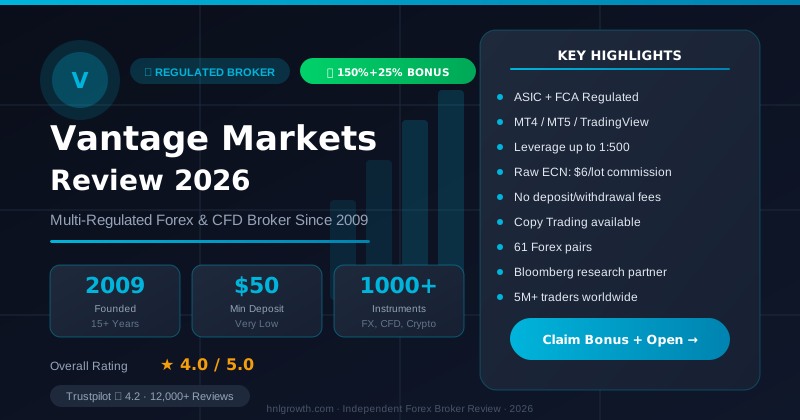
Vantage Markets is a multi-regulated forex & CFD broker (FCA, ASIC, FSCA, CIMA, VFSC, FSC) trusted by 5 million+ traders, with Raw ECN pricing from $3/lot, no deposit/withdrawal fees, and full MT4/MT5/TradingView support.
Risk disclaimer: Vantage Markets is a live, regulated broker — trading forex and CFDs is done with real capital under normal market risk (this is not a simulated prop-firm evaluation). CFDs and leveraged forex products are complex instruments and carry a high risk of losing money rapidly due to leverage; most retail investor accounts lose money trading these products. Consider whether you understand how CFDs/forex work and whether you can afford the high risk of losing your money. Affiliate disclosure: HNL Growth earns a commission when you open a Vantage Markets account through links on this page.