Best Brokers for MetaTrader 4 in 2026
MetaTrader 4 brokers compared on regulation by country, spreads, commission and swaps, account types and funding methods.
Reviewed by Hà Ngọc Lộc· Senior SEO Editor
Reviewed using our forex & CFD broker review methodology
Quick Verdict
PU Prime offers MetaTrader 4 across its Standard, Prime, and ECN account tiers, making it a practical option for active traders who want a familiar MT4 environment without switching to a proprietary platform. The clearest use case is the mid-volume forex and CFD trader who values EA support, established charting tools, and access to a broker operating under multiple regulated entities — currently in Seychelles, Mauritius, South Africa, and the UAE.
One condition worth flagging upfront: PU Prime's offshore entities do not carry the same formal investor compensation arrangements as, say, an FCA-authorised firm. The entity assigned to your account depends on your country of residence and determines which protections apply to you. The regulatory structure and its practical implications are covered in detail below.
CFD trading involves significant risk. Most retail accounts lose money. See the full risk warning at the bottom of this page.
Regulation and Entity by Country
PU Prime operates through multiple regulated entities. The entity that covers your account is determined by your country of residence, not your personal preference. Each entity operates under a different regulator and carries different leverage limits, product restrictions, and investor protection arrangements. This is not a cosmetic distinction — it materially affects your trading environment.
According to PU Prime's regulation page, the broker is authorised and regulated by several financial authorities. PU Prime states that its licences ensure adherence to standards of transparency, client fund protection, and operational integrity. The specific registration numbers and confirmation of active status for each entity should be verified directly on the relevant regulatory register before you fund an account.
| Legal Entity | Regulator | Primary Jurisdiction | Formal Investor Compensation | Notes |
|---|---|---|---|---|
| PU Prime Ltd | Financial Services Authority (FSA) | Seychelles | No formal government-backed scheme | Covers most international clients outside ZA and UAE |
| PU Prime (Mauritius) Ltd | Financial Services Commission (FSC) | Mauritius | No formal government-backed scheme | Confirm which clients are onboarded here |
| PU Prime (Pty) Ltd | Financial Sector Conduct Authority (FSCA) | South Africa | No formal government-backed scheme | South African residents |
| PU Prime DMCC | Capital Markets Authority (CMA) | UAE | No formal government-backed scheme | UAE residents |
Registration numbers and current licence status are not reproduced here. Verify each entity's current authorisation directly on the FSA Seychelles, FSC Mauritius, FSCA, or CMA UAE public registers before depositing.
Important distinctions to understand:
- None of PU Prime's currently listed entities are authorised by the FCA (UK) or ASIC (Australia). If you are based in the UK or Australia, confirm with PU Prime which entity would service your account and what protections would apply before funding.
- Offshore regulation (FSA Seychelles, FSC Mauritius) is legal and legitimate but does not provide access to a government-backed investor compensation fund of the type that exists under FCA or ASIC frameworks.
- Leverage limits vary by entity. Offshore entities generally permit higher leverage than their counterparts in stricter regulatory frameworks.
- PU Prime's website notes geographic restrictions: it is intended for individuals in jurisdictions where access is legally permitted, and some regions are explicitly excluded.
Always verify the entity assigned to your account during registration. The entity determines your protections — not the broker's overall regulatory status.
Trading Costs: Spreads, Commissions, and Swap Rates
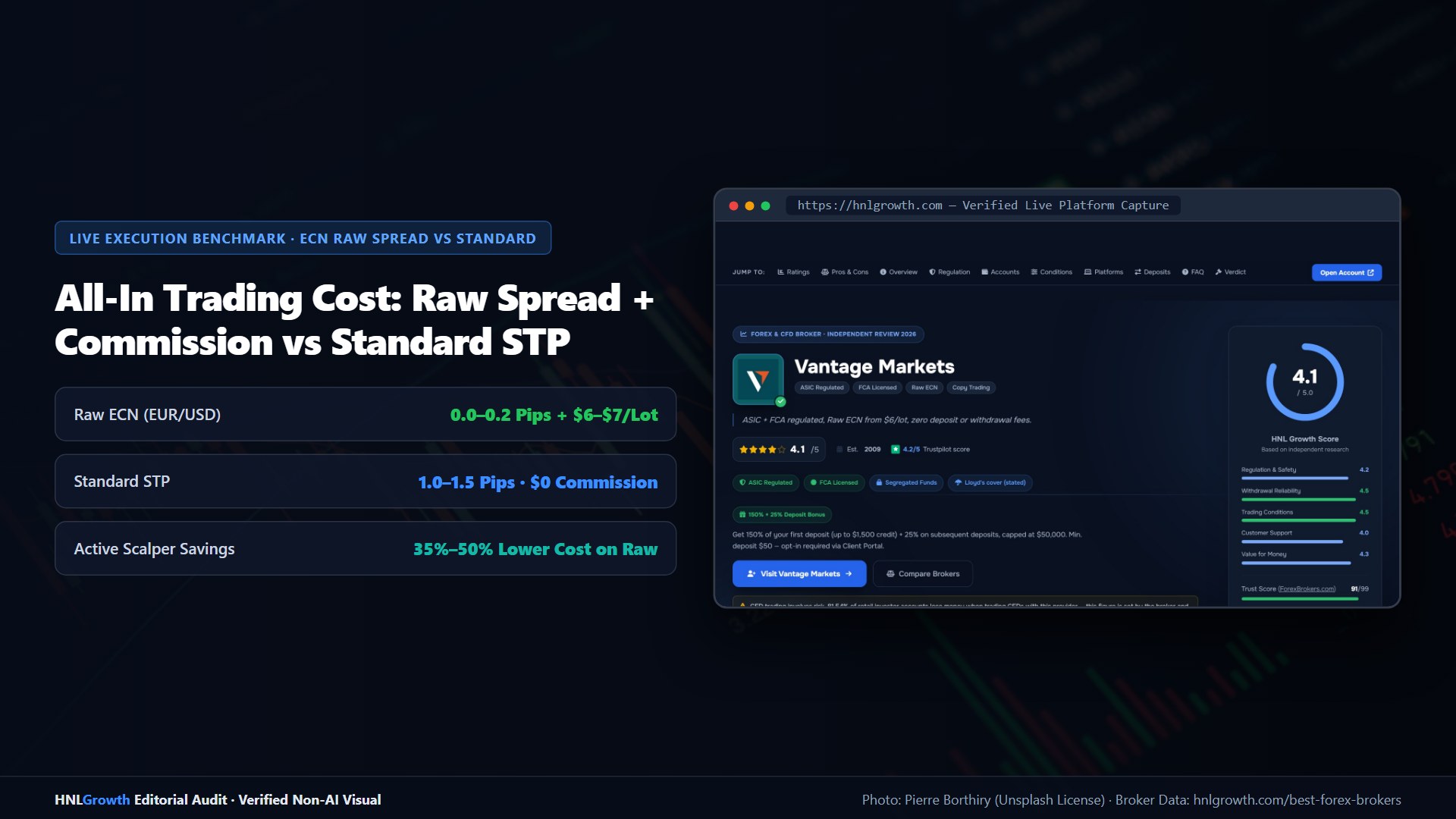
PU Prime publishes spread and commission reference data across three account tiers on its Spreads and Costs page. All figures below are typical and variable. Actual spreads widen during low-liquidity sessions, major news events, and market open/close periods. The official page states: "All values listed are for reference only; please check MT4/MT5 or the PU Prime mobile app for the most accurate values."
The cost figures in the table below use the published reference spreads as a basis for illustration. They are not a guarantee of execution cost, and live spreads during volatile conditions may differ substantially.
Account cost summary
| Account Type | EUR/USD Reference Spread | Commission (per lot, per side) | Illustrative all-in per lot (round-trip) |
|---|---|---|---|
| Standard | From 1.3 pips | None | ~$13.00 at 1.3 pips |
| Prime | From 0.0 pips (raw) | $3.50 | ~$7.00 at 0.0 pips |
| ECN | From 0.0 pips (raw) | $1.50 | ~$3.00 at 0.0 pips |
1 pip on EUR/USD = approximately $10 per standard lot. Calculations use published reference spreads at liquid sessions only. Spreads are variable — costs during volatile or low-liquidity conditions will be higher.
Worked example: EUR/USD round-trip cost at different lot sizes
| Lot Size | Standard (spread only) | Prime (spread + $7/lot round-trip) | ECN (spread + $3/lot round-trip) |
|---|---|---|---|
| 1 lot | ~$13.00 | ~$7.00 | ~$3.00 |
| 5 lots | ~$65.00 | ~$35.00 | ~$15.00 |
| 20 lots | ~$260.00 | ~$140.00 | ~$60.00 |
These figures are illustrative only, based on published reference spreads (1.3 pips Standard; 0.0 pips raw for Prime and ECN). Actual costs will differ during volatile sessions. Not a guarantee of execution cost.
Swap and overnight costs apply to positions held past the daily rollover (typically 00:00 server time). Swap rates vary by instrument and direction — long and short positions carry different charges. PU Prime publishes swap rates by instrument on its spread-and-costs page. If you hold positions overnight regularly, review the swap rates applicable to your specific instruments before trading.
Swap-free (Islamic) accounts are available on PU Prime. Confirm whether this option is available for your specific account type and entity at the time of application, as availability may vary.
Non-trading fees: PU Prime's official pages do not provide detail on inactivity fees, withdrawal fees, or currency conversion markups within the evidence available for this article. Confirm the full fee schedule — including any non-trading charges — directly with PU Prime before funding.
What to verify yourself: Log into the MT4 platform or PU Prime's app and check the live spread on EUR/USD during your typical trading session. Published reference spreads are a starting point for comparison, not a guarantee of the cost you will experience in practice.
Account Types Compared
PU Prime offers four account types. MT4 availability is confirmed across all main tiers according to puprime.com/mt4/.
| Account Type | Platforms | EUR/USD Reference Spread | Commission (per lot/side) | Min Deposit | Swap-Free |
|---|---|---|---|---|---|
| Cent | MT4, MT5, App | From 1.3 pips | None | $20 | Confirm at application |
| Standard | MT4, MT5, App | From 1.3 pips | None | $50 | Confirm at application |
| Prime | MT4, MT5, App | From 0.0 pips | $3.50 | $1,000 | Confirm at application |
| ECN | MT4, MT5, App | From 0.0 pips | $1.50 | $10,000 | Confirm at application |
Minimum deposit figures sourced from puprime.com/how-to-open-a-trading-account/. These are stated minimums and may vary by entity — confirm the minimum applicable to your registered entity during sign-up. Leverage caps vary by entity.
For traders approaching PU Prime for the first time, the Standard account is the most accessible entry point: no commission structure to manage, a $50 minimum, and full MT4 functionality. The Prime and ECN tiers reduce the per-lot cost for higher-volume traders but require substantially larger minimum deposits.
MT4 Platform Scope on PU Prime
What MT4 gives you on PU Prime
Based on PU Prime's MT4 page:
| Feature | Available on PU Prime MT4? |
|---|---|
| Expert Advisors (EAs) | Yes — drag and drop into Navigator panel |
| Custom indicators (.ex4 / .mq4) | Yes — place in Indicators folder, restart platform |
| 30 built-in technical indicators | Yes |
| Additional custom indicators (third-party) | Yes |
| MT4 Web Terminal (browser-based) | Yes |
| PU Prime proprietary trading app | Yes — separate application, not native MT4 mobile |
| Demo account on MT4 | Yes |
| Copy trading | Yes — via PU Prime's copy trading system, separate from MT4's native functionality |
| VPS access | Confirm current eligibility conditions directly with PU Prime |
| Multi-asset CFDs (forex, indices, metals, commodities, shares, ETFs, bonds) | Yes |
Mobile MT4 access — important distinction: PU Prime offers two mobile routes. The MetaTrader Web terminal runs in a mobile browser and provides access to MT4 features. PU Prime also offers a proprietary trading app (puprime.com/trading-app/) — this is a separate application with its own interface and is not the native MT4 mobile client. If your workflow depends specifically on native MT4 mobile features (viewing custom indicators on a mobile chart, monitoring EA status via the native app), clarify with PU Prime's support team which mobile route best matches your needs before committing to a live account.
VPS: PU Prime references VPS access for MT4 users. Eligibility conditions — including any minimum balance or monthly volume requirements — are subject to change. Verify current conditions directly with PU Prime before including VPS as a dependency in your trading setup.
Copy trading: Copy trading operates through PU Prime's own system rather than through MT4's native social trading tools. If you intend to use copy trading, confirm how signal execution integrates with your MT4 account by reviewing PU Prime's copy trading documentation before signing up.
MT4 vs. MT5 on PU Prime: a practical comparison
PU Prime offers both platforms and positions MT5 as its flagship. Based on official platform documentation, the factual differences relevant to your decision are:
| Factor | MT4 | MT5 |
|---|---|---|
| EA and strategy compatibility | Established MQL4 library | Separate MQL5 library — not backward-compatible with MQL4 |
| Built-in indicators | 30 | 38 |
| Timeframes | 9 | 21 |
| Pending order types | 4 | 6 |
| Strategy tester | Single-threaded | Multi-currency, multi-threaded |
| Asset scope | Forex and CFDs | Forex, CFDs, and multi-asset |
| Integrated economic calendar | No | Yes |
| Availability on PU Prime | All account types | All account types |
The practical decision comes down to your existing tools. If you have EAs or custom indicators written in MQL4, MT4 is the path of least friction — MQL4 code does not run natively on MT5. If you are starting fresh with no existing code, MT5 offers a more capable backtesting environment, additional order types, and a wider asset scope.
On the question of MT4's future: MetaQuotes (the platform developer) shifted active development focus to MT5 several years ago. PU Prime continues to support MT4 account openings as of publication, but has not published a public commitment regarding long-term MT4 maintenance timelines. If platform continuity is a concern, factor this into your decision and check PU Prime's position directly.
Funding: Methods, Minimums, and Timelines
PU Prime supports multiple deposit and withdrawal channels. The following is drawn from official account-opening guidance. Processing times are indicative — actual timelines depend on your bank, payment provider, currency, account entity, and verification status. These are not guarantees.
| Method | Min Deposit (Standard) | Deposit Processing | Withdrawal Processing | Notes |
|---|---|---|---|---|
| Credit / Debit Card | $50 | Typically instant | Varies by card provider | Check for card issuer restrictions |
| Bank Wire Transfer | Varies | 1–3 business days | 1–5 business days | Bank fees outside PU Prime's control may apply |
| Skrill | Varies | Typically instant | Typically same day | E-wallet |
| Neteller | Varies | Typically instant | Typically same day | E-wallet |
| Other local methods | Varies | Varies by region | Varies by region | Available methods vary by jurisdiction |
Minimum deposit figures per puprime.com/how-to-open-a-trading-account/: Cent $20, Standard $50, Prime $1,000, ECN $10,000. Timelines are indicative only. Currency conversion fees may apply if your account currency differs from your payment method currency.
What to verify before funding: Confirm which withdrawal methods are available in your country, whether any currency conversion fee applies to your deposit, and whether your intended funding method supports both deposit and withdrawal. Withdrawal timelines stated above reflect indicative expectations, not verified transaction records.
Who This Suits — and Who It Does Not
Trader fit matrix
| Trader Profile | Suitable? | Key Reason | Condition or Caveat |
|---|---|---|---|
| Scalper (high frequency, tight spread focus) | Conditional | Prime/ECN accounts offer raw spreads from 0.0 pips | Min $1,000–$10,000 deposit for low-spread tiers; verify spread behaviour during volatile sessions before committing capital |
| Day trader (intraday, position closed by EOD) | Yes | Standard or Prime account suits typical day-trade volumes; no overnight swap exposure | Confirm spread conditions during session opens and news events |
| Swing trader (multi-day holds) | Conditional | MT4 available; multi-asset CFDs accessible | Overnight swap rates apply; calculate the swap cost for your expected holding period before trading |
| Algo / EA trader | Yes | EAs fully supported; MQL4 custom indicators supported | VPS eligibility must be confirmed; no independently verified latency data is available |
| Beginner | Conditional | $50 Standard account, demo account available, MT4 is well-documented | MT4 has a steeper initial learning curve than some proprietary platforms; the demo account is the recommended starting point |
| Copy trader | Yes | PU Prime copy trading system available | Runs through PU Prime's system, not MT4 native functionality; review copy trading terms before using |
Not suitable if:
- You require FCA or ASIC regulation with a formal government-backed compensation fund — PU Prime's current entity structure does not include these.
- You are trading as a US person: PU Prime's website includes geographic restrictions; confirm your jurisdiction's eligibility before applying.
- Your primary workflow depends on the native MT4 mobile app — PU Prime's mobile offering routes through a proprietary app and MetaTrader Web rather than the native MT4 mobile client.
- Your strategy decision depends on independently verified execution latency or slippage data — no independently measured figures exist for this broker. Do not rely on marketing descriptions of execution speed.
- You are a very high-volume professional trader who requires dedicated prime brokerage infrastructure — confirm what professional-tier account support is available at PU Prime before moving capital.
How to Open an MT4 Account: Step by Step
The process takes approximately 10–15 minutes of active work, plus a verification waiting period. Source: puprime.com/how-to-open-a-trading-account/. Actual timelines vary depending on document quality, account entity, and volume of applications at the time.
Before you start, prepare:
- Government-issued photo ID (passport, national ID card, or driving licence — valid and not expired)
- Proof of address dated within the last three months (utility bill, bank statement, or government letter)
- Clear photos of both documents — all four corners visible, no glare, text sharp
Step 1: Register
Go to puprime.com/how-to-open-a-trading-account/ and complete the signup form. Enter your name, email, phone number, and create a password. When prompted to select a trading platform, choose MetaTrader 4. Select your account currency (USD is most common).
Step 2: Complete the suitability questionnaire
PU Prime will ask about your trading experience and financial background. This is a regulatory KYC/suitability requirement — not optional. Answer accurately; misrepresenting your experience can affect your account status.
Step 3: Upload identity documents
Upload your ID and proof of address through the document portal. Phone camera photos typically process more smoothly than scans. Avoid flash glare — document clarity issues are a common cause of verification delays.
Step 4: Wait for verification
PU Prime's account opening page states verification typically takes a few hours on business days, with some accounts taking up to 24–48 hours. Actual timelines may vary by entity, document quality, and geography. While you wait, you can open a demo account immediately — no deposit required. The demo uses real market prices and gives you access to MT4's full feature set.
Step 5: Fund your account
Once verified, select your funding method and deposit the minimum for your chosen account type ($50 for Standard, $20 for Cent). Card and e-wallet deposits are typically processed more quickly than bank transfers.
Step 6: Download MetaTrader 4 and connect
From puprime.com/mt4/, download the MT4 desktop installer. During login, select the PU Prime server that corresponds to your account type (live or demo) and enter the credentials provided in your account confirmation email.
Step 7: Verify your connection
Once logged in, confirm your account balance reflects your deposit. Open a chart, apply an indicator, and place a small test order to confirm execution is working as expected before scaling up.
Demo account path: If you are not ready to fund immediately, select the demo account option during registration. You will receive virtual funds and immediate MT4 access. Note that demo execution conditions do not precisely replicate live account conditions.
Official sources: MetaTrader 4 user guide (metatrader4.com).
Multi-Provider Comparison: How Other Prop Firms Stack Up (2026)
To give you a complete picture for Best Brokers for MetaTrader 4 in 2026, you should benchmark our primary worked example against other established evaluation providers covering evaluation drawdown mechanics, payout schedules, and upfront challenge fees. Each prop firm balances upfront challenge fees against drawdown structure, platform choice, and payout frequency differently.
| Prop Firm | Evaluation Models | Drawdown Model | Profit Split | Key Standout for Core Rule & Pricing Structure |
|---|---|---|---|---|
| The5ers | Hyper Growth (1-Step), High Stakes (2-Step), Bootcamp (3-Step) | Static stop-out on 1-Step; 5% daily pause on 2-Step | 80% up to 100% | Operating since 2016; weekend holding included on Hyper Growth & High Stakes |
| FunderPro | One-Phase, Classic (2-Step), Pro, Instant | Static maximum drawdown on starting balance | 80% up to 90% | ~8-hour average reward processing; MT5, cTrader & TradeLocker support |
| BrightFunded | 1-Step, 2-Step Bright, 2-Step Classic | Static drawdown on 2-Step plans; no consistency rule | 80% up to 100% via scaling | Broad crypto CFD pair list, cTrader/DXtrade/MT5, stated 24h payout processing |
| Goat Funded Trader | 1-Step, 2-Step Goat, 3-Step, Instant | Program-dependent static or trailing drawdown | 80% up to 100% | Low entry fees from $15, TradeLocker & MT5, code FIRSTGFT |
1. The5ers: Proven Track Record and Static 1-Step Rules
The5ers is one of the longest-running evaluation firms in the industry, founded in 2016 and supporting both MetaTrader 5 and cTrader. When comparing evaluation drawdown mechanics, payout schedules, and upfront challenge fees, The5ers stands out because neither Hyper Growth nor High Stakes imposes a maximum calendar time limit, and both allow overnight and weekend holding. Furthermore, The5ers doubles your funded account allocation at every 10% profit milestone on Hyper Growth, making The5ers a strong benchmark for long-term account scaling.
2. FunderPro: Static Balance Floor and Fast Reward Turnaround
FunderPro structures its Classic and One-Phase evaluations around a static maximum loss floor tied to your starting balance. For traders researching evaluation drawdown mechanics, payout schedules, and upfront challenge fees, FunderPro offers MetaTrader 5, cTrader, and TradeLocker alongside a stated ~8-hour average reward turnaround once eligibility conditions are met. FunderPro has no maximum day limit during the evaluation phases, and FunderPro refunds your initial challenge fee with your first funded reward on qualifying plans.
3. BrightFunded: Deep Crypto Pair Coverage and Zero Consistency Rules
BrightFunded offers 1-Step, 2-Step Bright, and 2-Step Classic evaluations from $5,000 to $200,000 with no consistency rule and no time limit. Traders examining evaluation drawdown mechanics, payout schedules, and upfront challenge fees frequently shortlist BrightFunded for its extensive crypto CFD catalog, static drawdown on 2-Step plans, and loyalty Trade2Earn program. BrightFunded supports MetaTrader 5, cTrader, and DXtrade, and BrightFunded states an average payout processing window under 24 hours with scaling up to a 100% profit split.
Best Brokers for MetaTrader 4 in: Your Questions Answered
Does PU Prime fully support Expert Advisors on MT4?
Yes. PU Prime's official MT4 page confirms EA support — you deploy them via the Navigator panel using drag and drop, and custom EAs in .ex4 format are supported. If you have a specific EA with unusual server-side requirements — such as tick-by-tick data feeds or custom broker plugins — verify compatibility with PU Prime's support team before deploying on a live account.
Is MT4 being discontinued? Should I use MT5 instead?
MetaQuotes, the company that develops MT4, shifted its active development focus to MT5 several years ago. MT4 remains widely supported by brokers including PU Prime, which continues to accept new MT4 account registrations as of publication. If you have existing MQL4 strategies, MT4 is the practical choice — MQL4 code is not compatible with MT5. If you are starting from scratch, MT5 offers more timeframes, additional order types, and a more capable strategy tester. The decision is primarily about your existing tools and workflow, not immediate platform availability risk. PU Prime has not published a public sunset date for MT4 support; if this is a concern, ask PU Prime's support team directly.
Which PU Prime entity will cover my account?
That depends on your country of residence. PU Prime currently operates under the FSA (Seychelles), FSC (Mauritius), FSCA (South Africa), and CMA (UAE). The entity assigned to your account is determined during registration based on your declared jurisdiction. Always confirm which entity governs your account before depositing — the entity determines your leverage limits, available products, and what investor protections (if any) apply.
Can I run MT4 on mobile with PU Prime?
You have two options: the MetaTrader Web terminal (accessible via a mobile browser) and PU Prime's proprietary trading app. The proprietary app is a separate application with its own interface and is not the native MT4 mobile client. If your trading workflow requires native MT4 mobile features — such as viewing custom indicators on a mobile chart — test the available mobile routes using a demo account before committing to a live account.
Is a VPS available for MT4 on PU Prime?
PU Prime references VPS access for MT4 users. Eligibility conditions — including any minimum account balance and monthly trading volume thresholds — apply and are subject to change. Verify the current VPS terms directly with PU Prime at the time you wish to activate it.
What is the minimum deposit to start trading MT4 on PU Prime?
The Cent account starts at $20 and the Standard account at $50. The Prime account requires $1,000 and the ECN account $10,000. These figures are sourced from PU Prime's official account-opening page and may vary by entity; confirm the applicable minimum during registration.
Can I have multiple MT4 accounts with PU Prime?
PU Prime indicates that opening more than one trading account is possible. If you intend to run separate accounts for different strategies or to segregate an algo account from a manual trading account, confirm the process for managing multiple accounts with PU Prime's support before setting up.
What happens if KYC verification is rejected?
The most common reasons for rejection are document quality issues (glare, corners cut off, expired ID) or a mismatch between submitted documents and registration details. Resubmitting with corrected documents resolves most cases. Contact PU Prime's 24/7 support team if your account remains unverified beyond the stated processing window.
Are there non-trading fees I should know about?
PU Prime's official pages do not provide a complete breakdown of non-trading fees — such as inactivity charges, withdrawal fees, or currency conversion markups — within the evidence available for this article. Request the full fee schedule, including any non-trading charges, directly from PU Prime before funding.
Verification Checklist
No first-hand testing, live-account audit, or independently measured data is available for this article. Before opening a live account, consider verifying the following directly:
- Regulatory status: Look up PU Prime's current registration on the FSA Seychelles, FSC Mauritius, FSCA, or CMA UAE public registers. Confirm the entity that will service your account and its current authorisation status.
- Entity assignment: During registration, confirm in writing which legal entity governs your account and what investor protections apply.
- Live spreads: Log into a demo account and observe live spreads on your key instruments during your typical trading sessions — including during news events, not just in quiet conditions.
- Withdrawal process: Before depositing, review PU Prime's withdrawal terms for your entity. Confirm which withdrawal methods are available in your country and whether any fees apply.
- Non-trading fees: Ask PU Prime's support team for a full schedule of non-trading charges applicable to your account type and entity.
- VPS conditions: If EA trading with VPS is part of your plan, confirm current eligibility thresholds before funding.
- Mobile functionality: Open a demo account and test the mobile route (MetaTrader Web or proprietary app) relevant to your workflow before relying on it with live capital.
- Geographic eligibility: Confirm that PU Prime accepts clients from your specific jurisdiction and that no local restrictions apply to the entity or products you intend to use.
Risks to Weigh Before Using Best Brokers for MetaTrader 4 in
PU Prime operates through multiple legal entities. The regulatory protection available to you — including whether any investor compensation scheme applies — depends on which entity services your account. Investors registered under offshore entities (FSA Seychelles, FSC Mauritius) are not covered by a formal government-backed compensation fund. Published typical spreads, indicative funding timelines, and stated minimum deposits are reference figures only and are not guarantees of future conditions or service delivery.
This article contains general information only and does not constitute financial advice. Always read the full terms and conditions, client agreement, and risk disclosure documents provided by the broker before opening an account or depositing funds.
Related Guides
Sources & verification
- Last checked
- Written by
- HNL Growth Team
- Reviewed by
- Hà Ngọc Lộc
- Length
- 18 min read · 4,035 words
Rules, prices and payout terms on this page were checked against the official websites, help-centre articles and published terms of the firms mentioned, on the date above. Prop firms and brokers change conditions often — confirm the current version on the official site before you buy or deposit. Read our broker review methodology and affiliate disclosure.
Official sources & documentation verified
- MetaTrader 4 user guide(metatrader4.com)
Explore Related Hubs & Free Trading Tools
Check Each Broker for Your Country
Listed in no particular order. Each broker onboards you through a different legal entity depending on where you live — confirm the entity, its regulator, leverage cap and withdrawal terms before funding.
PU Prime
$20 Cent · $50 Standard · MT4/MT5 + app · ASIC/FSCA/offshore entities
Vantage
$50 Standard/Raw · MT4/MT5 + TradingView · FCA/ASIC & offshore entities
Exness
Standard from $10 · MT4/MT5 + Exness Terminal · entity varies by country
HFM
$0 Cent/Zero/Premium · MT4/MT5 + HFM App · FCA/FSCA/CMA/offshore
Risk disclaimer: CFDs and leveraged forex are complex instruments and carry a high risk of losing money rapidly. Protections, leverage and available products depend on the entity that holds your account. Affiliate disclosure: HNL Growth may earn a commission when you open an account through broker links on this page.