Best Forex Demo Accounts in 2026
Best Forex Demo Accounts in 2026. An independent, fact-checked look at Vantage Markets for traders evaluating this broker.
Reviewed using our forex & CFD broker review methodology
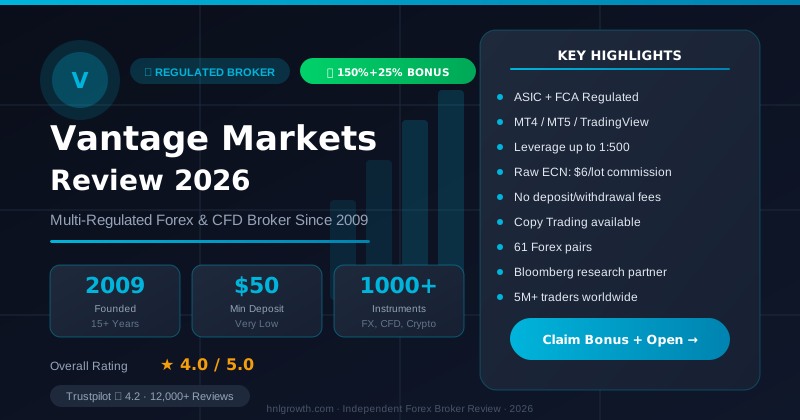
A forex demo account lets you practise placing trades using simulated money on real-time market prices, so you can learn how a broker's platform works without risking a single pound or dollar of your own. Think of it like a flight simulator for pilots: the instruments and readings behave like the real thing, but nothing crashes for real if you get it wrong. For a beginner deciding which broker's demo is worth their time, the real question isn't just "which one is free" (most are), but which one gives you enough virtual funds, the right platform, and an honest picture of what changes once real money is involved.
This guide focuses on what a good demo account should offer and uses Vantage Markets' publicly documented details as a concrete worked example—covering the account types, virtual balance options, platform access, and the gap between demo and live conditions that most guides underplay.
What Makes a Good Demo Account
A demo account is a simulated trading environment. You sign up, receive a pool of virtual funds, and place trades on live or near-live market prices without any real money changing hands. According to Vantage's own description, a demo account "allows you to practice trading without the need for real money" and enables you to "become familiar with our trading platform before transitioning to live trading."
For a beginner, a demo account is genuinely useful for:
- Getting used to a trading app's layout on your phone before managing real positions
- Practising how to open a trade, set a stop loss, and close a position
- Seeing how prices move on a live chart during market hours
- Testing whether a platform's mobile app feels intuitive, or clunky under pressure
It is less useful as a way to prove you will be profitable once real money is on the table. As Vantage states directly in its own help centre, "trading conditions in a demo account may differ from live market conditions, including execution speed, slippage, market liquidity, and pricing," which means "performance in a demo account may not reflect real trading outcomes." This caveat applies to demo accounts generally, not only Vantage's.
A good demo account should, at minimum, give you: a realistic amount of virtual capital to work with, access to the same or a similar platform you would use live, and real-time pricing rather than delayed data. If a broker does not disclose these details clearly on its own website, treat that as a gap rather than an assumption in their favour.
Vantage Demo Account: What the Official Sources Confirm
Disclosure: This page may contain affiliate links. We may earn a commission if you open an account through our links, at no extra cost to you.
Rather than ranking brokers without independent verification, this section uses Vantage's publicly available pages as a concrete reference for what to look for on any broker's demo. The details below are drawn from Vantage's demo account page and help centre article on demo account types.
Account types available in demo: Standard STP and RAW ECN—mirroring the structure of Vantage's live accounts.
Virtual balance options: Selectable at $1,000, $2,500, $5,000, $10,000, $25,000, $50,000, or $100,000.
Account currencies: USD, GBP, EUR, and HKD.
Leverage: Listed as "various options available" in demo. Note that live retail accounts are subject to regulatory leverage caps that may differ from the options shown in a demo environment; check the applicable terms for your jurisdiction before drawing conclusions from what you see in the demo.
Instruments accessible: Vantage's demo page lists forex, indices, gold and silver, and other CFD products. The figure of 900+ tradable instruments is referenced on Vantage's mobile app and platform pages; the specific count available within the demo environment is not separately confirmed on the demo pages reviewed here, so treat it as indicative rather than a guaranteed demo-specific number.
Open a free Vantage demo account and use the table below to judge whether what you find matches what this guide describes.
| What to check | Vantage Markets (from official pages) |
|---|---|
| Virtual fund options | $1,000–$100,000, selectable at signup |
| Account currencies | USD, GBP, EUR, HKD |
| Demo account types | Standard STP, RAW ECN |
| Leverage in demo | Various options; note live retail caps may differ—verify for your jurisdiction |
| Reset or top-up policy | Not publicly specified in sources reviewed; confirm directly with support |
| Time limit on the demo | Not publicly specified in sources reviewed; confirm before assuming it is indefinite |
| Deposit required to open | Not explicitly stated on demo pages reviewed; confirm at sign-up, since practices vary |
| Platforms confirmed for demo | MT4 (confirmed via help centre); Vantage App (confirmed with up to $100,000 virtual credit) |
| MT5 and TradingView in demo | Listed as live trading platforms; demo parity not explicitly confirmed in sources reviewed—verify in the sign-up flow |
Entity and jurisdiction note: The Vantage pages used as sources here are hosted on vantagemarkets.co.uk and carry a notice that Vantage and its affiliated entities may not operate in your home jurisdiction. The account types, deposit conditions, and regulatory protections available to you will depend on which legal entity you are actually onboarded to. Always check which entity and licence applies to your location before opening any account.
When comparing any other broker's demo, look for the same categories on their own site: exact virtual balance options, which platforms the demo runs on (not just the live platforms), whether there is an expiry date, and whether a deposit is required somewhere in the sign-up flow. If a broker's site does not address these points, treat the gaps as gaps rather than filling them in from review sites or forums.
How Other Brokers' Demo Accounts Compare
Vantage isn't the only broker with a usable demo, and it shouldn't be treated as an automatic default. The table below applies the same categories used above to seven brokers commonly shortlisted alongside Vantage. These figures are drawn from general industry patterns and were not independently re-verified against each broker's live demo sign-up flow for this article — treat every cell as a starting point and confirm directly on the broker's own demo page before relying on it.
| Broker | Typical virtual balance options | Demo platforms | Reported expiry/reset policy | Notes |
|---|---|---|---|---|
| Vantage Markets | $1,000–$100,000, selectable | MT4 confirmed; MT5/TradingView demo parity not confirmed | Not publicly specified; confirm with support | See detailed breakdown above |
| IG Group | Commonly a fixed virtual balance (e.g., around £10,000/$10,000-equivalent) | Proprietary web/mobile platform | Often time-limited (commonly 14–30 days on some account types); not independently verified for this article | Confirm current terms on IG's own demo page |
| Pepperstone | Commonly a fixed or selectable virtual balance | MT4, MT5, cTrader | Reported as commonly reset-able or renewable; not independently verified | Confirm on Pepperstone's own demo sign-up |
| IC Markets | Commonly a fixed or selectable virtual balance | MT4, MT5, cTrader | Reported as commonly running for a set trial period, extendable on request; not independently verified | Confirm on IC Markets' own demo sign-up |
| XM Group | Commonly selectable virtual balance tiers | MT4, MT5 | Reported as commonly unlimited/renewable; not independently verified | Confirm on XM's own demo sign-up |
| XTB | Commonly a fixed virtual balance | Proprietary xStation 5, MT4 | Reported as commonly time-limited (e.g., around 30 days); not independently verified | Confirm on XTB's own demo page |
| eToro | Commonly a fixed virtual balance (e.g., around $100,000-equivalent) | Proprietary web/mobile platform | Reported as commonly unlimited while the account remains active; not independently verified | Confirm on eToro's own demo page |
| AvaTrade | Commonly a fixed or selectable virtual balance | MT4, MT5, proprietary AvaTradeGO | Reported as commonly time-limited (e.g., around 21 days) unless a live account is also opened; not independently verified | Confirm on AvaTrade's own demo page |
How to use this table honestly: none of the "not independently verified" figures should be treated as facts — they're a starting shortlist of names to check yourself, using the same checklist (virtual balance, platform, expiry, deposit requirement) applied to Vantage above. Vantage is documented in more depth in this article because it publishes this site and its demo terms were directly sourced and cited; that is a transparency choice, not a claim that its demo is superior to the other seven.
Open a free Vantage demo account to test the documented figures above, or run the same verification checklist against any of the other brokers listed before deciding where to practise.
Virtual Funds and Live Deposits: A Gap Worth Understanding
The virtual balance you start with shapes how realistically you can practise position sizing. Starting with $100,000 in a demo and trading the same lot sizes you would use with a $500 live account teaches very little about managing real risk. If you are planning to eventually trade live with a modest amount, select a virtual balance in the demo that is closer to what you would actually deposit, rather than the largest option available.
This points to a distinction that is easy to miss: demo virtual funds and live minimum deposits are not the same figure and should not be treated as comparable. Vantage's account guide confirms a minimum deposit of USD $50 for the RAW ECN account, and $0 in deposit fees for funding once a live account is open. Verify the minimum deposit for any account type you are considering directly on the relevant account page or with Vantage's support, since live account terms should always be read from the official terms rather than inferred from a demo sign-up flow.
On time limits and resets: where a broker does not state an expiry or reset policy on its own site, do not assume the demo is either permanent or temporary—ask their support team directly before building a study plan around the demo.
Platform and App Support
For a mobile-first beginner, the platform a demo runs on matters as much as the virtual funds themselves. There is little point getting comfortable with a desktop-only demo if you plan to trade almost entirely from your phone.
Vantage's trading platform page and step-by-step guide describe several platform options:
- MetaTrader 4 (MT4): A widely used platform with three execution modes, multiple order types, 30 built-in technical indicators, and support for Expert Advisors. Vantage's help centre confirms that demo accounts can be connected to MT4.
- MetaTrader 5 (MT5): Offers more timeframes, additional charting tools, and MQL5-based automated strategy support. Listed among Vantage's live trading platforms; demo parity is not explicitly confirmed in the sources reviewed here—check in the sign-up flow.
- TradingView: Integrated charting with a large indicator and drawing tool library, described as supported for live trading on Vantage's platform page. Demo access is not separately confirmed in the sources reviewed here.
- Vantage App and web trading: The Vantage App is explicitly confirmed to include demo access with up to $100,000 in virtual credit, alongside market commentary and instrument access. The web trading platform is described as browser-based with TradingView charts and no download required; demo availability in the web interface should be confirmed at sign-up.
If you are mainly going to trade from your phone, test the core actions yourself before assuming the app will suit you: how easy it is to find an instrument, open a trade, and set a stop loss with your thumb rather than a mouse. App store ratings can provide a rough directional sense of user satisfaction, but they are not a substitute for testing the specific actions you will actually need.
Demo vs Live: What Changes When Real Money Is Involved
This is the part beginners most commonly underestimate. A demo account teaches you the mechanics of trading. It does not fully replicate what trading with real money feels like.
Execution and pricing. Vantage states directly that demo conditions "may differ from live market conditions, including execution speed, slippage, market liquidity, and pricing," and that demo performance "may not reflect real trading outcomes." In practice, a demo trade may fill instantly at the exact price you clicked, while a live trade during a fast-moving news event may fill a moment later at a slightly different price. That difference is normal, not a sign that the platform is broken—but it is worth understanding before going live.
Psychology. No demo fully replicates the psychological weight of real loss. The awareness that a bad trade costs real money can change decision-making in ways that a simulated loss simply does not—for example, the impulse to hold a losing position longer than planned, or to increase size to recover quickly. Recognising this in advance does not remove the effect, but it helps you notice it when it happens.
Fees and costs. Demo accounts do not necessarily replicate every live cost precisely, particularly overnight financing charges and any commission-based differences between account types. Always verify a broker's actual fee structure on its live account terms rather than assuming the demo reflects it exactly.
| Factor | In demo | In live |
|---|---|---|
| Execution speed | Typically fast and consistent | Can vary, especially during volatility or news events |
| Spreads and slippage | May not fully replicate live conditions | Reflects real liquidity and market depth, which can shift |
| Emotional pressure | Minimal, since no real money is at risk | Present, and can influence decisions under stress |
| Fees | May not mirror every live cost precisely | Reflects actual account terms; always confirm before going live |
| Leverage available | Various demo options; may not match regulated live caps | Subject to regulatory limits applicable to your entity and jurisdiction |
How to Test a Demo Account Properly
Rather than opening a demo and clicking around without a plan, a short structured approach helps you actually validate the skills you will need.
Readiness checklist:
| Skill or behaviour to validate | Self-check |
|---|---|
| You can find an instrument and open a trade without hesitating | Yes / No |
| You have placed and adjusted a stop loss on a live position | Yes / No |
| You have tested the mobile app for core actions, not just the desktop version | Yes / No |
| You have practised across more than one market condition (e.g. a quiet session and a volatile one) | Yes / No |
| You understand roughly what spreads and any commissions would cost on a live account | Yes / No |
| You have noticed how you react emotionally to a losing streak, even in demo | Yes / No |
If most of these are still a "No," that means there is more to practise before considering a live account—not that you have failed. There is no verified data showing that demo performance predicts live trading success, so treat the demo as a mechanics and confidence check, not a scorecard for future profitability.
A practical first-trade workflow for mobile:
- Register for the demo and select a virtual balance close to what you would realistically deposit live
- Open the mobile app and log in
- Search for an instrument you are interested in, such as a major currency pair
- Review the current price and chart before deciding on direction
- Open a small trade size, well below the maximum your virtual balance allows
- Set a stop loss immediately, to build the habit of protecting downside from the start
- Monitor the position and practise closing it manually, rather than only letting it run
Repeating this across different market conditions, rather than once, is what builds genuine familiarity.
Who a Demo Account Is Not For
A demo account is not a reliable tool for proving a strategy will be profitable with real money, since it does not fully replicate live execution, costs, or the psychological weight of real losses. It is also not a substitute for understanding how leverage and margin work with real capital—the consequences of a margin call feel very different when it is your own money on the line. If you are not yet comfortable with basic order types, or you do not understand how spreads and commissions affect a trade's outcome, continue researching before treating a demo as your final step before going live.
Frequently Asked Questions
Is demo trading accurate compared to live trading? It is a reasonable approximation for learning how a platform works and how prices move. However, Vantage states directly that execution speed, slippage, and liquidity in a demo may differ from live conditions, and that demo performance may not reflect real trading outcomes. This caveat is worth applying broadly, not just to one broker.
Do demo accounts have time limits? This varies by broker and is not always published clearly. Rather than assuming a demo is either permanent or temporary, confirm with the broker's support team before building a study plan around it.
Can you withdraw money from a demo account? No. Virtual funds are simulated and have no monetary value. There is nothing to withdraw, and any profit or loss shown stays entirely within the simulated environment.
Do demo accounts charge fees? Opening and using a demo account is typically free, since it does not involve real transactions. Any spreads or commissions shown in a demo are there to give you a sense of live account costs, not actual charges.
Do I need to deposit to open a demo account? The demo pages reviewed here describe the demo as a separate simulated environment that does not require funding a live account. Confirm this on the specific sign-up flow you use, since practices can vary between brokers and between entities.
Can I switch from demo to a live account easily? Typically, yes. Most brokers allow you to register for a live account separately and begin trading once it is funded. The demo and live account do not share balances or history; what carries over is only your familiarity with the platform.
How long should I stay on a demo before going live? There is no universal rule and no verified data on an optimal timeframe. The readiness checklist above is a more useful guide: once you can execute trades confidently, manage a stop loss without hesitation, and have thought through how you would respond to a real loss, you are in a better position to consider a live account at a scale you are genuinely comfortable with.
Is a demo account the same as a live account? No. The platform interface and instrument access are usually similar, but real execution conditions, costs, applicable leverage limits, and the psychological weight of risking actual money all differ. Treat the demo as preparation, not a preview of guaranteed outcomes.
Before You Consider a Live Account
Once you have worked through the checklist above and feel genuinely comfortable with the platform's mechanics, a live account may be a reasonable next step—but only when you are ready, not because a demo has an expiry date or because a guide says you should be. Start with an amount you could afford to lose without financial stress, and verify the current minimum deposit and fee structure for the account type you are considering directly on Vantage's site, since live account terms should always be read from the official source.
If you are ready to explore your options, you can compare Vantage account types and open a live account to review the Standard STP and RAW ECN accounts and the conditions that apply to your region.
HFM Demo: Multi-Platform Testing Option
HFM is another broker worth adding to your demo shortlist. Its demo account runs on MetaTrader 4, MetaTrader 5, and the HFM App, and users can open a Demo trading account directly within the HFM App after downloading it from Google Play or the App Store, according to HFM's official app documentation. The same account syncs across WebTrader, MetaTrader, and the HFM App, so trades opened on one platform appear on the others in real time — useful if you plan to test both desktop and mobile workflows before funding a live account.
| Broker | Platforms | EUR/USD Spread (indicative) | Mobile App | Key Regulators |
|---|---|---|---|---|
| HFM | MT4, MT5, HFM App | From 0.5 pips | HFM App (iOS/Android) | CySEC (EU), FSCA (South Africa), FSA (SVG) |
Confirm specific virtual balance and demo duration on HFM's registration page, since these vary by entity and jurisdiction. Open a free HFM demo account to test both the desktop and mobile workflow before funding a live account.
Editorial Verification Process
Broker facts in this comparison are checked against each broker's official documentation and public regulator registers, using our 7-criteria broker review methodology. This ranking is based on published terms, conditions, and regulatory status — not a funded live-account test of every broker listed. Where we discuss Vantage specifically, see our broker review methodology for the full source hierarchy and what "verified" means on this site.
Risk warning: CFDs and leveraged forex products are complex and carry a high risk of losing money. Check the terms, entity and protections that apply to your jurisdiction before trading.
Related Vantage Markets Guides
Ready to Trade with Vantage Markets?
Vantage Markets is a multi-regulated forex & CFD broker (FCA, ASIC, FSCA, CIMA, VFSC, FSC) trusted by 5 million+ traders, with Raw ECN pricing from $3/lot, no deposit/withdrawal fees, and full MT4/MT5/TradingView support.
Risk disclaimer: Vantage Markets is a live, regulated broker — trading forex and CFDs is done with real capital under normal market risk (this is not a simulated prop-firm evaluation). CFDs and leveraged forex products are complex instruments and carry a high risk of losing money rapidly due to leverage; most retail investor accounts lose money trading these products. Consider whether you understand how CFDs/forex work and whether you can afford the high risk of losing your money. Affiliate disclosure: HNL Growth earns a commission when you open a Vantage Markets account through links on this page.