Best Forex Trading Apps in 2026
Best Forex Trading Apps in 2026. An independent, fact-checked look at Vantage Markets for traders evaluating this broker.
Reviewed using our forex & CFD broker review methodology
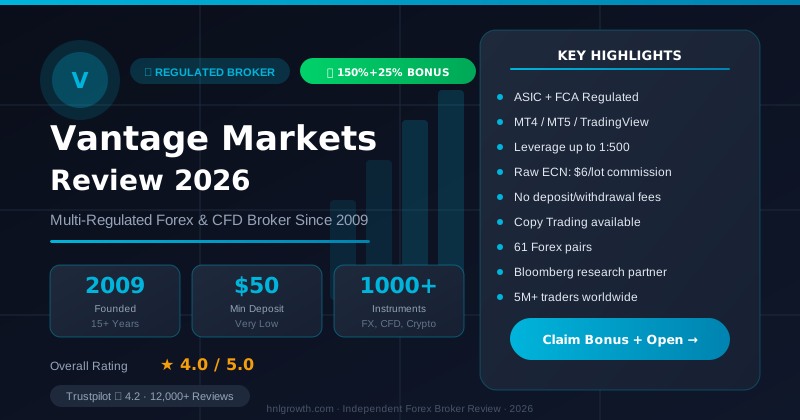
There's no single best forex trading app that fits every trader. The right choice depends on which terminal you already use or want to learn (MT4, MT5, cTrader, or a broker's own proprietary app), how you place and manage orders on a small screen, and whether the broker's funding and account setup match your region. This guide sets out the criteria worth checking before you shortlist any app, then walks through what's officially confirmed for Vantage Markets' own platform lineup as a concrete example, plus a neutral checklist for comparing any other app on the same terms.
Because "best" is conditional, this article doesn't rank a top 10 forex trading app list. Instead it groups apps by trader type and platform preference, so you can match your own workflow to a platform before opening a demo or live account.
What Makes a Forex Trading App Worth Using in 2026
Before comparing any apps, it helps to agree on what actually matters for mobile trading. These are the factors worth checking against a broker's own platform or app-store page, not a marketing summary:
- Terminal compatibility. Does the app support the terminal you already use (MT4, MT5, cTrader) or only a proprietary in-house app? If you run Expert Advisors or custom indicators on desktop MT4/MT5, confirm what's actually available on the mobile version before assuming full parity.
- Charting and order tools on mobile. Indicator counts, drawing tools, and order types are often reduced on phone screens compared with desktop. Check this per platform rather than per broker generally.
- Funding options and minimums. Deposit and withdrawal methods, processing times, and minimum amounts vary by legal entity and region, even within the same broker group.
- Copy trading support. Only rely on copy trading if the broker's own app or platform page explicitly documents it. Many "social trading" claims describe a separate web feature, not the mobile app itself.
- Security basics. Biometric login, two-factor authentication, and encryption should be documented by the broker, not assumed because "most apps have it now."
- Beginner accessibility. Demo account size, whether it mirrors live-account instrument access, and how much friction exists between signup and first trade.
A short methodology note: the platform specifics in this article for Vantage Markets are drawn directly from Vantage's own trading platform page. No live trading, deposit, or withdrawal was carried out for this article, and no execution speed, spread, or performance figure is claimed as tested. Where a detail (such as minimum deposit or specific licensing entity) isn't confirmed on those pages, this article says so explicitly rather than filling the gap with an assumed number. For any other broker, the same standard applies: check that broker's own platform and pricing pages before treating a spec as current.
Shortlist: How to Compare Forex Trading Apps by Platform Type
Rather than a ranked list of named apps with invented spread and commission figures, it's more useful to think in terms of platform categories, since that's what actually determines whether an app fits your workflow.
MetaTrader apps (MT4/MT5). These are the most widely supported third-party terminals in forex. If a broker offers MT4 and/or MT5 mobile apps, you get a consistent interface across brokers, which matters if you already trade with one broker and are evaluating a second. Confirm indicator counts, timeframes, and Expert Advisor support directly on the broker's platform page, since these can vary by build and broker configuration.
cTrader apps. Less universal than MetaTrader but favoured by some active traders for order-book depth and algo support via cAlgo. Availability is broker-specific; don't assume a broker offers cTrader just because it offers MT4/MT5.
Proprietary apps. Built and controlled entirely by the broker. These can offer a more integrated experience (research, account management, and trading in one app) but tie you to that broker's specific tools if you switch providers later. Vantage's own proprietary offering includes a mobile app that provides market commentary and news, plus a demo account with $100,000 in virtual credit, according to Vantage's trading platform page.
Browser-based / web trading. No download required, and increasingly used as a companion to a mobile app rather than a replacement. Vantage's web trading platform is built on TradingView charting and offers seven position-closing options and continuity across web, mobile, and desktop sessions, per Vantage's trading platform page.
TradingView-integrated trading. A growing category where a broker connects TradingView's charting directly to live order execution. Vantage's implementation gives access to more than 100 indicators, over 90 drawing tools, a Bar Replay feature for reviewing historical price action, and Pine Script for building custom indicators and strategies, according to the same trading platform page.
Vantage's own lineup spans several of these categories at once:
| Platform | Category | Mobile access | Confirmed features (per Vantage) |
|---|---|---|---|
| Vantage mobile app | Proprietary | Native mobile app | Market commentary and news, $100,000 demo credit, access to 900+ instruments |
| Vantage Web Trading | Proprietary web | Mobile browser | TradingView charts, seven closing options, cross-device session continuity |
| MetaTrader 4 (MT4) | Third-party terminal | MT4 mobile app | 30 built-in indicators, 2,000+ free custom indicators, 9 timeframes, MQL4 EA support |
| MetaTrader 5 (MT5) | Third-party terminal | MT5 mobile app | 38 built-in indicators, 44 graphical objects, 21 timeframes, MQL5 EA support |
| TradingView (via Vantage) | Third-party charting/execution | TradingView app or browser | 100+ indicators, 90+ drawing tools, Bar Replay, Pine Script |
Source: Vantage trading platform page.
If you're evaluating brokers outside this list, run the same check against each one's own platform page rather than relying on a secondary comparison site, since terminal availability and feature counts change between providers and even between account types at the same broker.
Disclosure: This page may contain affiliate links. We may earn a commission if you open an account through our links, at no extra cost to you.
Forex Trading App Shortlist: 7 Names to Compare Against Vantage
The platform-category breakdown above uses Vantage as a worked example because those specs are directly sourced and cited from its own platform page. To make this a genuine comparison rather than a single-broker feature list, the table below places seven other apps commonly researched by mobile-first forex traders alongside Vantage. Non-Vantage figures reflect general industry patterns and were not independently re-verified against each broker's current app-store listing or platform page for this article — verify every non-Vantage row directly before treating it as current.
| App / Broker | Terminal(s) on mobile | Proprietary app | Copy trading documented | Demo credit (typical) |
|---|---|---|---|---|
| Vantage Markets | MT4, MT5, TradingView (execution) | Yes — Vantage App | Not documented on official pages reviewed | $100,000 |
| eToro | Proprietary only (no MT4/MT5) | Yes — eToro app, built around CopyTrader | Yes — CopyTrader is the app's core feature | Commonly a fixed amount (e.g., around $100,000-equivalent); not independently verified |
| Pepperstone | MT4, MT5, cTrader | Yes — Pepperstone app (account management, not full charting) | Via third-party integrations (e.g., cTrader Copy); not independently verified for this article | Not independently verified |
| IC Markets | MT4, MT5, cTrader | Yes — IC Markets app (account management) | Via cTrader Copy; not independently verified for this article | Not independently verified |
| XTB | Proprietary (xStation 5), MT4 | Yes — xStation mobile | Not typically a core feature; not independently verified | Not independently verified |
| Plus500 | Proprietary only | Yes — Plus500 app | Not typically documented as a core feature; not independently verified | Not independently verified |
| AvaTrade | MT4, MT5, proprietary AvaTradeGO | Yes — AvaTradeGO | Via DupliTrade/ZuluTrade third-party integration; not independently verified for this article | Not independently verified |
| OANDA | Proprietary, MT4 (region-dependent) | Yes — OANDA app | Not typically a core feature; not independently verified | Not independently verified |
How to read this table: copy trading is the clearest differentiator among these eight names — eToro's app is built around it, while Vantage's official platform pages (reviewed for this article) don't document a copy trading feature at all. If copy trading is your priority, that alone may point you away from Vantage and toward eToro or a broker with confirmed cTrader Copy support. Terminal choice is the second differentiator: MetaTrader loyalists have six of these eight to choose from, while Plus500, eToro, and XTB lean proprietary-only or proprietary-first. None of this makes one app universally "best" — match the row that fits your workflow, then verify that row's current details directly on the broker's own site before downloading.
Once you know which platform category fits your workflow, the next step is checking the app's specific charting and order tools rather than assuming feature parity with desktop.
Charting and Order Tools on Mobile
Mobile screens force trade-offs. Even where a platform supports dozens of indicators on desktop, mobile versions sometimes limit how many can be layered on one chart at once, or simplify order entry to reduce input errors on a touchscreen. A few things worth confirming before you rely on an app for active trading:
- Indicator and drawing tool access. Vantage's TradingView integration lists over 100 indicators and 90+ drawing tools as part of the platform, and MT4/MT5 list 30 and 38 built-in indicators respectively, with access to thousands of free custom indicators for both, per the trading platform page. Whether all of these render identically on a phone screen versus a desktop chart is worth checking directly in the app before committing to a strategy that depends on layered indicators.
- Order types. MT4 on Vantage supports three execution modes, two market order types, four pending order types, and two stop order types, according to the same source. Confirm whether pending and stop orders are equally accessible from the mobile order ticket, since some brokers restrict certain order types to desktop.
- Timeframes. MT4 offers nine timeframes and MT5 offers 21, per Vantage's platform page. More timeframes generally means more flexibility for both scalping and swing analysis, but only if the mobile interface makes switching between them straightforward.
- Historical review tools. The TradingView integration includes a Bar Replay feature with four replay speeds and both autoplay and step-by-step modes, useful for reviewing how a market moved without needing a live position open.
- Alerts. If price alerts matter to your workflow, check whether they're push-notification based on mobile or only visible when the app is open, since this affects how reliably you'll catch a level being hit while away from your screen.
None of this substitutes for opening a demo account and testing the specific workflow you plan to use, such as placing a stop-loss order or applying a custom indicator, before funding a live account.
Funding an Account from a Forex App
Funding details are where broker comparisons go wrong most often, because deposit methods, minimums, and fees are set at the legal-entity level and differ by region even within the same broker group. Rather than publish a single funding table that risks blending entity-specific terms, here's what to verify directly before you fund an account:
What to check on Vantage's own pages before funding:
- Minimum deposit amount (check the account opening or pricing pages for your specific region and entity)
- Specific deposit and withdrawal methods available in your jurisdiction
- Withdrawal processing times
- Any inactivity, overnight, or currency-conversion fees
- Which Vantage legal entity operates in your region and what regulatory protections apply
Vantage's trading platform page includes an FAQ addressing funding-related questions. Check that FAQ directly on the trading platform page rather than relying on a secondary source, and note that funding terms can differ if you onboard with a different Vantage entity outside the UK.
This same caution applies to any broker you're comparing: a deposit minimum or fee structure quoted on a review site may reflect a different legal entity than the one you'd actually open an account with. Verify all funding terms directly with the broker's official documentation for your specific jurisdiction and entity before making a deposit decision.
Copy Trading Through a Forex App
Copy trading is a common differentiator marketed by forex apps, but it's also one of the easiest features to overstate. Based on the official pages reviewed for this article, Vantage's trading platform page does not document a copy trading feature within the mobile app or web trading platform. That doesn't rule out copy trading existing elsewhere on Vantage's site or in a specific regional offering, but it means this article won't claim it's part of the core app experience without a dedicated official source confirming it.
If copy trading matters to your decision, verify these points directly on the broker's own page before assuming it works the way a comparison article describes:
- Is copy trading built into the main trading app, or is it a separate platform or account type?
- Can you filter traders by track record, drawdown, or risk level, and is that data first-party or self-reported?
- Does the broker disclose anything about execution or timing differences between the lead trader's order and your copied order?
- Is copy trading available on the account type and in the region you'd actually be signing up in?
Treat any copy trading feature as something to test on a demo account first, where available, rather than committing live funds based on a marketing description alone.
Using MT4 or MT5 on Mobile with Vantage
For traders whose main pain point is terminal compatibility, MetaTrader remains the most broadly supported option across the industry, and it's one of the platforms most readers evaluating "best forex trading app" queries are specifically checking for.
Vantage offers both MT4 and MT5 as downloadable platforms. Based on the trading platform page:
MT4 on Vantage supports three execution modes, two market order types, four pending order types, and two stop order types, 30 built-in technical indicators plus access to over 2,000 free custom indicators, nine timeframes from one-minute (M1) to monthly (MN), Expert Advisor creation via MQL4, and backtesting using historical data.
MT5 on Vantage supports over 44 graphical objects (including Gann, Fibonacci, and Elliott tools), 38 built-in technical indicators plus access to over 2,000 free custom indicators, 21 timeframes, Expert Advisor creation via MQL5, and strategy testing using multiple threads for parallel processing.
General setup steps for MetaTrader mobile apps, which apply broadly to MT4/MT5 regardless of broker:
- Download the official MetaTrader 4 or MetaTrader 5 app from the Apple App Store or Google Play.
- Open the app and choose to log in to an existing account, rather than opening a new demo directly in the app if you already have broker-issued credentials.
- Search for and select your broker's server name, provided by the broker after account registration.
- Enter your account login number and password, both issued when your trading account was created.
- Confirm the connection and check that your account balance and open positions (if any) match what's shown on the desktop terminal or web platform.
Backtesting and Expert Advisor development are typically desktop-oriented functions even where MQL4/MQL5 support exists, since coding and running multi-threaded strategy tests is impractical on most phones. If your workflow depends on running EAs continuously, confirm directly with the broker whether that requires a VPS or desktop terminal rather than assuming the mobile app can host it.
If MetaTrader compatibility is your main criterion, the next step is checking Vantage's MT4/MT5 setup documentation directly, or opening a demo account on the platform to confirm the mobile experience matches what's documented before funding a live account.
App Security Basics to Check Before You Trade
Security is one of the most commonly under-documented areas in forex app marketing, and it's also one where this article intentionally won't fill gaps with assumed claims. Based on the official pages reviewed, Vantage's trading platform page does not explicitly document specific mobile security features such as biometric login, two-factor authentication, or the encryption standard used for the mobile app.
That's not a reason to assume the app lacks these features, and it's also not a reason to assume it has them. It's a reason to check directly before you rely on the app for live trading. A neutral checklist for any forex app, including Vantage's:
- Does the app's own listing or security page mention biometric login (fingerprint or face recognition)?
- Is two-factor authentication available, and is it optional or required?
- Does the broker publish anything about encryption standards used for data in transit or at rest?
- Is there a stated policy on negative balance protection or segregated client funds, and which specific regulated entity does that policy apply to?
- If you contact support with a security question, do they point you to a specific, named policy document rather than a general reassurance?
Because Vantage, like many brokers, may operate multiple regulated entities across different jurisdictions, the specific protections and regulator that apply to your account depend on which entity you actually sign up with. Check the legal and regulatory disclosures on Vantage's site directly for your specific region, rather than assuming one entity's licensing applies globally, before you fund an account.
Matching an App to Your Trading Style
Instead of a single best forex trading app for everyone, here's how Vantage's own platform lineup maps to different trader profiles, based only on what's documented on its official pages. Use the same framework to evaluate any other app you're considering.
| Trader type | Best-fit platform (Vantage) | Why | What to verify yourself |
|---|---|---|---|
| Beginner | Vantage mobile app | $100,000 demo credit gives room to practise without early live-money pressure | Confirm the demo's duration limits, if any, the specific instruments available, and how straightforward the transition to a funded account is |
| Active trader / scalper | MT4 or MT5 mobile | Multiple order types, execution modes, and a wide timeframe range support faster in-and-out decision-making | Test actual order placement speed and order-type availability on your specific device before relying on it for time-sensitive entries |
| Copy trader | Not confirmed | No copy trading feature is documented on the trading platform page | Contact Vantage support directly to confirm whether copy trading is available for your entity and account type, or consider a broker that explicitly documents this feature if it is a priority |
| MetaTrader loyalist | MT4 or MT5 | Full EA support via MQL4/MQL5, large indicator libraries, and backtesting keep an existing MetaTrader workflow largely portable | Confirm whether custom indicators and EAs built for another broker's MT4/MT5 setup are compatible without modification |
| Chart-first / technical trader | TradingView via Vantage | 100+ indicators, 90+ drawing tools, and Pine Script support detailed technical setups directly tied to live execution | Check whether Pine Script strategies can be automated for live execution or are limited to charting and alerts |
Also worth noting is what you may see elsewhere described as "the best forex trading app" for a specific niche, such as a best currency trading app for a particular region, or a top forex trading app aimed at algorithmic traders. These framings can be useful starting points, but they're only as reliable as the official sourcing behind them, so apply the same verification checklist regardless of which app or broker you're comparing.
If your priority is matching a platform to a workflow you already use, the logical next step is reviewing Vantage's trading platform page in full, or opening a demo account to test the interface directly before deciding whether to fund a live account.
FAQ
Is there a genuinely best forex trading app for beginners? There isn't one universal answer. What matters for a beginner is a demo account that mirrors live-account conditions and a straightforward path from practice to funding. Vantage's demo runs on $100,000 in virtual credit, according to its trading platform page, which is a reasonable starting point to test before comparing other apps on the same basis. Verify directly what instruments are included in the demo and whether there are time limits.
Does the app work on both iOS and Android? Check the current minimum iOS and Android version requirements directly on the app's App Store or Google Play listing before downloading, since these change with app updates and weren't part of the official pages reviewed for this article.
Can I access MT4 or MT5 on mobile, or only on desktop? Both MT4 and MT5 are available as downloadable mobile apps in addition to desktop terminals. Vantage documents specific feature counts for both platforms, including indicator libraries, timeframes, and Expert Advisor support via MQL4/MQL5, on its trading platform page. Confirm directly in the mobile app which features carry over from desktop before relying on them for a specific strategy.
Does my watchlist or chart setup sync across devices? Vantage's web trading platform is described as allowing traders to move across web, mobile, and desktop sessions and pick up where they left off, per the trading platform page. Test this directly with your own watchlist and chart layout before assuming full parity across every platform in the lineup.
Is a demo account the same as a best demo forex trading app in terms of live conditions? A demo account being available isn't the same as guaranteed identical live conditions. Vantage states its demo provides $100,000 in virtual credit, which addresses capital availability for testing, but execution conditions on a live account can differ due to real market liquidity. Treat a demo as a tool for testing workflow and platform familiarity, not a preview of guaranteed live results.
What does it cost to get started? Minimum deposit figures and funding methods weren't part of the official pages fact-checked for this article and vary by entity and region. Check the account opening or pricing section of Vantage's site for your specific jurisdiction before assuming a figure quoted elsewhere still applies.
If you've identified which platform type fits your workflow, either MetaTrader, TradingView-integrated, or a proprietary app, compare Vantage account types to confirm which one supports your chosen platform and jurisdiction before opening a demo or live account.
HFM App: A Multi-Platform Alternative to Consider
If you want a broker app that pairs with full MT4/MT5 desktop trading rather than a closed proprietary ecosystem, the HFM App is worth a look. It supports all HFM account types — Cent, Zero, Pro, Premium, and the commission-free InfinityX account — and lets you manage funds through the HF Wallet, use Copy Trading and PAMM services, and sync trades in real time with HFM WebTrader.
- Platforms: MT4, MT5, HFM App (iOS/Android), HFM WebTrader
- Account types: Cent, Zero, Pro, Premium, InfinityX
- Leverage: Up to 1:2000 on standard accounts; InfinityX offers unlimited leverage — treat both as a risk factor, not an advantage, unless you fully understand the margin implications
- Regulation: HF Markets (SV) Ltd (SVG) for most international clients; HF Markets (Europe) Ltd (CySEC) for EU professional clients; FSCA-regulated entity for South African clients
Confirm the specific instrument count, spread figures, and platform availability that apply to your entity directly on HFM's app store listing and account pages before downloading — mobile app details change more frequently than desktop platform terms.
If terminal flexibility with a native mobile app matters to your workflow, you can compare HFM account types to see which one fits before installing the app.
Editorial Verification Process
Broker facts in this comparison are checked against each broker's official documentation and public regulator registers, using our 7-criteria broker review methodology. This ranking is based on published terms, conditions, and regulatory status — not a funded live-account test of every broker listed. Where we discuss Vantage specifically, see our broker review methodology for the full source hierarchy and what "verified" means on this site.
Risk warning: CFDs and leveraged forex products are complex and carry a high risk of losing money. Check the terms, entity and protections that apply to your jurisdiction before trading.
Related Vantage Markets Guides
Ready to Trade with Vantage Markets?
Vantage Markets is a multi-regulated forex & CFD broker (FCA, ASIC, FSCA, CIMA, VFSC, FSC) trusted by 5 million+ traders, with Raw ECN pricing from $3/lot, no deposit/withdrawal fees, and full MT4/MT5/TradingView support.
Risk disclaimer: Vantage Markets is a live, regulated broker — trading forex and CFDs is done with real capital under normal market risk (this is not a simulated prop-firm evaluation). CFDs and leveraged forex products are complex instruments and carry a high risk of losing money rapidly due to leverage; most retail investor accounts lose money trading these products. Consider whether you understand how CFDs/forex work and whether you can afford the high risk of losing your money. Affiliate disclosure: HNL Growth earns a commission when you open a Vantage Markets account through links on this page.