Stop-Out Level in Forex (0%, 20%, 50%): How Liquidation Works
Understand forex stop-out levels (50%, 20%, and 0%), the Margin Level formula, and step-by-step position liquidation on a $200 trading account.
Reviewed by Hà Ngọc Lộc· Senior SEO Editor

The stop-out level in forex is the exact Margin Level percentage (Equity ÷ Used Margin × 100) at which your broker's server automatically begins force-closing your open losing positions to prevent your account equity from falling into a negative balance. Depending on your broker's regulatory jurisdiction and account tier, stop-out thresholds typically sit at 50% (mandatory under FCA, ESMA/CySEC, and ASIC retail rules), 20% (common across offshore ECN brokers), or 0% (offered by Exness). Knowing how Margin Call differs from Stop-Out—and which position gets liquidated first—is essential for small-account survival.
1. The Exact Formula: Balance, Equity, Used Margin & Margin Level (%)
Every second you hold an open trade in MetaTrader 4 (MT4), MetaTrader 5 (MT5), or cTrader, the platform calculates four linked numbers in the bottom Trade bar. If you are new to collateral mechanics, review forex margin explained and margin call explained alongside these four formulas:
- Account Balance: Your closed cash balance before counting currently open trades.
- Equity: The real-time liquidation value of your account right now:
Equity = Balance + Floating Profit − Floating Loss ± Swap/Commission - Used Margin (Required Margin): The collateral locked up by your broker to keep your current positions open (
Notional Contract Value ÷ Leverage). - Margin Level (%): The health gauge that triggers Margin Calls and Stop-Outs:
Margin Level (%) = (Equity ÷ Used Margin) × 100
Margin Call vs. Stop-Out Level: What Is the Difference?
- Margin Call (The Warning Light — Typically
80% to 100%): When floating losses pull your Margin Level down to the broker's Margin Call threshold (for example,100%, meaningEquity = Used MarginandFree Margin = $0), the MetaTrader terminal highlights your balance bar in red and blocks you from opening any new positions. However, a Margin Call does not close your trades automatically. - Stop-Out Level (Automatic Liquidation —
50%,20%, or0%): If the market continues moving against you and your Margin Level drops to the broker's Stop-Out percentage, the server overrides your control and automatically liquidates your open positions at the current market price.
| Stop-Out Tier | Where It Is Standard | What Happens to $100 of Used Margin | Usable Drawdown Room | Real-World Risk Trade-Off |
|---|---|---|---|---|
| 50% Stop-Out Level | FCA (UK), CySEC/ESMA (EU), ASIC (Australia) retail accounts; IC Markets | Liquidation begins when Equity hits $50 | Preserves 50% of your locked margin collateral | Stops you out earlier during drawdowns, but leaves half of your used margin intact in the account |
| 20% Stop-Out Level | Vantage, HFM, VT Markets, PU Prime (international entities) | Liquidation begins when Equity hits $20 | Preserves 20% of your locked margin collateral | Gives positions 30% more breathing room than ESMA rules before forced liquidation |
| 0% Stop-Out Level | Exness (Standard, Cent, Pro, Zero, Raw Spread) | Liquidation happens only when Equity hits $0.00 | Uses 100% of account equity as drawdown buffer | Maximum survival room against deep wicks, but a stop-out wipes out 100% of that sub-account's equity |
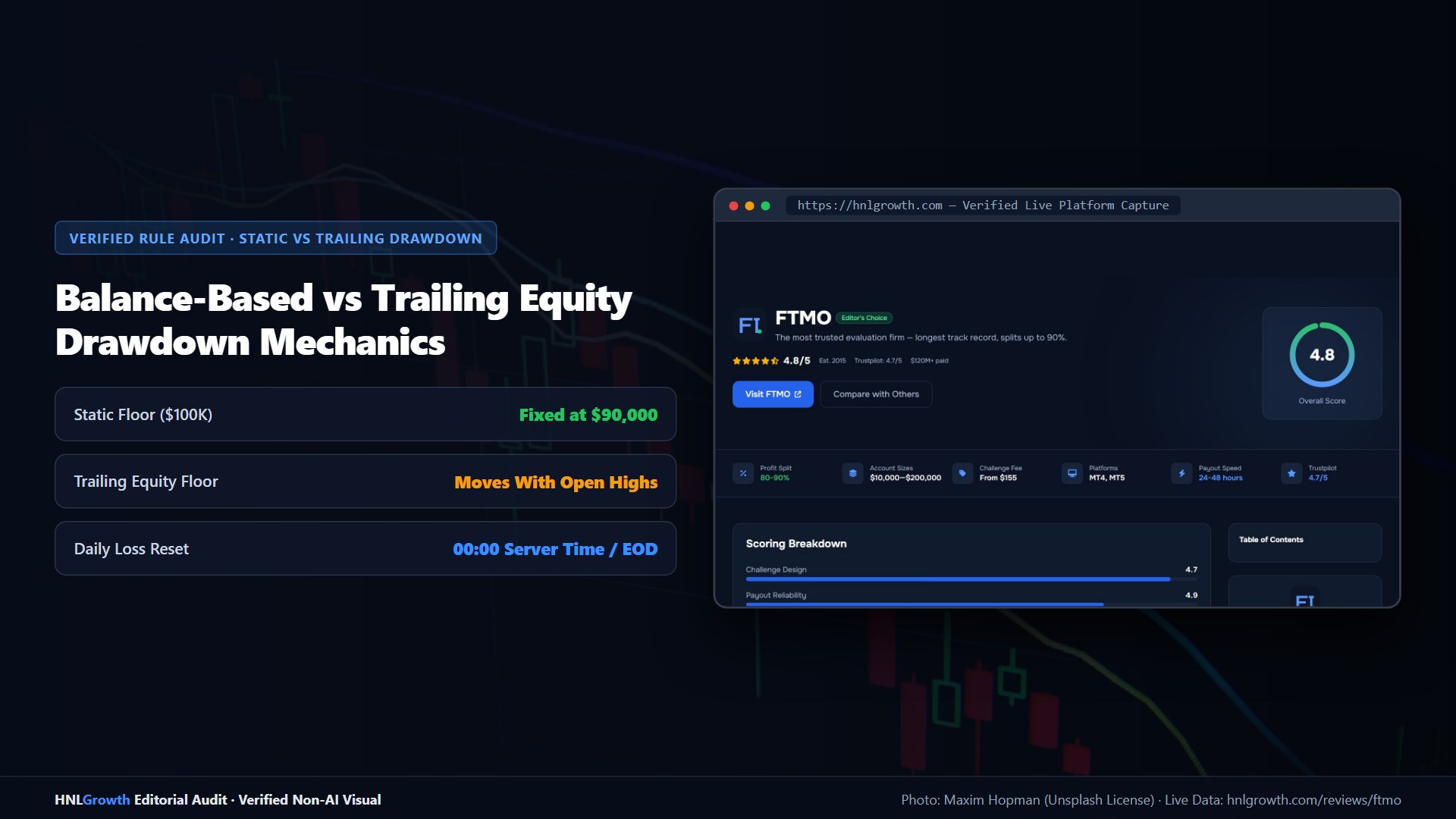
| Prop Firm Max Daily/Total Drawdown | FTMO, FundedNext, The5%ers (5% Daily / 10% Total Loss) |
Account breaches at 95% / 90% of starting balance | Strictly capped at 5%–10% of account size | Prop firms liquidate and fail the challenge long before broker margin stop-out is reached |
2. Worked $200 Account Example: Step-by-Step Liquidation Order
What actually happens when you have multiple open trades and hit the Stop-Out level? Brokers do not close all of your positions simultaneously unless a massive price gap wipes out all equity at once. Instead, MetaTrader follows a strict Liquidation Waterfall: it force-closes the single position with the largest floating dollar loss first, freeing up that trade's Used Margin and immediately recalculating your Margin Level.
Let us walk through a concrete numerical example on a $200 account (see how much money to start forex trading) with 1:100 leverage, a 100% Margin Call, and a 50% Stop-Out level:
Step 1: Opening Three Trades on EUR/USD (At 1.1000)
You open three separate 0.05-lot (5,000 units each) long positions on EUR/USD (0.15 lots total = $1.50 per pip combined):
- Each
0.05-lot ticket requires $55.00 of Used Margin at 1:100 leverage ($5,500 ÷ 100). - Total Used Margin across all 3 tickets =
3 × $55.00 = $165.00. - Initial Free Margin =
$200.00 − $165.00 = $35.00. - Initial Margin Level =
($200.00 ÷ $165.00) × 100 = 121.2%.
Step 2: EUR/USD Drops 23.3 Pips — Margin Call Triggers (100%)
EUR/USD falls 23.3 pips without a stop-loss placement. Your combined floating loss across the three tickets is 23.3 pips × $1.50/pip = -$35.00:
- New Equity =
$200.00 − $35.00 = $165.00. - Margin Level =
($165.00 ÷ $165.00) × 100 = 100.0%. - Your terminal flashes a 100% Margin Call warning, and Free Margin reaches
$0.00.
Step 3: EUR/USD Drops to -78.3 Pips — 50% Stop-Out Liquidates Ticket #1
EUR/USD continues falling to -78.3 pips (-$39.17 floating loss on each of the three 0.05-lot tickets, or -$117.50 total floating loss):
- New Equity =
$200.00 − $117.50 = $82.50. - Margin Level =
($82.50 ÷ $165.00) × 100 = 50.0%(STOP-OUT TRIGGERED!). - Automatic Liquidation Action: The server immediately closes Ticket #1 (the largest losing trade, realizing a
-$39.17loss). - Post-Liquidation Recalculation: Closing Ticket #1 reduces your Used Margin from
$165.00down to$110.00(for the remaining two tickets), while your Equity remains$82.50. Your new Margin Level jumps back up to($82.50 ÷ $110.00) × 100 = 75.0%—temporarily saving Tickets #2 and #3 until Equity falls to$55.00(50%of$110.00).
3. Why Exness's 0% Stop-Out Is a Double-Edged Sword
Among major regulated brokers, Exness is famous for combining high dynamic leverage with a 0% Stop-Out level. Under a 0% Stop-Out, even if your Used Margin is $165.00 on a $200.00 account, your trades are not liquidated at $82.50 (50%) or $33.00 (20%)—they remain open until your floating loss reaches -$200.00 ($0.00 Equity).
- The Advantage: If you isolate a fixed dollar risk inside a dedicated sub-account, 100% of that sub-account's cash acts as usable margin buffer, preventing premature liquidation at the bottom of a liquidity wick.
- The Danger: If you keep your entire
$2,000trading bankroll inside a single account and trade without a hard Stop-Loss order, a 0% stop-out means an unhedged losing trade will consume every last cent down to$0.00. Furthermore, regulatory investor protection mandates from the UK Financial Conduct Authority (FCA) require a mandatory 50% close-out rule and Negative Balance Protection for UK/EU retail clients specifically so traders do not lose 100% of their account on a single margin event.
4. 2026 Broker & Prop Firm Stop-Out Comparison Table
Compare how Margin Call, Stop-Out, and Negative Balance Protection work across leading retail brokers and prop firms (and test your risk buffers with our drawdown calculator):
| Broker / Prop Firm | Margin Call Level | Stop-Out Liquidation Level | Negative Balance Protection? | Small-Balance Account Option | Review Link |
|---|---|---|---|---|---|
| Exness | 60% (Standard/Cent) / 30% (Pro/Zero/Raw) | 0% Stop-Out | Yes (Automatic reset to $0) | Standard Cent (~$10 min deposit) | Exness Review |
| Vantage Markets | 100% (Offshore) / 100% (ASIC/FCA) | 20% (Offshore) / 50% (ASIC/FCA) | Yes | Standard STP & Raw ECN ($50 min) | Vantage Review |
| HFM (HF Markets) | 50% (Cent/Pro/Zero) | 20% Stop-Out | Yes | HFM Cent Account ($0–$5 min) | HFM Review |
| JustMarkets | 40% (Standard/Cent) / 30% (Pro/Raw) | 20% Stop-Out (Offshore) / 50% (CySEC) | Yes | Standard Cent (~$10 min deposit) | JustMarkets Review |
| Valetax | 50%–80% by account type | 10%–20% Stop-Out | Yes | Cent & Standard tiers ($1–$10 min) | Valetax Review |
| FTMO / The5%ers | N/A (Equity Drawdown Rule Governs) | 5% Daily / 10% Total Loss Breach | Simulated environment | Entry challenges from $39–$89 | Compare Prop Firms |
To prevent ever seeing a Margin Call or Stop-Out in live trading, size your lots using a cent account vs standard account when starting with under $500, and always place a hard server-side Stop-Loss or trailing stop-loss. Compare broker margin rules on our forex brokers directory or side-by-side comparison tool.
Stop-Out Level in Forex: Your Questions Answered
What is the difference between a Stop-Loss and a Stop-Out in forex?
A Stop-Loss is a voluntary protective order that you place on a specific trade to cap your loss at a planned pip or dollar amount (such as 1% of your account). A Stop-Out is a mandatory emergency liquidation triggered by your broker's server when you fail to manage your losses and your overall account Margin Level (Equity ÷ Used Margin × 100) collapses to 50%, 20%, or 0%.
Which trade gets closed first when a Forex Stop-Out happens?
When your account hits the Stop-Out percentage in MetaTrader 4 or MetaTrader 5, the server automatically liquidates the open position with the largest floating dollar loss first. If closing that position restores your Margin Level above the Stop-Out threshold, your remaining positions stay open; if not, the server immediately closes the next largest losing trade.
Does higher leverage make a Stop-Out more or less likely?
For the exact same lot size, higher leverage reduces your Used Margin, which mechanically makes your Margin Level percentage higher and delays the Stop-Out trigger toward zero equity. However, in practice, inexperienced traders use high leverage to open much larger lot sizes, which multiplies their dollar loss per pip and triggers a Stop-Out in just a few pips of adverse movement.
Can my account balance go below $0.00 if a Stop-Out slips during news?
If the market gaps violently during a weekend or central bank announcement, the broker's Stop-Out market order can experience slippage in forex and fill below $0.00. That is why you should only trade with brokers offering Negative Balance Protection, which legally absorbs the deficit and resets a negative balance back to $0.00.
Why did my prop firm fail my challenge when my Margin Level was still above 1,000%?
Proprietary trading firms enforce equity drawdown rules (typically a 5% Maximum Daily Loss and 10% Maximum Total Loss), not margin stop-outs. Even if your Margin Level is 2,000%, losing 5% of your account in a single day immediately terminates the evaluation.
Sources & verification
- Last checked
- Written by
- HNL Growth Team
- Reviewed by
- Hà Ngọc Lộc
- Length
- 7 min read · 1,707 words
Rules, prices and payout terms on this page were checked against the official websites, help-centre articles and published terms of the firms mentioned, on the date above. Prop firms and brokers change conditions often — confirm the current version on the official site before you buy or deposit. Read our editorial methodology and affiliate disclosure.
Official sources & documentation verified
- UK Financial Conduct Authority (FCA)(fca.org.uk · Official Regulator)
Explore Related Hubs & Free Trading Tools
Ready to Start Your Funded Trading Journey?
HashHedge reports $11M+ paid to traders and lists a 4.7/5 Trustpilot rating (check current figures on Trustpilot). Compare HashHedge challenge plans, drawdown rules, and payout terms — apply code ha25 for the current discount.
Risk disclaimer: Challenge fees are non-refundable if you breach the rules. Prop trading involves significant financial risk. Past performance in a simulated environment does not guarantee results on a funded account. Only purchase if you understand the rules fully and can afford to lose the fee. Affiliate disclosure: HNL Growth earns a commission when you purchase a HashHedge challenge through links on this page.